
Participant
April 26, 2021
Answered

Brushes are pixelated and square?

  • April 26, 2021
  • 3 replies
  • 1445 views

I have never had a problem like this, but every brush I use ends up as in this screenshot:
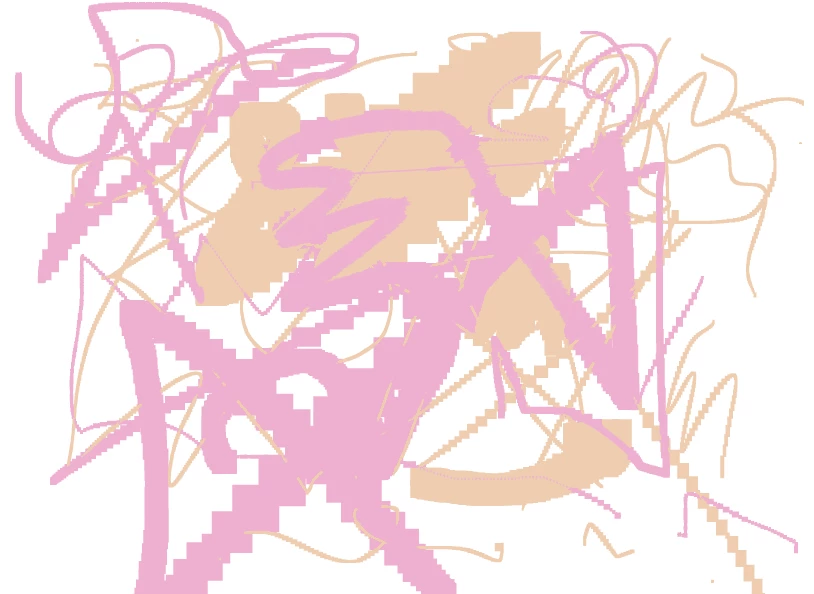
I have no idea what could be causing this whether it is a photoshop issue or a moniter issue. Is there a setting I might have accidentally turned on? My cursor has a plus sign in the middle as well which I believe is new.

Please help!

This topic has been closed for replies.
Correct answer neemee134

Luckily after resetting preferences it has returned back to normal, I still have no idea why this happened. I'd be curious to know if this problem has occured with anyone else.

3 replies

neemee134AuthorCorrect answer
Participant
April 26, 2021

Luckily after resetting preferences it has returned back to normal, I still have no idea why this happened. I'd be curious to know if this problem has occured with anyone else.

Participant
June 10, 2021

Thank you! I had the same problem and I don't know how it happened. Resetting preferences worked for me too!

Trevor.Dennis
Community Expert
Community Expert
April 26, 2021

I think you have the Pencil tool selected.  It has the same shortcut as the Brush tool, so is easily done. You can edit and remove problematic shortcuts with the Edit Toolbar feature.  When I hit the B key, I know for certain that I'll be getting the plain vanila brush and not something blocky, or that is going to do wierd thiings to my image!


neemee134Author
Participant
April 26, 2021

Unfortunately, I have switched between the pencil and brush tool to see if that was causing the issue and it did not have any effect on the pixelated look. I have posted a picture of the whole application above if that might help.

c.pfaffenbichler
Community Expert
Community Expert
April 26, 2021

Could you please post meaningful screenshots with the pertinent Panels (Toolbar, Layers, Options Bar, …) visible? 

neemee134Author
Participant
April 26, 2021

Here is a zoomed out look at my application, I have switched between the pencil and brush tool with no avail.


neemee134Author
Participant
April 27, 2021

Did the Brush have a »Dual Brush« or a »Texture« in the Brush Settings Panel? 


I don't believe so since I tried almost half of my brushes (which there are a lot) with the same outcome. I'll keep an eye out for that in the future though.