Inspiring
November 19, 2020
Answered

Brushes are suddenly pixelated

  • November 19, 2020
  • 1 reply
  • 685 views

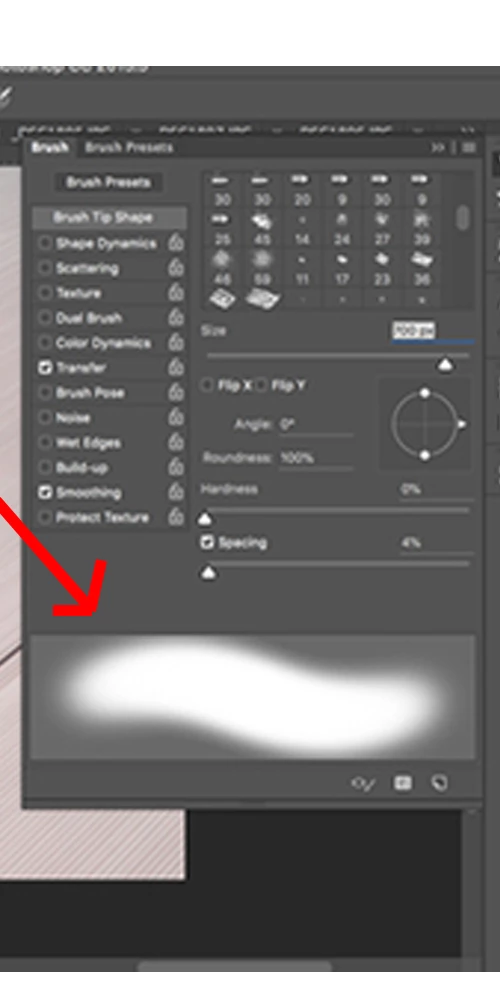
I've searched the forums and have not found a solution. Yesterday, everything was working fine. But today, the brushes are terribly pixelated; even their brush previews are pixelated. 


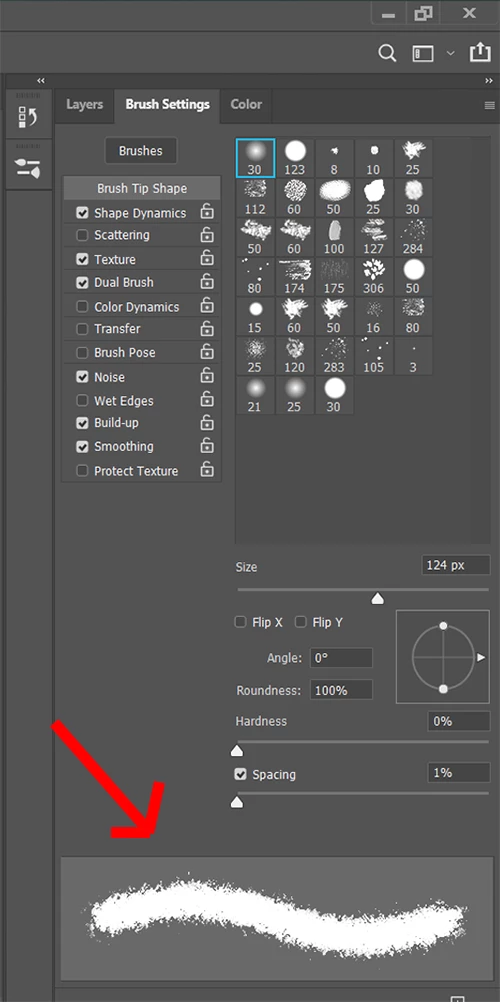
The first screenshot is the common soft brush tool's preview, and how it looks in my photoshop. The second screenshot is the same soft brush tool's preview, but how it's supposed to look. I am using an LG ultrawide monitor, and a Wacom 13HD Cintiq tablet. Never had this problem until today. 


Also, I made sure the brush modes are set as normal, not dissolve.
This topic has been closed for replies.
Correct answer Yompa

I figured it out. The "noise" option was checked for every single brush.


I don't know why Photoshop suddenly decided to automatically check this option, when I never touched this.

1 reply

YompaAuthor
Inspiring
November 22, 2020

Nobody knows?

YompaAuthorCorrect answer
Inspiring
November 22, 2020

I figured it out. The "noise" option was checked for every single brush.


I don't know why Photoshop suddenly decided to automatically check this option, when I never touched this.