
Participant
May 24, 2018
Answered

Brushes Drawing Light Static Effect

  • May 24, 2018
  • 1 reply
  • 851 views

Hello,

I was just drawing earlier, and accidentally pressed several buttons at once on my tablet (the buttons may have included ctrl, B, Z and Y, though I'm not entirely sure), after which I found that the brush tool had stopped working correctly. I've since reset the Photoshop preferences, and the brush tool, however the issue persists on some brushes, though others are functional. The issue creates an effect that looks like this:
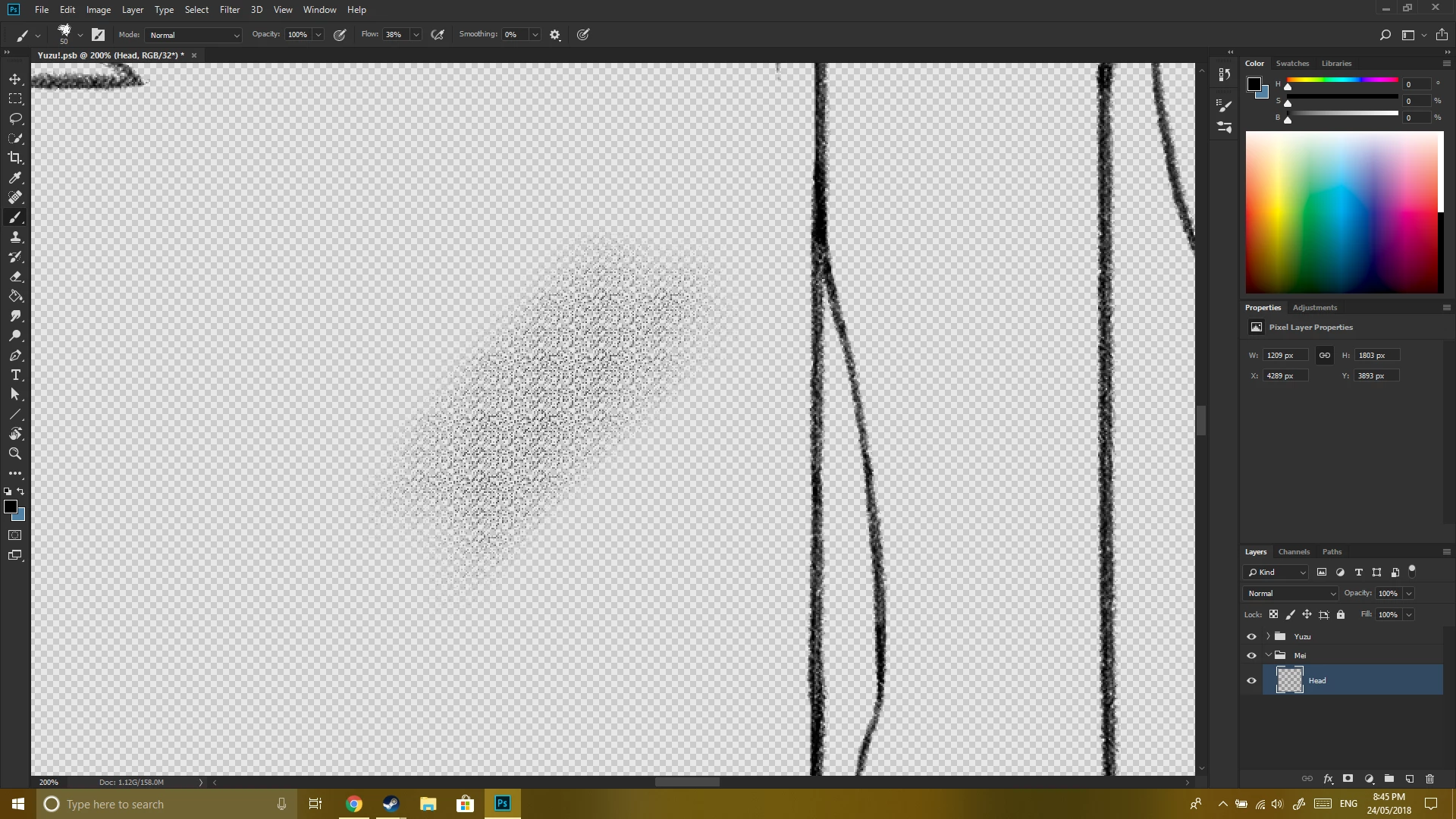
So, I'm not sure how to return the brush to normal functionality. Any help would be much appreciated.

Thank you!

This topic has been closed for replies.
Correct answer c.pfaffenbichler

Try unlocking and unchecking »Texture« in the Brush Settings Panel.

1 reply

c.pfaffenbichler
Community Expert
Community Expert
May 24, 2018

Can you add a white Background Layer and please post a screenshot including the Brush Settings Panel?

Does turning off »Use Graphics Processor« in the Performance Preferences (Photoshop > Preferences > Performance > Graphic Processor Settings) and restarting Photoshop have any bearing on the issue?

Blaze5565Author
Participant
May 24, 2018

And, no, turning off Use Graphics Processor didn't make a difference.

c.pfaffenbichler
Community Expert
Community Expert
May 24, 2018

»Texture« appears to be locked.