
Question
brushes no longer blend the colors with each other its like on multiply mode
Hello! 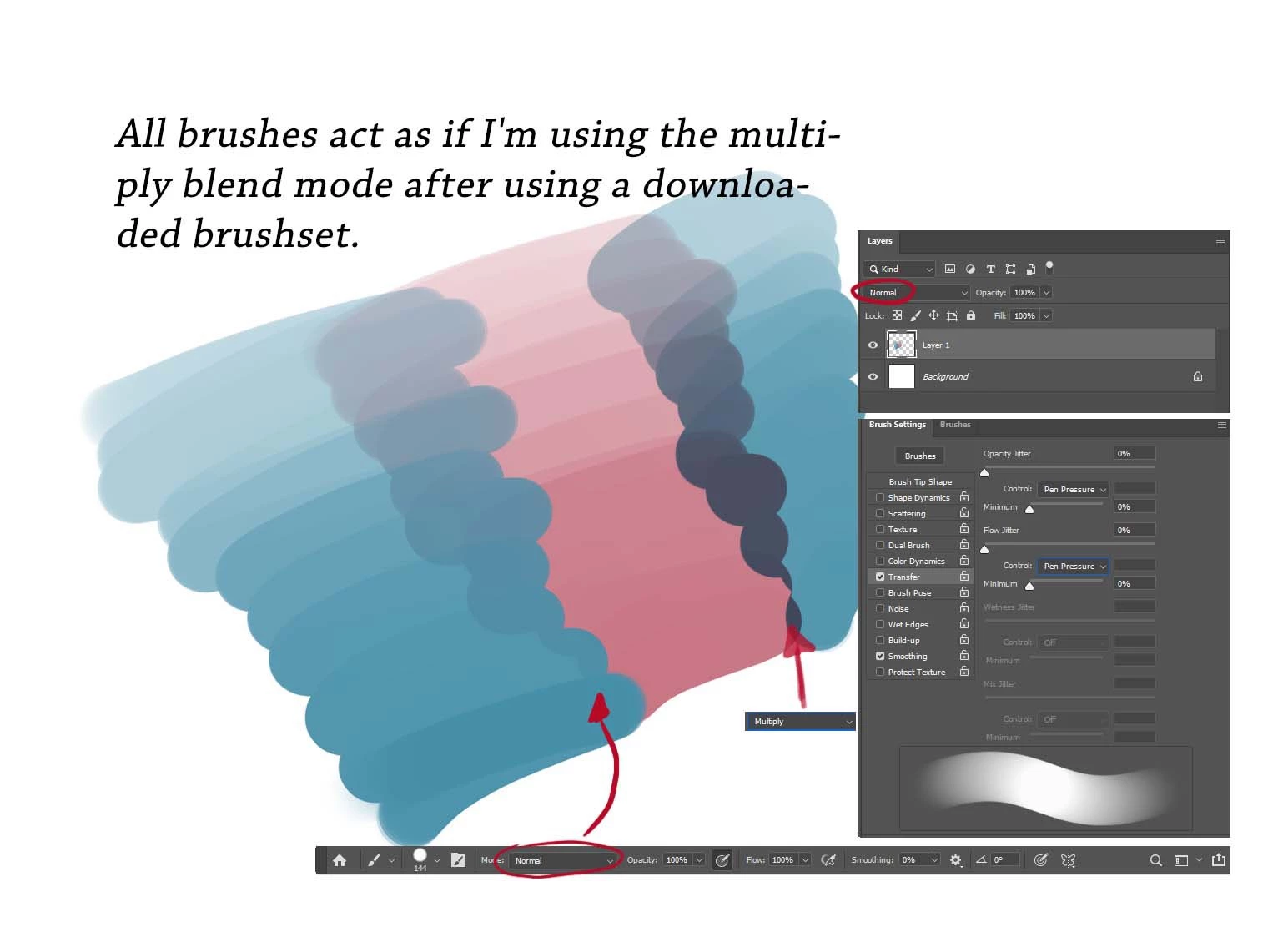 My brushes no longer blend the colors with each other. It's as if each stroke takes place on a new layer. It also makes no difference which GT or Photoshop version I use, same with different GT drivers. It doesn't matter which brush I use either. The standard brushes and custom made / downloaded brushes all suddendly behave like that. I think a downloaded brush pack overwrote some kind of setting in Photoshop so that all brushes behave like they would be set on multiply, even though the layer and the brushes are set to normal. The colors always blend as they should till I downloaded a random brush pack, since then all brushes behave that way. I hope someone knows this issue and could help me out
 AdChoices