Participant
August 8, 2025
Answered

Brushes not working in mask mode

  • August 8, 2025
  • 2 replies
  • 176 views

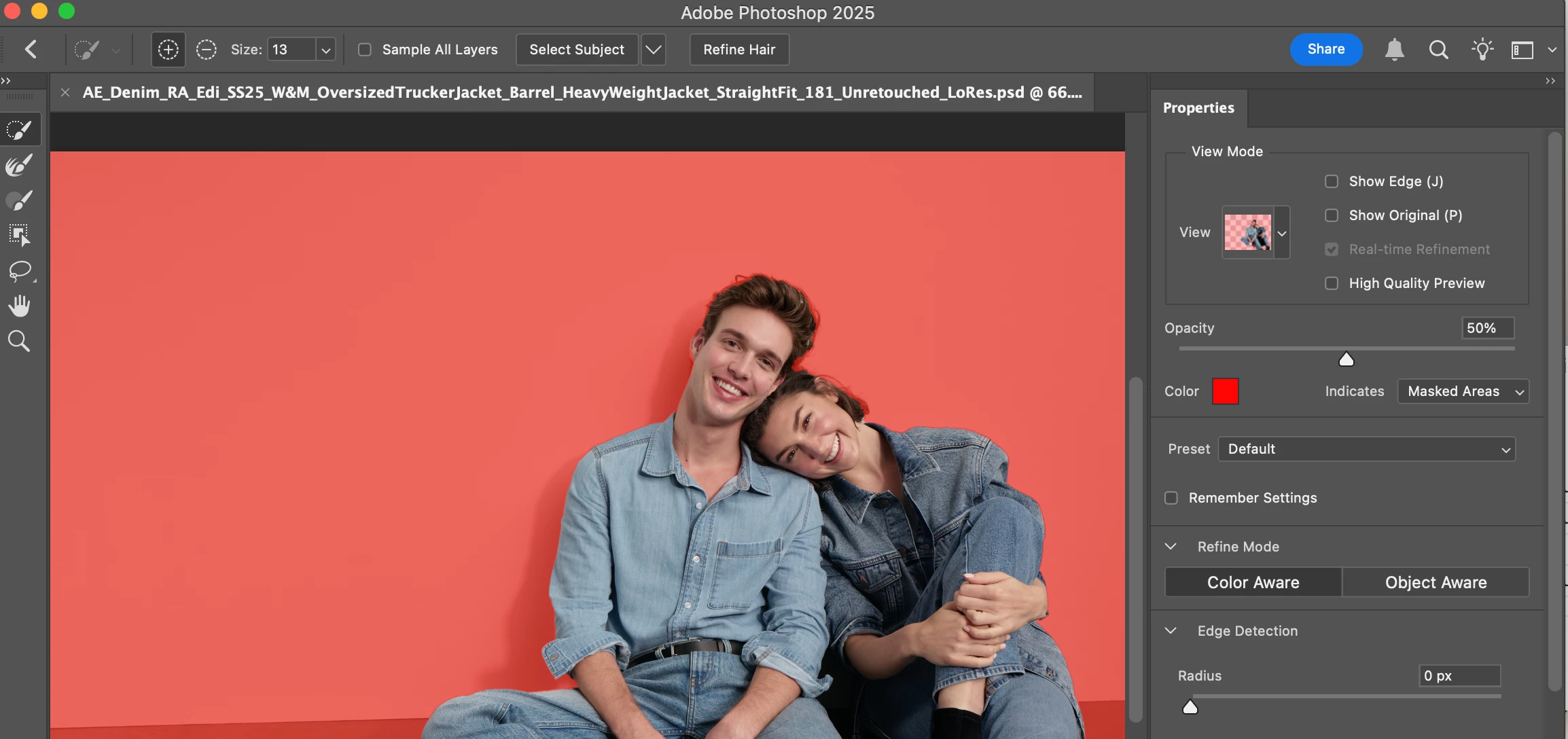
Hi, I'm unable to use the brushes in mask mode. It is grayed out at the top & and I cant figure it out. I'm attaching a screen shot. Does anyone know what the issue is?

Correct answer Angela [C]28577868x86z

This issue seems to have resolved itself.  

2 replies

Participant
August 8, 2025

Hi! Thanks for your response. none of the sidebar tools seem to updating the red layer in mask mode. They do update the image. (this is so strange). 
Might it have something to do with this icon on the top bar being grayed out?

Participant
August 8, 2025

I've reset the preferences under Settings >General > and it still doesn't work. 

Angela [C]28577868x86zAuthorCorrect answer
Participant
August 8, 2025

This issue seems to have resolved itself.  

Community Manager
August 8, 2025

Hi @Angela [C]28577868x86z, welcome to the community!

Just checking, are you referring to this brush tool? You can select it by clicking the third icon from the top in the left toolbar.

Let me know if that’s what you meant or if you were looking for something else!

Thanks,
Alek

*(If you mention me with an @, like @Aleke, I’ll get a notification and can respond faster.)*