
Brushes randomly becoming weird / not as expected
Hello there,
So i've had this issue several times over the past year but lately it became annoying to the point I can't really use photoshop to draw.
So basically, what is the issue:
While drawing, all of a sudden, my brush will suddenly lose its texture. It's not that the brush becomes basic, it is still a brush, still the pressure, the flux... But it is not how it should be. (Ill add a pic to show, because it is hard to describe.) A trigger of the issue is when I change my brus for another one, then they all start not working properly. I am not sure if it is the only trigger for it to happen
The issue happens with ALL brushes that have a texture!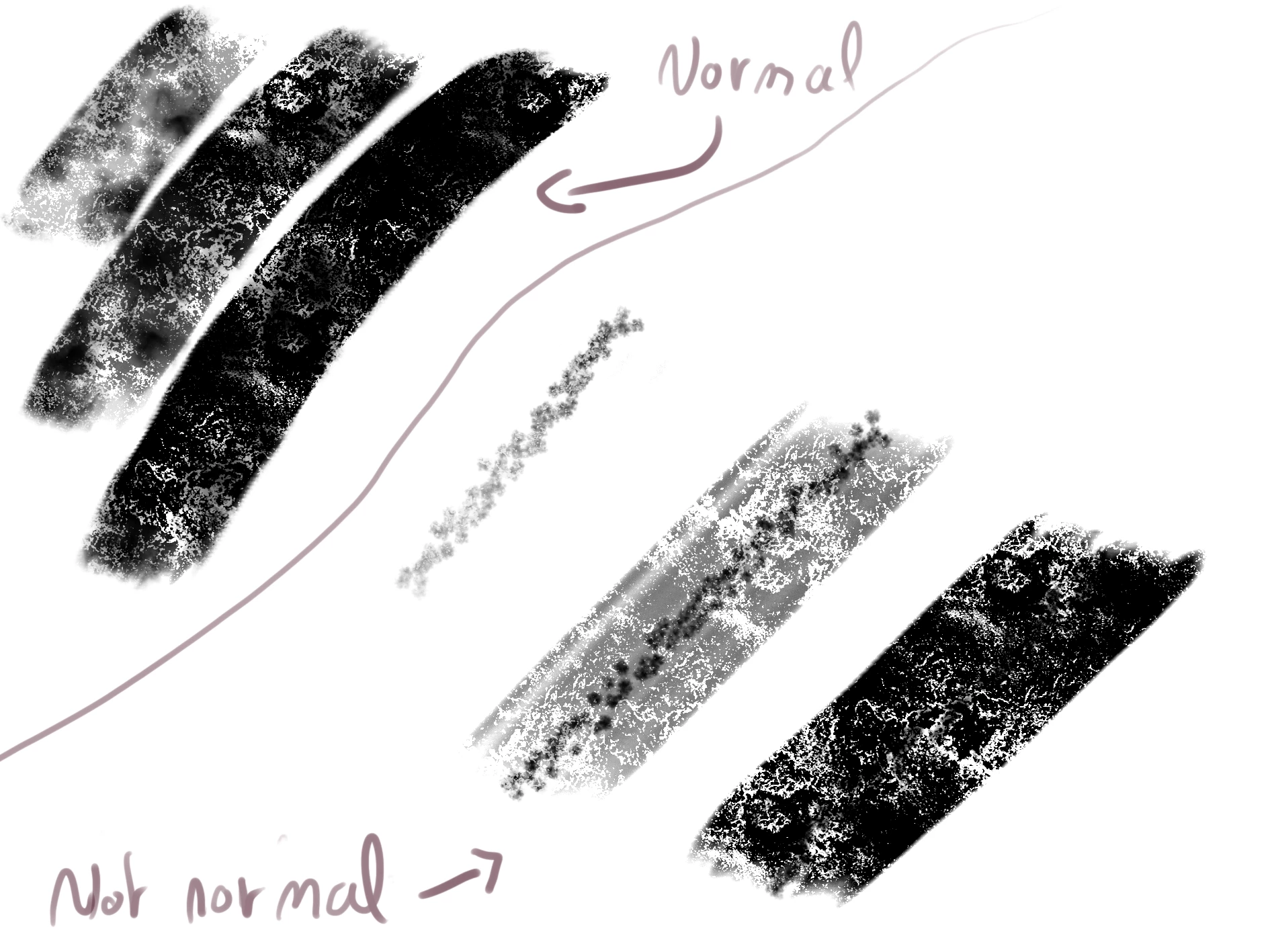
This is the exact same brush for both part of the pic. One is normal and expected, the other isn't. It has been driving me crazy, I've been doing ton of researches, even sent a dm on twitter to adobe and I couln't find any clue of what to do about it.
What I have tried:
I updated my cintiq 13hd's drivers and photoshop.
I unistall and installed photoshop and my brushes, it didn't work, the issue still appear randomly and last for an unknown amount of time.
I unistalled and installed my tablet's drivers.
Of course tried to reboot, you can imagine.
What is my environement:
I run on windows 10, using a cintiq 13 from Wacom.
Photoshop 2020 version: 21.1.1
Wacom drivers : 3.3.34-3 (Not the latest because my tablet wont be detected by wacom if I use it)
Thanks for your time, realy hope to fix this issue.
 AdChoices