
Answered
Bug Photoshop 2023
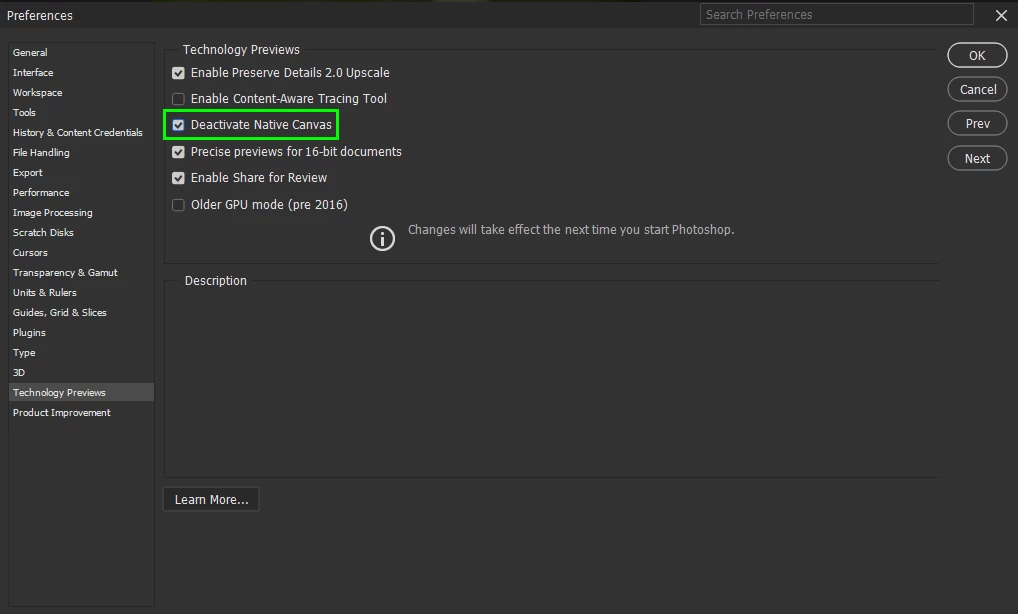
Issue: When opening an image in Photoshop 2023, the image does not appear on the screen and the screen flickers between black and white, making it impossible to work on the image.
Steps to Reproduce:
- Open Photoshop 2023.
- Click on "File" and select "Open".
- Choose any image to open and click on "Open".
- Observe that the image does not appear on the screen and the screen flickers between black and white.
Expected Behavior: When opening an image in Photoshop 2023, the image should be displayed on the screen, and the screen should not flicker.
Actual Behavior: The image does not appear on the screen, and the screen flickers between black and white.
Environment:
- Operating System: Windows 10
- Photoshop Version: 2023
- System Specifications: Intel Core i7, 16 GB RAM, NVIDIA GeForce GTX 1050 Ti
Additional Information:
- This issue occurs with all types of image files (JPEG, PNG, TIFF, etc.).
- I have tried restarting Photoshop and my computer, but the issue persists.
- Other applications and programs on my computer are functioning normally.
- I have not experienced this issue with previous versions of Photoshop.
Workaround: At this time, I have not found any workaround to resolve this issue.
 AdChoices