Could be a buggy video driver, but it sounds more like a defective monitor profile to me. A screenshot would help.
If you're not using a calibrator (which is what Photoshop is designed to work with), Dell and some other manufacturers distribute their own monitor profiles through Windows Update. Dell is notorious for shipping bad profiles, along with Samsung, Acer and Asus.
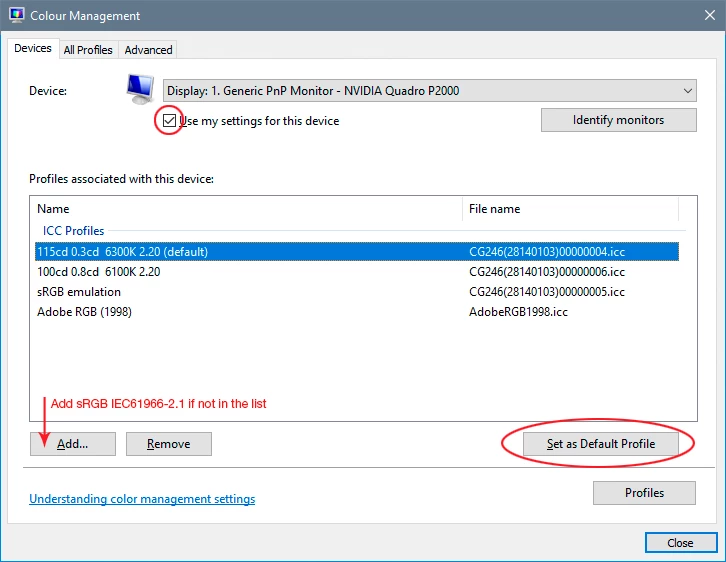
If disabling GPU doesn't do anything, replace your current monitor profile with sRGB IEC61966-2.1. It won't be entirely accurate, but better than a broken profile. Relaunch PS when done, it loads the profile at application startup.

 AdChoices