
Answered
Bugs using type tool
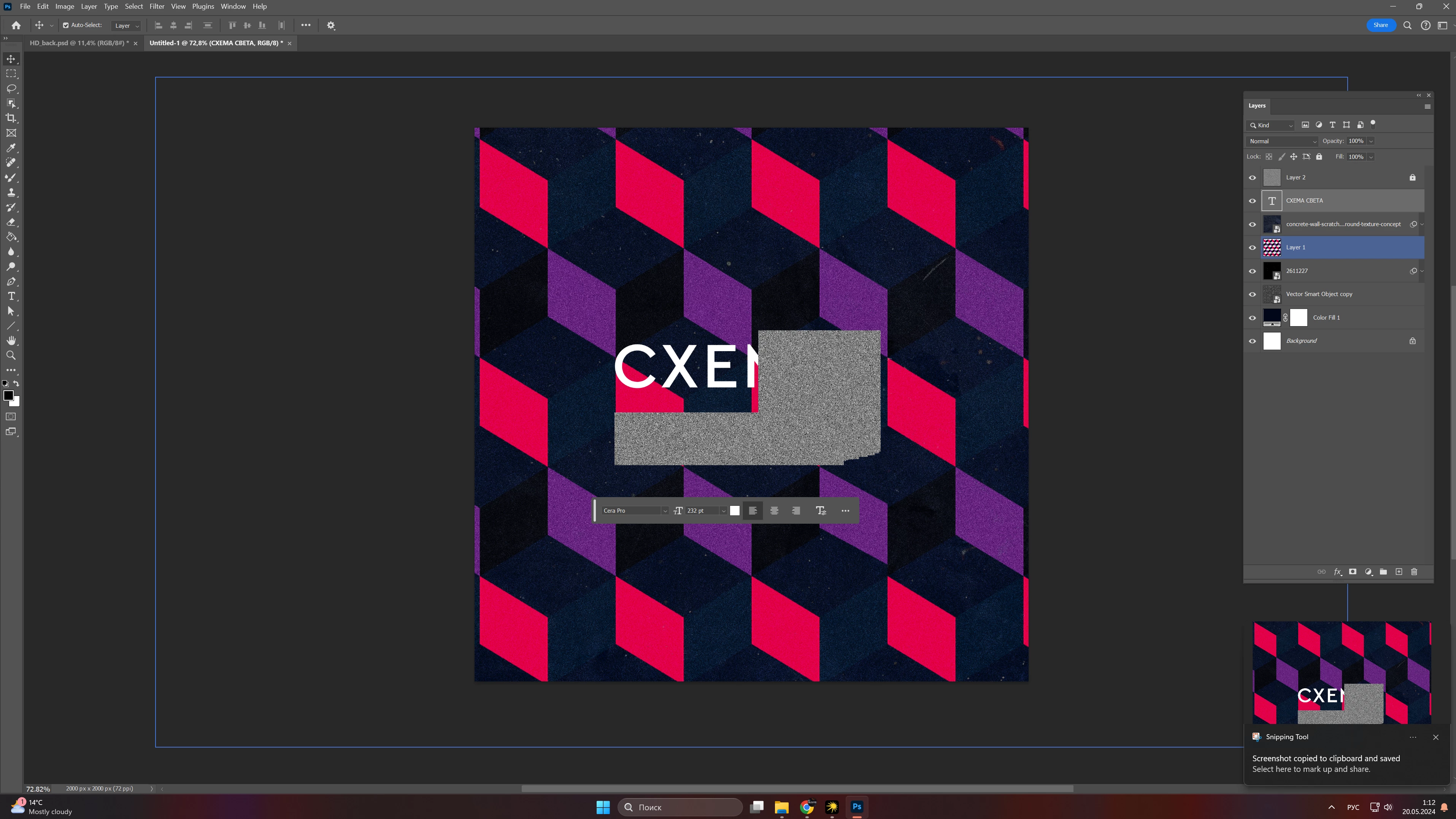
After few updates i am facing strange bug that very annoying when typing texts that doesnt let me work... How to fix it? Maybe there is a solution to fix it? I cant work properly 😞

After few updates i am facing strange bug that very annoying when typing texts that doesnt let me work... How to fix it? Maybe there is a solution to fix it? I cant work properly 😞
Does turning off »Use Graphics Processor« in the Performance Preferences (Photoshop > Preferences > Performance > Graphic Processor Settings) and restarting Photoshop have any bearing on the issue?
Does turning on »Deactivate Native Canvas« (Photoshop > Preferences > Technology Previews) and restarting Photoshop have any bearing on the issue?
Already have an account? Login
Enter your E-mail address. We'll send you an e-mail with instructions to reset your password.
 AdChoices