
Answered
Bulls-eye artifact in photo
Can someone help identify what is causing this? I don't think it's on all my photos, but this type, when enhanced, shows it. Is my sensor bad/ burned? Sony a6000
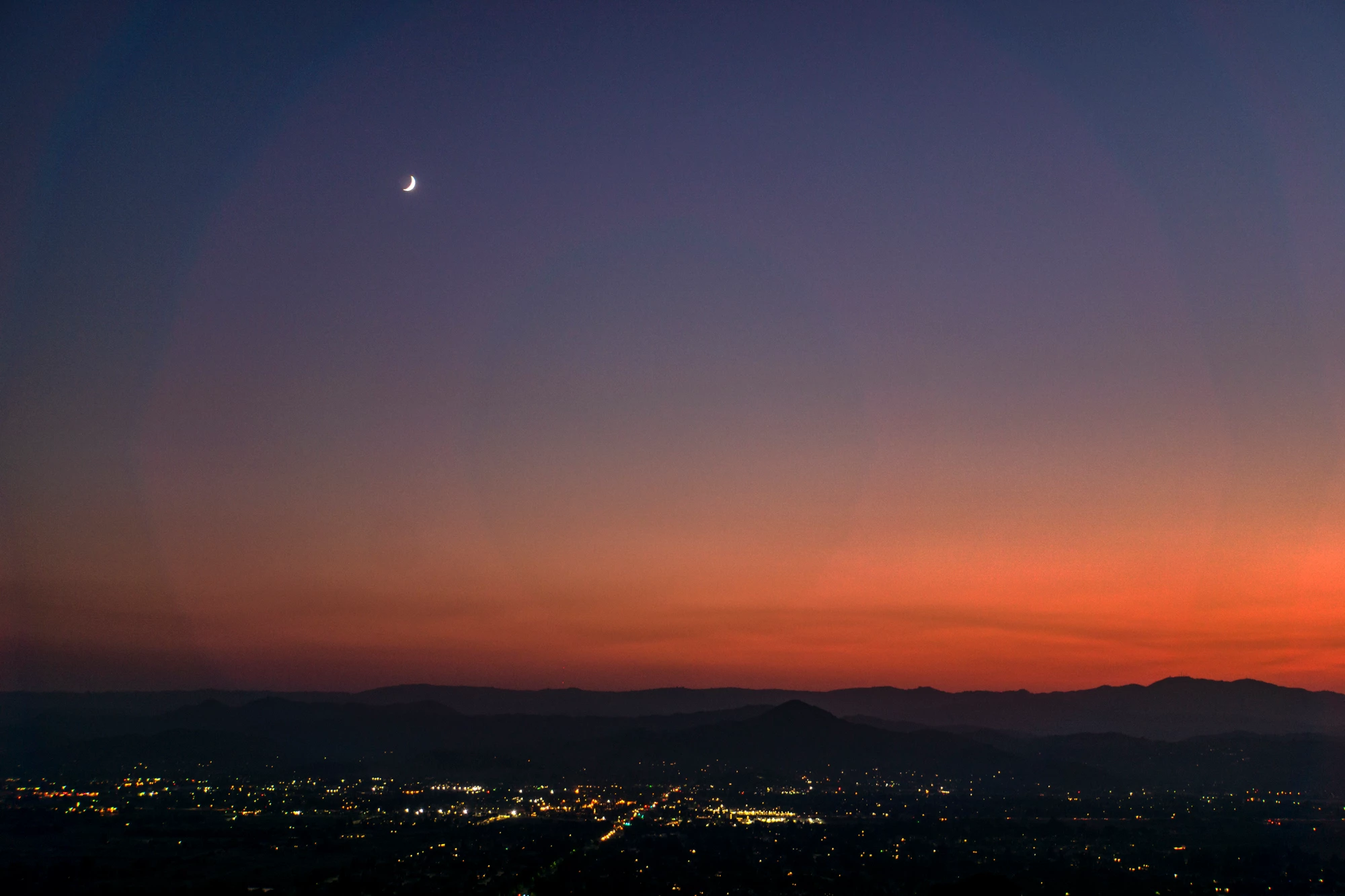

Can someone help identify what is causing this? I don't think it's on all my photos, but this type, when enhanced, shows it. Is my sensor bad/ burned? Sony a6000
It's simply a lensflare, i.e. light bouncing around between the actual lenses, the aperture gate and the tube of your "lens". Typically this is causesd by too much sideways light coming in (in your case from the sunset), so consider additional shadow boxes/ rings or draping a cloth ofver the lens along with potentially different settings for the shots, additional shadow boards and whatnot.
Mylenium
Already have an account? Login
Enter your E-mail address. We'll send you an e-mail with instructions to reset your password.
 AdChoices