
Inspiring
December 12, 2020
Answered
Calculating file size
- December 12, 2020
- 1 reply
- 4030 views
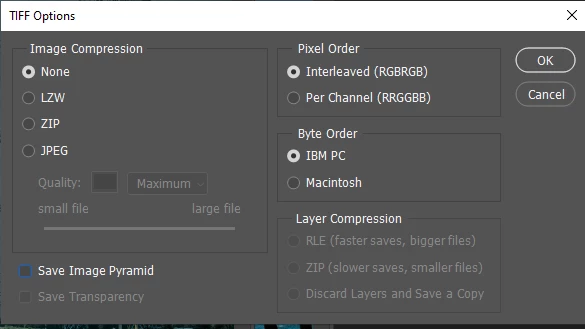
I have a client request for a file to be 50-60MB (8 bit rgb uncompressed Tif)
For some unknown reason which hasn't happened before, I am having a little difficulty understanding & calculating file size while preparing 8bit Tif files to fall within the 50 to 60mb range.
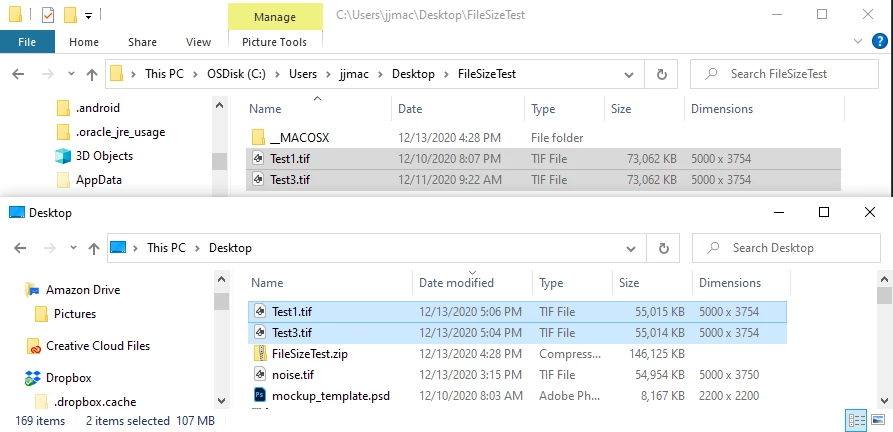
The confusion arises because the listed file size differs depending on whether I view the image in Photoshop, as a Bridge thumbnail, or in the Finder (via Get Info). See attached screenshots.
They differ, I think because one is reading the image pixels and the other is reading the storage space on the hard drive. But I'm ot sure why they're different.
A third size appears when I apply the following formula/calculation
Total number of px (WxH) x Bit depth (8 or 16) ÷ 8 (for Bits) ÷ 1024 (for Kb) ÷ 1024 (for Mb)
For example -
An image is 5000px x 3750px = 18,750,000 total pixels
Multiply by 8 bit depth = 150,000,000 bits
Divide by 8 for size in Bytes = 18,750,000 bytes
Divide by 1024 for size in Kilobytes = 18310 kb
Divide by 1024 for size in Megabytes = 17.89 MB
So I have different sizes - this one is 17.89, Photoshop>Image Size is 53.6M, Bridge is 71.28, andt the Finder>Get Info is 74.7 M
Which is it
 AdChoices