Participating Frequently
November 20, 2024
Answered

Camera RAW AI Noise Preview Window Not Available

  • November 20, 2024
  • 1 reply
  • 414 views

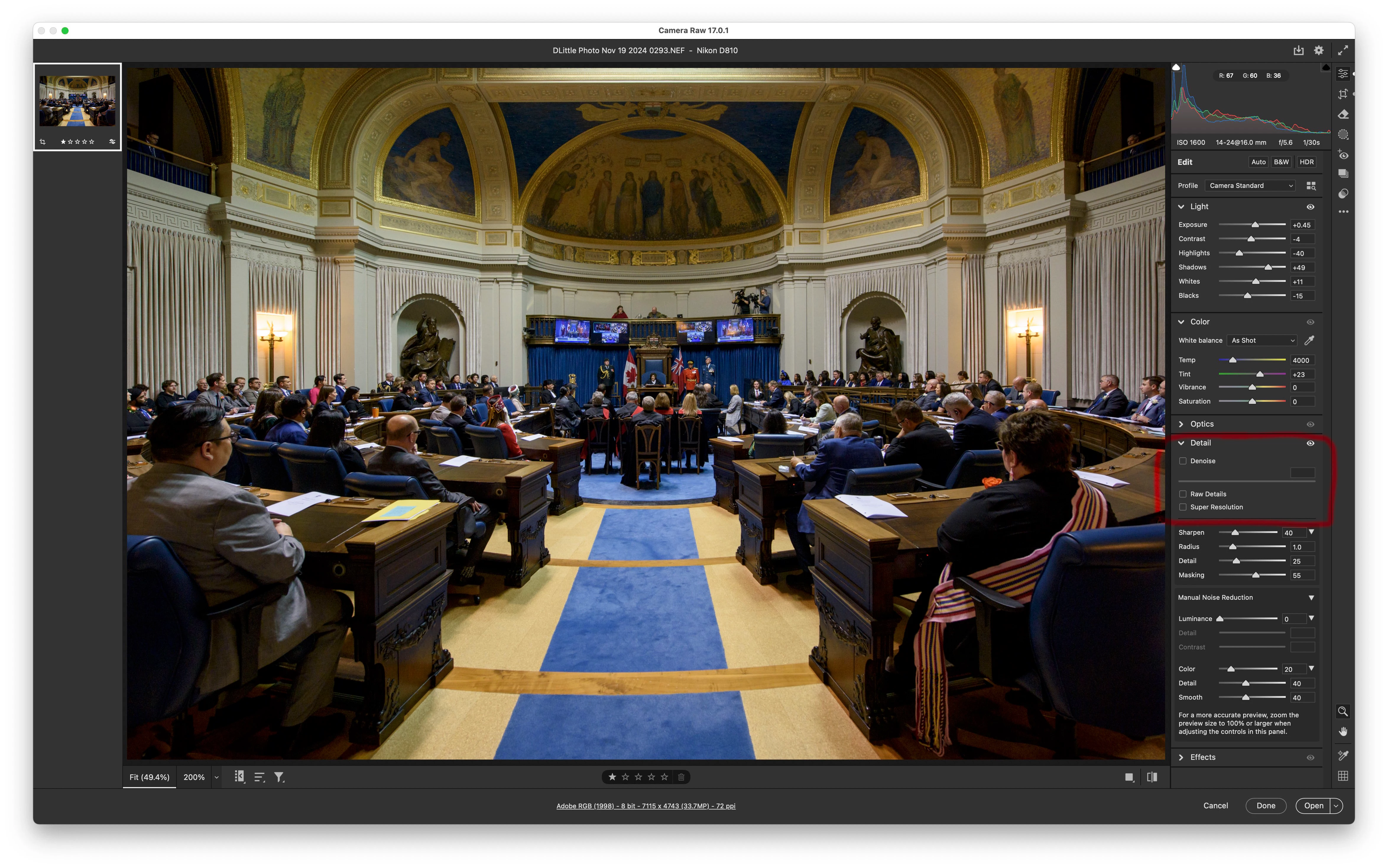
When using Camera Raw AI Noise Reduction, I don't have a preview window - it only shows me the entire image after rendering, and if the default 50 setting is too much, I have to decrease the slider and wait for it to apply to the entire image again. .  with Nikon D850 files this is painfully slow. .  how do I get the preview window with the 100% zoomed in portion, as opposed to the entire image displaying? This driving me nuts. . .

Thanks in advance for any help!
This topic has been closed for replies.
Correct answer D Fosse

I only have this for the AI Noise Reduction - no prop up window. . ? Is there a right click or something I check somewhere to get the dialogue box, instead of this? 


Ah, sorry, my mistake -


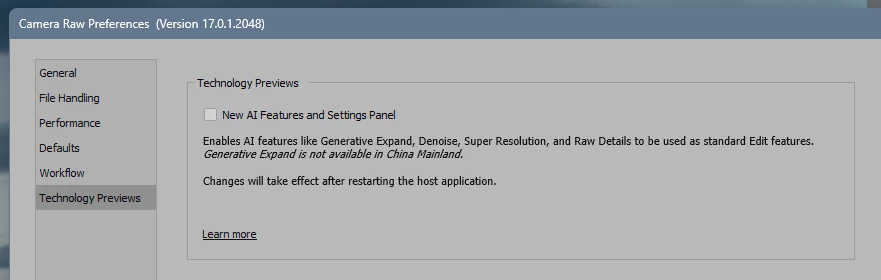
That's the new re-editable Enhance function, where you don't need to create a separate DNG. You enable this under "Technology Previews" in Preferences:


I hadn't enabled it on this machine, and I haven't quite gotten used to it yet. But you can disable it here if you prefer the old way.

1 reply

D Fosse
Community Expert
Community Expert
November 20, 2024

Click the lower right corner of the preview window. There should be a "+" magnifying glass icon there, for some reason that seems to be missing now. But the click still works. Once in zoomed in view, the "-" icon is still there.


BTW it's not 100%, but closer to 250%. So it actually shows a rather exaggerated preview. Some of us tried to get an answer to why it wasn't 100%, can't recall the exact answer we got, but it was something along the lines of showing the result "more clearly".


Here you can see where to click:


Participating Frequently
November 20, 2024

Thanks - but the issue is, I don't have a preview window - the file fills the entire raw camera window - I don't get the preview window. . any other thoughts?

D Fosse
Community Expert
D FosseCommunity ExpertCorrect answer
Community Expert
November 20, 2024

I only have this for the AI Noise Reduction - no prop up window. . ? Is there a right click or something I check somewhere to get the dialogue box, instead of this? 


Ah, sorry, my mistake -


That's the new re-editable Enhance function, where you don't need to create a separate DNG. You enable this under "Technology Previews" in Preferences:


I hadn't enabled it on this machine, and I haven't quite gotten used to it yet. But you can disable it here if you prefer the old way.