It seems there's a issue with the driver for your NVidia GPU and your driver is approx 3 months old.
Goto NVidia's website and search for the recent driver version for your GPU, download and install it. Then check again. Make sure that you install the recent Studio version of the driver Don't install the Game Ready version!!
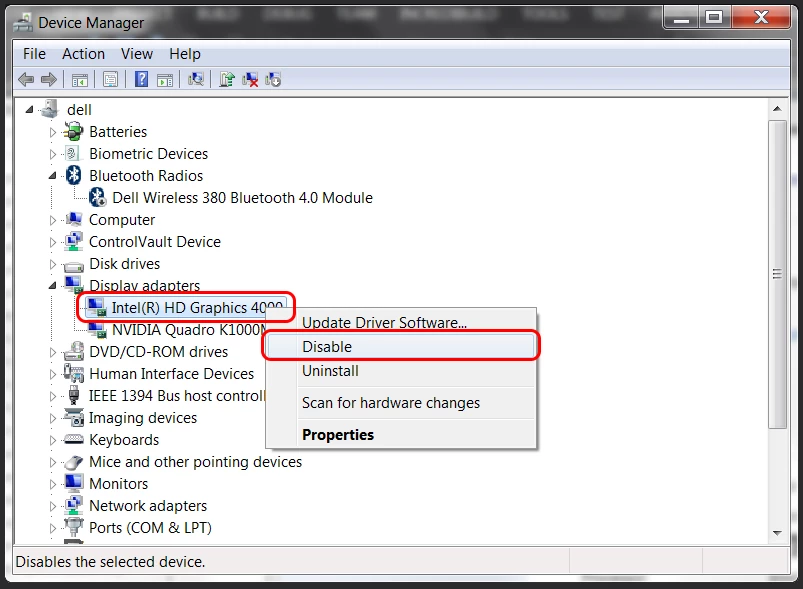
You also have an integrated GPU – UHD Graphics. Make sure that it is disabled, sometimes there are problems with dual GPUs, especially the internal GPUs. Go to Control panel > Device manager > Display adapters. If the UHD Graphics is enabled, right click it and choose Disable.
You should also try to reset the ACR preferences.
Mac: hold down the Command key and select Photoshop > Preferences > Camera Raw
Win: hold down the Ctrl key and select Edit > Preferences > Camera Raw.
Then click on "Yes" in the dialog that asks "Delete the Camera Raw Preferences?

 AdChoices