
Participant
April 13, 2020
Question

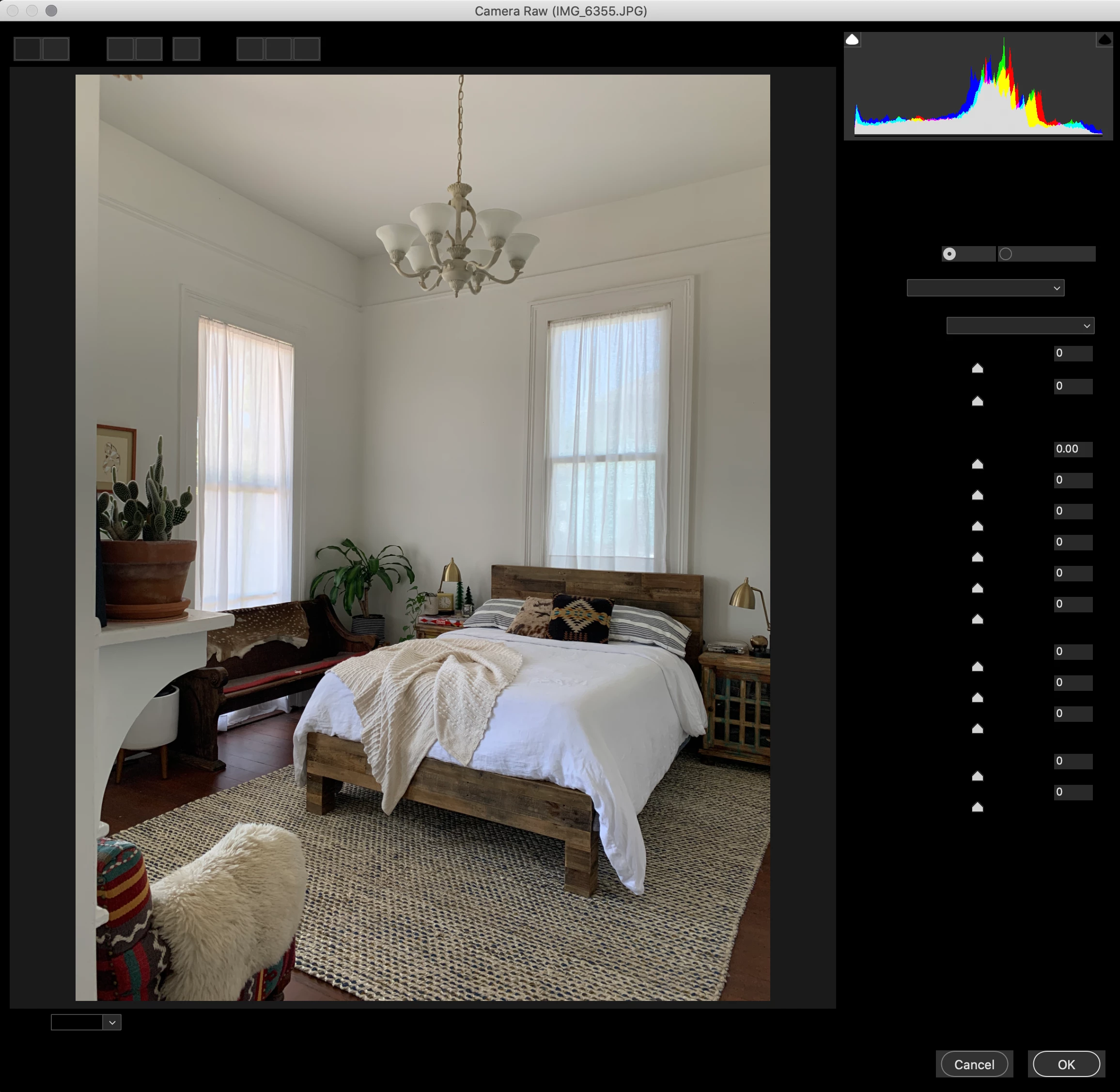
Camera Raw Filter interface is black, illegible

  • April 13, 2020
  • 2 replies
  • 1027 views

I updated to the most current version of Photoshop last night and now the Camera Raw Filter interface is black. I can't read *anything*. Have tried adjusting the interface settings, restarting the software, etc. but no luck. Running macOS Catalina 10.15.3 (up to date). 
 

This topic has been closed for replies.

2 replies

Peru Bob
Community Expert
Community Expert
April 13, 2020


try updating or rolling back your graphics driver directly from the video card manufacturer’s site.

If tht doesn't work, try resetting the tools and/or preferences.
To restore preferences quickly using a keyboard shortcut:

Press and hold Alt+Control+Shift (Windows) or Option+Command+Shift (Mac OS) as you start Photoshop. You are prompted to delete the current settings. The new preferences files are created the next time you start Photoshop.
Note: Using the keyboard shortcut, preference files for custom shortcuts, workspaces, and color settings will also be reset to default.

from here:

https://helpx.adobe.com/photoshop/using/preferences.html#restore_preferences

Participant
April 13, 2020

Thank you so much for your reply. Unfortunately this did not help, either. I am waiting for a callback from Adobe now. Hopefully they will be able to help. I really appreciate your time!

c.pfaffenbichler
Community Expert
Community Expert
April 13, 2020

Does turning off Photoshop > Preferences > Camera Raw > Performance > Use Graphics Processor make a difference? 

Participant
April 13, 2020

I'm actually not sure. This is what *that* dialog looks like: