
Ken Nielsen
Legend
May 8, 2023
Answered

Can I 'copy' Camera Raw settings given to one image to apply same to additional images?

  • May 8, 2023
  • 1 reply
  • 8558 views

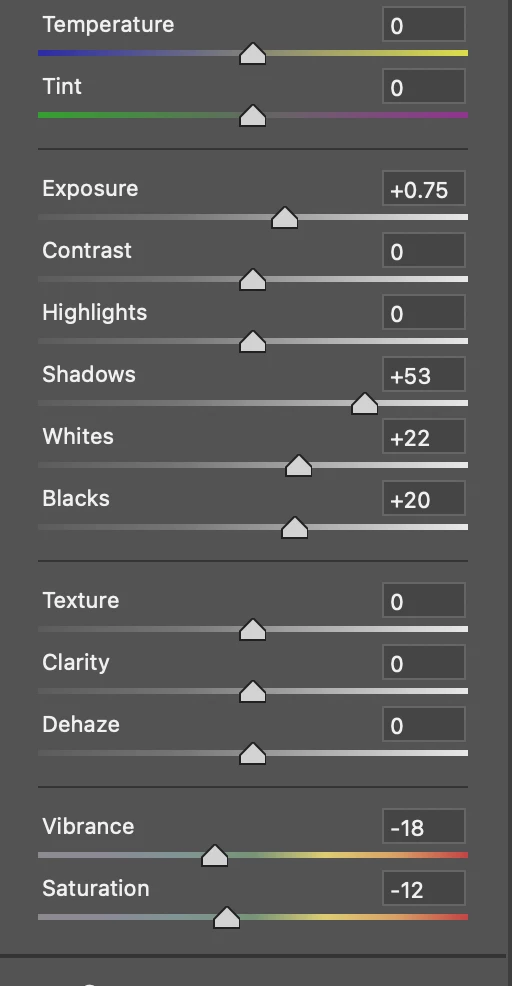
Screen shot shows settings that are ideal for one image. Can I copy and paste these settings to additional images that were all shot under the same conditions? Would be so much easier than having to go through manually to set sliders individually for all images.
Correct answer Ken Nielsen

Great, and thank you D Fosse, I also discovered I can save from within Photoshop while the Camera Raw witndow is open for an image and right click on the window and select 'Save Settings' which I can apply to images opened subsequently in Camera Raw with 'Paste Settings.' I tend to reserve Lightroom as a cataloging software but good to know as Lightroom is definitely stepping in as an editing software also. Whew, have never used this before and is a tremendous time saver when processing multiple images.

1 reply

D Fosse
Community Expert
Community Expert
May 8, 2023

You can do that from Bridge.


(and even easier in Lightroom, where bulk/volume processing is a central function)

Ken Nielsen
Ken NielsenAuthorCorrect answer
Legend
May 8, 2023

Great, and thank you D Fosse, I also discovered I can save from within Photoshop while the Camera Raw witndow is open for an image and right click on the window and select 'Save Settings' which I can apply to images opened subsequently in Camera Raw with 'Paste Settings.' I tend to reserve Lightroom as a cataloging software but good to know as Lightroom is definitely stepping in as an editing software also. Whew, have never used this before and is a tremendous time saver when processing multiple images.

D Fosse
Community Expert
Community Expert
May 8, 2023

If you select a number of files in Bridge and Open in Camera Raw, you get them in a filmstrip at the bottom, and you can right-click and "Sync Settings".


This pretty much mimics the way Lightroom works by default, although it's much more streamlined there.