Inspiring
September 26, 2024
Answered

Can I create a vector mask on a folder in Photoshop?

  • September 26, 2024
  • 2 replies
  • 1229 views

Hello peeps.


I have a vector shape layer and a group folder. I want to clip everything in the group, but Photoshop doesn't seem to allow this. Is there a workaround other than creating a layer mask? I love vector masks because they're editable.


Thanks,

E.
This topic has been closed for replies.
Correct answer Spas K.

You can apply a vector mask to a group. For example:

1. Group a few layers

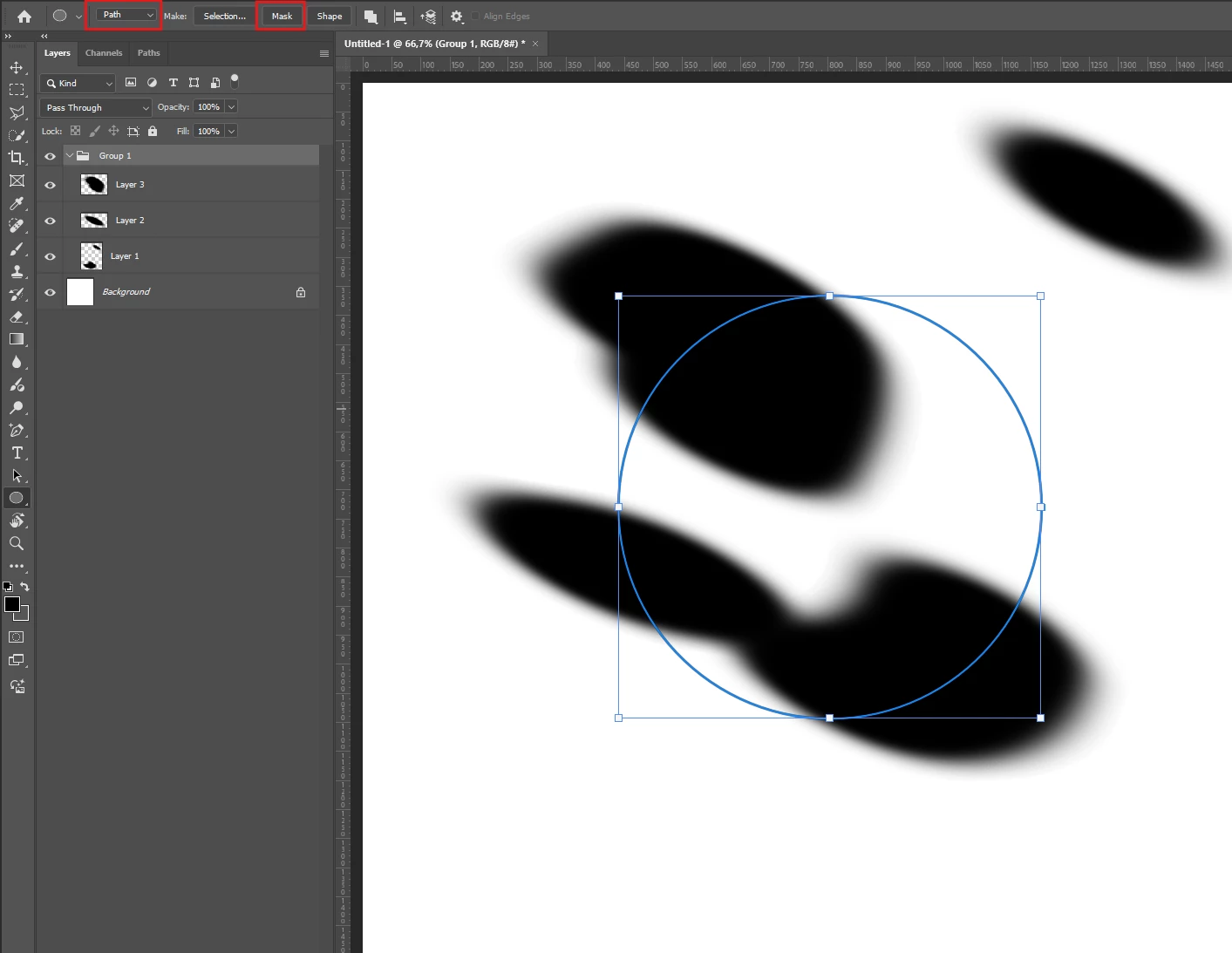
2. Draw a vector path (make sure it's a path, and not a shape, from the tool menu).

3. With the group selected, click on the Mask button at the top, to create a mask


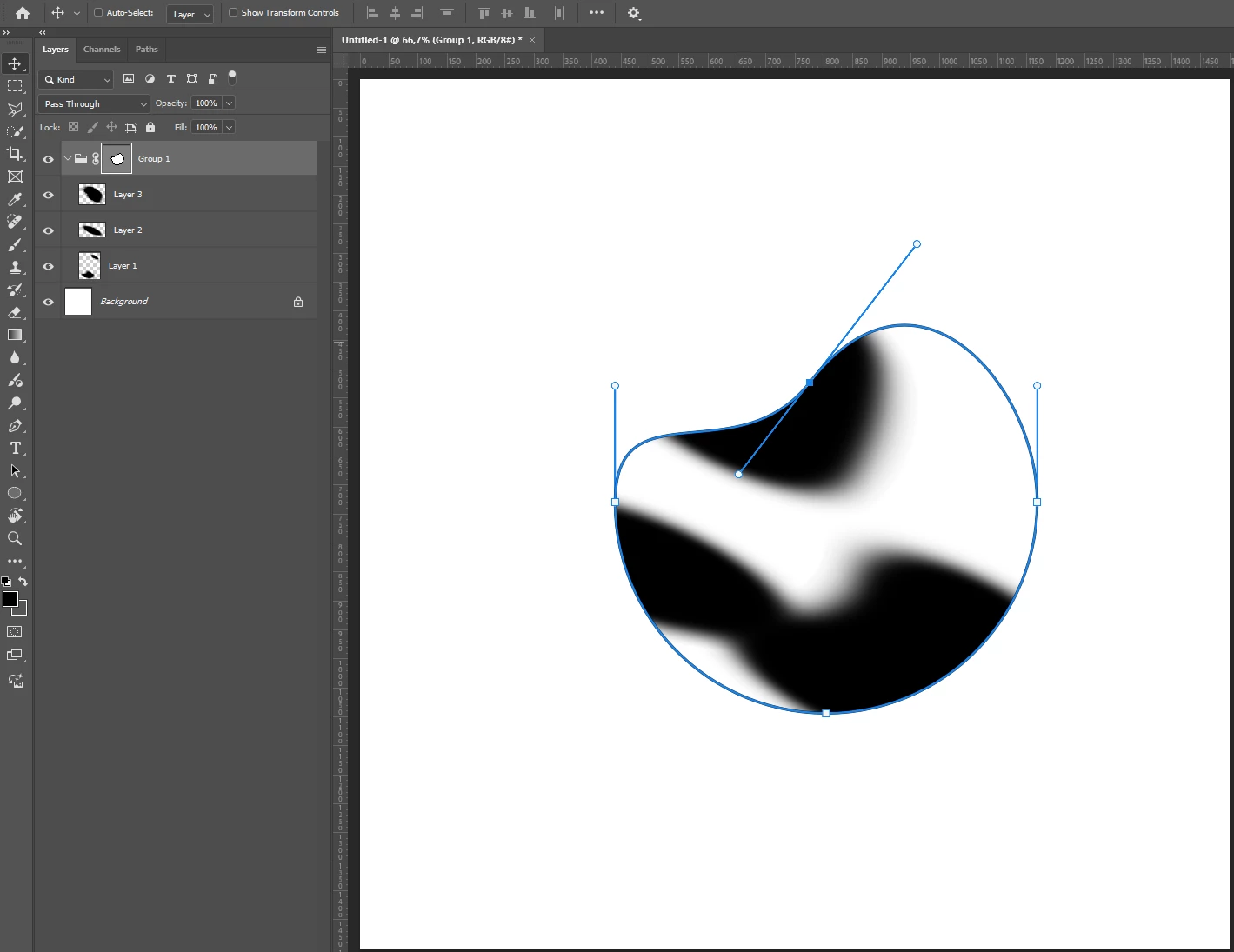
Now you have a vector mask, which you can edit anytime:


If you have an existing shape, select all the points of the shape, Copy, then select the group, and Paste.

2 replies

Spas K.
Community Expert
Spas K.Community ExpertCorrect answer
Community Expert
September 26, 2024

You can apply a vector mask to a group. For example:

1. Group a few layers

2. Draw a vector path (make sure it's a path, and not a shape, from the tool menu).

3. With the group selected, click on the Mask button at the top, to create a mask


Now you have a vector mask, which you can edit anytime:


If you have an existing shape, select all the points of the shape, Copy, then select the group, and Paste.

Inspiring
September 27, 2024

Ahhhh, thank you Spas! I was, indeed, using a shape from the tool panel and not understanding why it didn't work on groups, when it clearly works on individual layers. I'll give this a try. 🙂

Bojan Živković11378569
Community Expert
Community Expert
September 27, 2024

To create a blank vector mask, select the group and hold down Ctrl/Cmd while clicking the Add layer mask button. Then, use the Pen Tool with the drawing mode set to Path and draw a path on your vector mask or copy/paste path.

Legend
September 26, 2024

Any mask is editable. A regular layer mask is just an 8-bit greyscale image/channel.

Inspiring
September 26, 2024

Right, yes. What I meant was that it's easier to edit vector masks with points than erase away a layer mask and then not be able to get that back.