
Inspiring
November 14, 2017
Answered

Can I print file name along with file?

  • November 14, 2017
  • 2 replies
  • 1201 views

Using Adobe Photoshop cc 2018, is there a way for me to print the name of the file with the Photoshop file itself?  How about as a watermark?

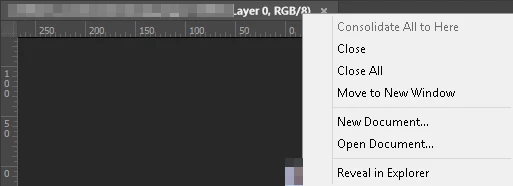
The closest way I could figure out how to do this was to Right Click on the tab with the file name and scroll down to Reveal in Explorer.   This was from a Window's workstation. I don't know how it would work with a Mac OS X workstation.

I'm hoping there is a better way.
This topic has been closed for replies.
Correct answer Chuck Uebele

Save the below code to a plain text file and add the extension ".jsx". Put it in Photoshop's subfolder Presets\Scripts. Create a text layer, have the layer selected, then run the script. You can also make an action to create the text layer, and place it where you want it, then run the script while you are recording the action.

#target photoshop

try{app.activeDocument.activeLayer.textItem.contents = app.activeDocument.name}

catch(e){}

2 replies

Chuck Uebele
Community Expert
Chuck UebeleCommunity ExpertCorrect answer
Community Expert
November 14, 2017

Save the below code to a plain text file and add the extension ".jsx". Put it in Photoshop's subfolder Presets\Scripts. Create a text layer, have the layer selected, then run the script. You can also make an action to create the text layer, and place it where you want it, then run the script while you are recording the action.

#target photoshop

try{app.activeDocument.activeLayer.textItem.contents = app.activeDocument.name}

catch(e){}

Legend
November 14, 2017

Contact sheets and PDF presentations in Photoshop

This sounds like what you're after