jakubm84430454
Participant
November 2, 2017
Answered

Can someone help me edit this logo?

  • November 2, 2017
  • 1 reply
  • 753 views

hello , im new to this forum as Well as to photoshop.

I need help with editing a logo to have some christmass theme . I’d really appreciate if someone helped me with that . Here is the original logo

domowe_kolor.jpg - Google Drive

thanks for all help!

    This topic has been closed for replies.
    Correct answer davescm

    Ok i got some vectors from adobe stock . is there anyways i can contact you to tell What i need ? Can you send private messages on this forum?


    Hi

    Keep it simple - what you add depends on where you are in the world - holly and snow work in the UK

    You will need to draw simple shapes with the pen tool. Draw with Pen tools in Photoshop

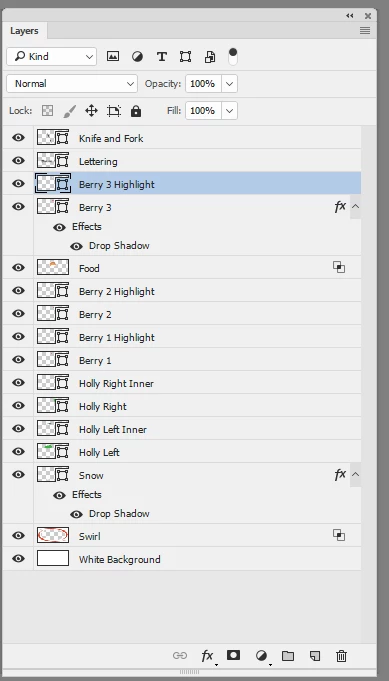
    If you can get hold of the original vector file great - if not trace round the existing shapes with the pen tool. You should also trace the lettering with the pen tool and replace it with a shape - same with the knife and fork.

    An example of what you could do is below :
    Dave

    1 reply

    War Unicorn
    Community Expert
    Community Expert
    November 2, 2017

    I'm thinkin'...at least holly wrapped around the swishes, maybe? You definitely don't want to overdo it; it's busy as is.

    I'm also thinking that Illustrator would be more up to this task since it's vector-based. (I mean, Photoshop can do it...just not as with much verve.) 

    jakubm84430454
    Participant
    November 2, 2017

    I Know I totslly don’t have any idea on this and don’t really know how to do it

    War Unicorn
    Community Expert
    Community Expert
    November 2, 2017

    Well, the first step would be to get or create assets to use. You already have the logo. For my example, you would need holly of some sort, preferably in vector format. I'm sure Adobe Stock has some assets but you'd have to pay to use them. Alternatively, you could create your own using Illustrator or Photoshop.

    Then it's just a question of placing and layering (also called, "compositing"). Both Photoshop and Illustrator have this capability.

    Place files in Photoshop