
Tegan Dumpleton
Participant
May 16, 2018
Answered

Can't change brush settings. Please help

  • May 16, 2018
  • 3 replies
  • 5937 views

Okay, I just got a new update from photoshop. My problem is very simple.

How do I get my brushes to go from this:
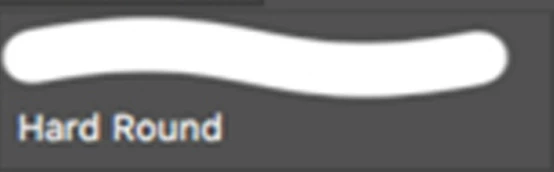
To THIS:
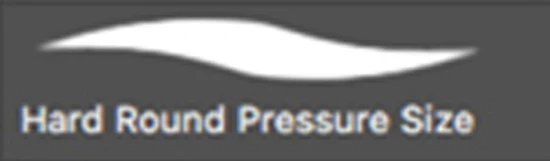
Because I have been at this for HOURS. I have tried every setting. And I noticed that most others have this brush as a preset. If that's true, then mine are gone and resetting the brushes does not bring it back!

PLEASE HELP ME

This topic has been closed for replies.
Correct answer Tegan Dumpleton

Okay, I figured it out. It wasn't photoshop or my tablet. It was FREAKIN Windows Ink! MICROSOFT! STOP ADDING STUPID FEATURES!

3 replies

Tegan Dumpleton
Tegan DumpletonAuthorCorrect answer
Participant
May 17, 2018

Okay, I figured it out. It wasn't photoshop or my tablet. It was FREAKIN Windows Ink! MICROSOFT! STOP ADDING STUPID FEATURES!

Participant
May 5, 2020

Hi, I have the same problem too ! How did you solve it ?? 

Participant
June 24, 2022

This worked for me as of 06/23/2022
Create a file called PSUserConfig.txt
Add this line to it (not including the quotation marks): "UseSystemStylus 0"
Go to C:\Users\{yourusername}\AppData\Roaming\Adobe\{your version of photoshop}\Settings\
Put the text file in that folder
The Settings folder might be called something else, like "Adobe Photoshop 2022 Settings"
good luck

c.pfaffenbichler
Community Expert
Community Expert
May 16, 2018

And what are the Brush’s Shape Dynamics (as indicated in the Brush Settings Panel)?

c.pfaffenbichler
Community Expert
Community Expert
May 16, 2018

Pleas post a meaningful screenshot including all pertinent Panels (Brush Settings, Brushes, Options, …)

Have you tried checking the »Always use Pressure for Size …« icon in the Options Bar?

Tegan Dumpleton
Participant
May 16, 2018

Where would I find the "Always use Pressure for Size" icon?

The second image is not from my computer, but from someone else's. Here are my brushes when I open photoshop

As for the settings, this is all I got for the hard one. I've tried changing the shape dynamics and every other option but nothing turns into the brush I want.