Answered
Can't change video clip speed or duration
In the timeline, when I right click on a video layer the only option given is to control the motion of the clip, not its speed. How do i change the speed of a video clip inside the timeline?

In the timeline, when I right click on a video layer the only option given is to control the motion of the clip, not its speed. How do i change the speed of a video clip inside the timeline?
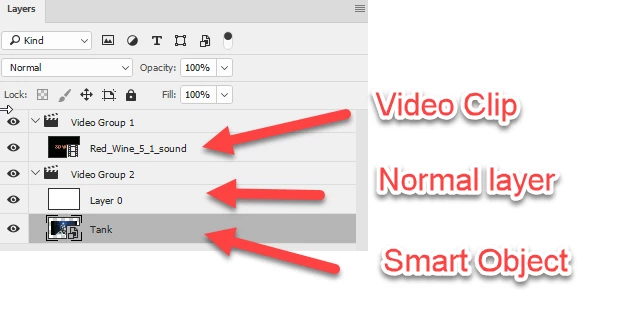
Is it a video clip, a normal layer or a smart object? To check, go to the layers panel and look at the small symbol in the icon:
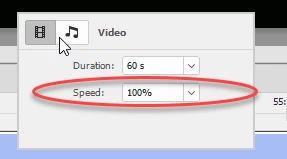
Right clicking a video clip in the timeline gives these options
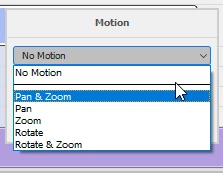
Right clicking a normal layer or smart object in the timeline gives these. That is how you can pan and zoom a normal video layer by putting it into a smart object.
Dave
Already have an account? Login
Enter your E-mail address. We'll send you an e-mail with instructions to reset your password.
 AdChoices