
Participant
December 13, 2016
Answered

Can't create new file in Adobe Photoshop CC 2017 version

  • December 13, 2016
  • 4 replies
  • 4877 views

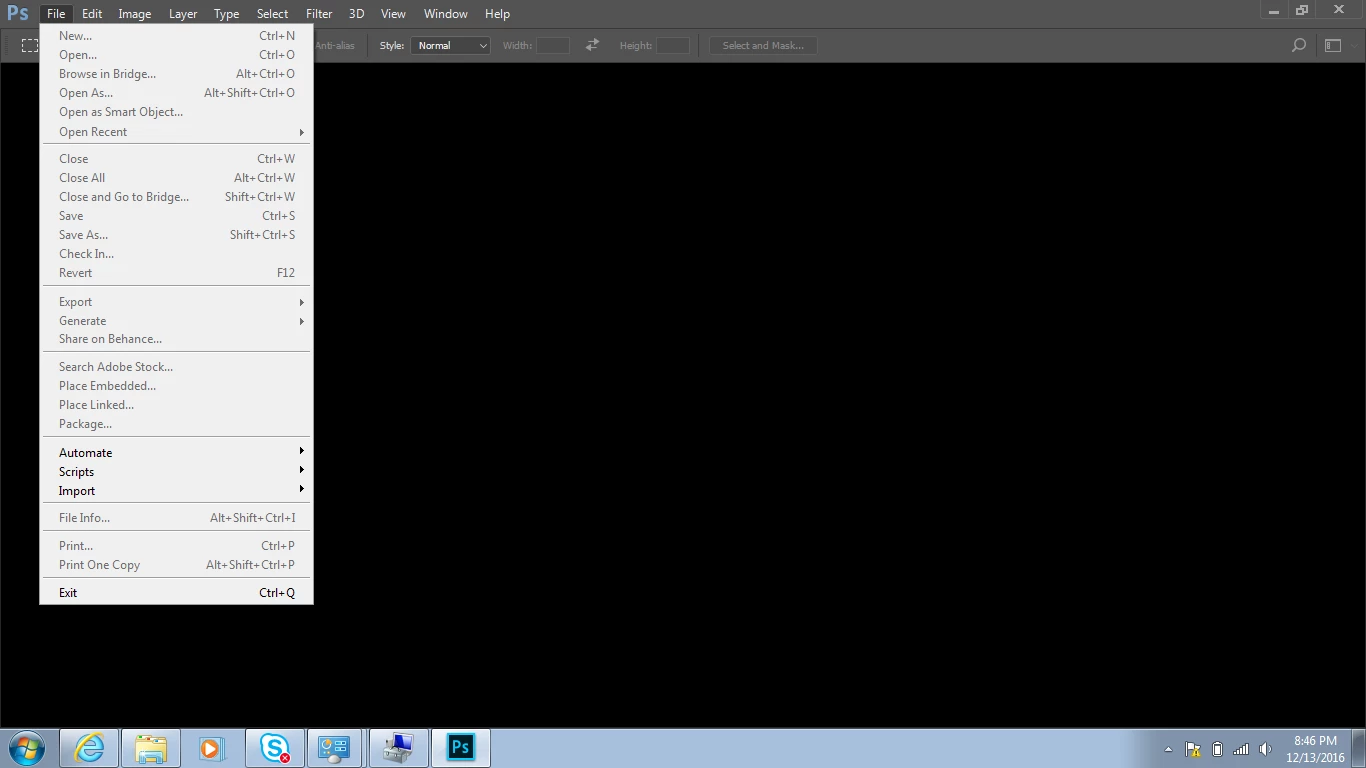
When I open Adobe photoshop it opens normally but when I click on New in File tab it responds nothing and again when I try to attempt it shows file in inactive mode.

Please have a look to screenshot and solve the issue ASAP.
This topic has been closed for replies.
Correct answer Mohit Goyal

Hi jesseanandg,

You can reset the Photoshop preferences and check if that helps.

Refer: Preferences in Photoshop

Regards,

Mohit

4 replies

June 16, 2017

go to Edit > Preferences > General.

and checked >Use Legacy "New Document" Interface

Participant
January 24, 2017

I am also unable to open a new file in Photoshop CC 2017.  My screen looks exactly like yours.  I've seen this issue posted repeatedly around the web but no answers.  So far, I've reinstalled Photoshop and I've updated my graphics driver.  Neither has solved the issue.

February 7, 2017

I am also facing the same issue.

Mohit Goyal
Community Manager
Mohit GoyalCommunity ManagerCorrect answer
Community Manager
December 19, 2016

Hi jesseanandg,

You can reset the Photoshop preferences and check if that helps.

Refer: Preferences in Photoshop

Regards,

Mohit

theBobbyBLACK
Participant
December 19, 2016

I was having the same issue and my Creative Cloud app would not open.  I restarted the computer, updated the recent release for Photoshop CC 2017 and was able to open Photoshop with no more issues.

theBobbyBLACK
Participant
December 19, 2016

Can you open the Creative Cloud App?