
Participating Frequently
March 21, 2022
Answered

Can't create new folder

  • March 21, 2022
  • 6 replies
  • 1729 views

I've just installed Photoshop in a fresh install of Windows 11.

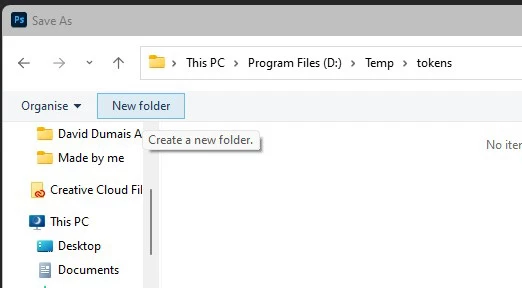
When I try and save a file using 'Save as...' and click on the 'New Folder' button, nothing happens. I can save a file in an existing folder with no problems and if I go out of Photoshop and make a new folder in windows explorer I can open the folder in the 'save as' dialog and save the file, but, no matter what I do I can't actually create a new folder in the dialog box in Photoshop.


Any help is appreciated.
 

This topic has been closed for replies.
Correct answer jane-e

It sounds like a permissions issue, @mistamichal . You can close this thread by marking an answer "Correct".


Jane


6 replies

Participant
July 22, 2022

Were you able to solve this issue? I have the same issue and can't find out how to solve it


Participating Frequently
July 23, 2022

I did but I had to do a Windows re-install to fix it.

jane-e
Community Expert
jane-eCommunity ExpertCorrect answer
Community Expert
March 21, 2022

It sounds like a permissions issue, @mistamichal . You can close this thread by marking an answer "Correct".


Jane


Participating Frequently
March 21, 2022

@jane-e 

Same thing in a different folder but I've also reinstalled MS Office and it's doing the same thing there. So, it's obviously a Windows problem.


You can safely close this one.


Thanks

jane-e
Community Expert
Community Expert
March 21, 2022

@mistamichal 


Does the New Folder button work if you change to another location such as your Documents folder?


Jane


Participating Frequently
March 21, 2022

Thanks for the reply.

Unfortunately that didn't fix it.

Legend
March 21, 2022

Try renaming the UXP folder
Rename the UXP folder to ~UXP.
• (Windows) Navigate to C:\Program Files\Common Files\Adobe\UXP
• (macOS) Navigate to Macintosh HD/Library/Application Support/Adobe/UXP

If that fixes it, I'd like to get a copy of the renamed UXP folder.