Question
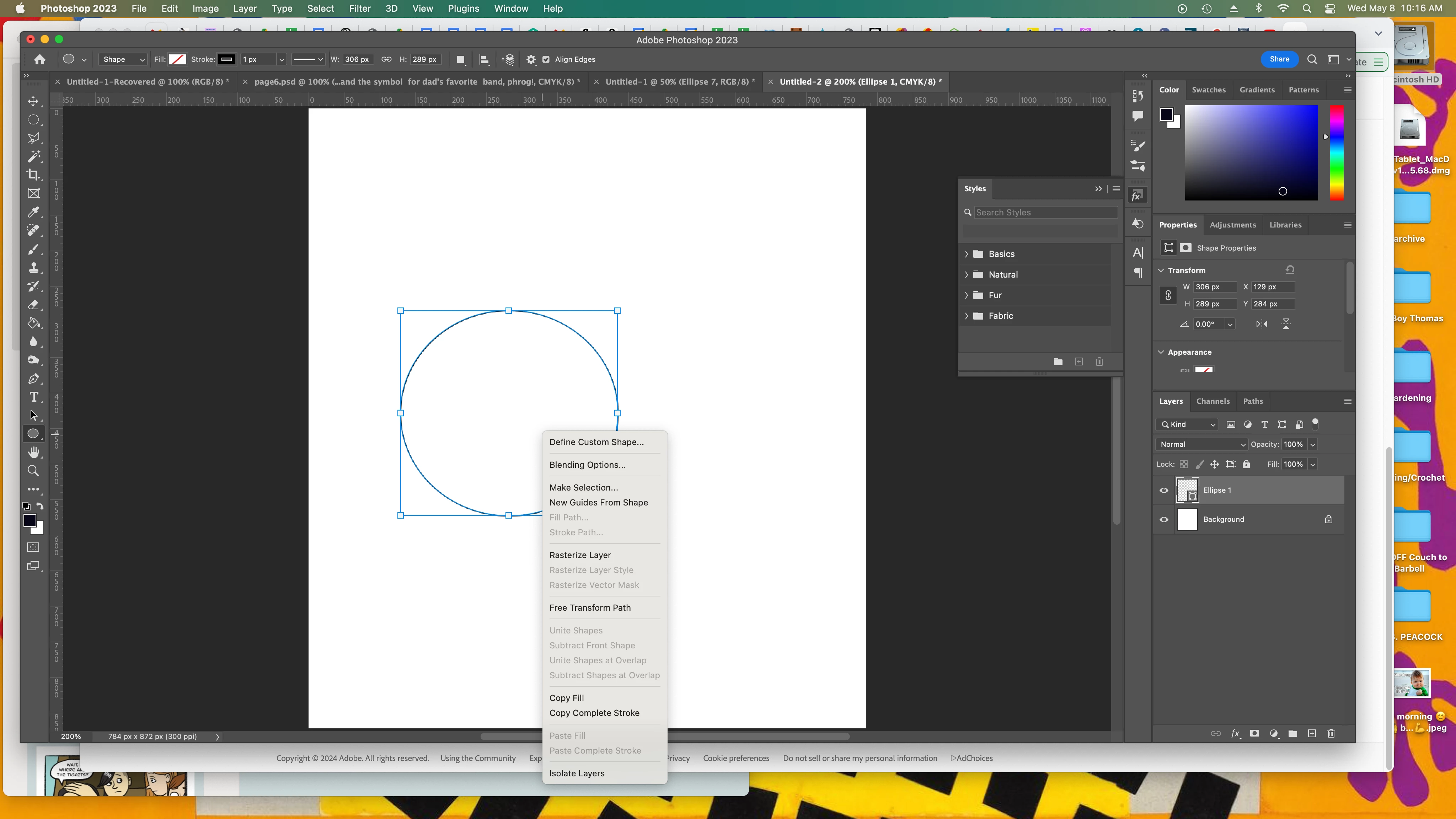
Can't create stroke path on shape or path
I am trying to stroke a circle, followed a few different tutorials but every time "stroke path" is greyed out when I click on a new shape or path. Can someone help me?

I am trying to stroke a circle, followed a few different tutorials but every time "stroke path" is greyed out when I click on a new shape or path. Can someone help me?
Already have an account? Login
Enter your E-mail address. We'll send you an e-mail with instructions to reset your password.
 AdChoices