Participant
February 19, 2017
Answered

Can't download free templates

  • February 19, 2017
  • 3 replies
  • 12543 views

When I go to open a "new document" in PS I can choose from some free templates given through Adobe Stock. But every time I click to download I get this.
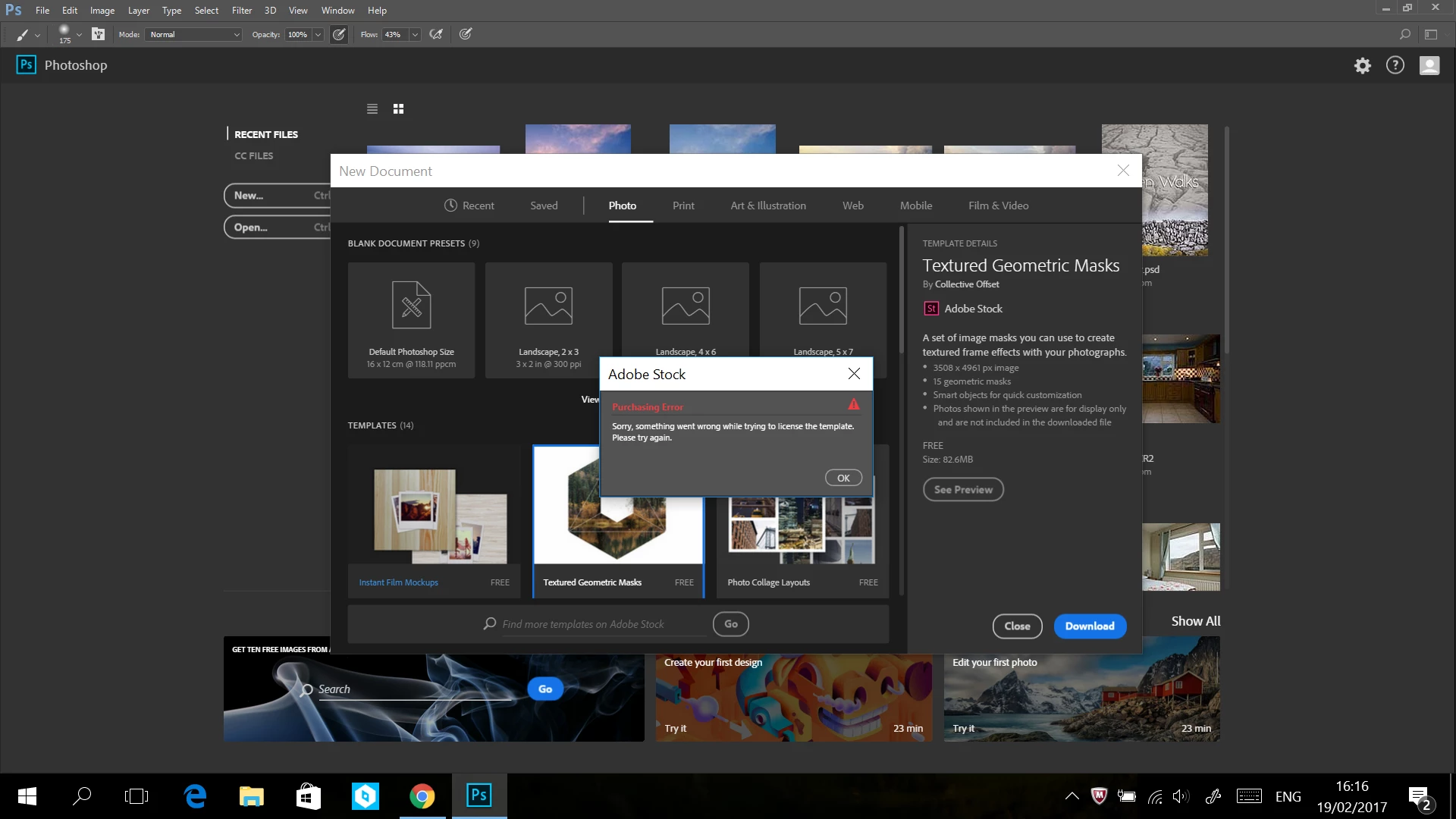
What's going on?

This topic has been closed for replies.
Correct answer War Unicorn

Yup, I signed out properly.

I don't see how my settings have anything to do with it. I've been through them and there's nothing indicating that I can't download a free template. I have a CC plan.


It sounds like something went wrong with licensing/authentication under your account. You might have to have to contact Adobe support to get it straightened out. Be sure to tell them what you've already done.

Contact Customer Care

3 replies

kathrynp89369696
Participant
May 25, 2019

This didn't work for me, either. Even after uninstalling and re-installing, it has an empty progress bar that reads "-- of 2.4MB" or whatever number of MB for the document I chose. It then never downloads, regardless of how long I wait. I don't think it's the licensing that's the issue, because I never got the original pop-up window.

kathrynp89369696
Participant
May 25, 2019

To clarify, I also have a student account like the Purdue student above.

jane-e
Community Expert
Community Expert
May 25, 2019

Hi Kathryn,

When I taught Adobe applications at a college, IT locked us out of the templates, and you might check with them.

In addition, try this. Go to Adobe Stock and login.

Search:               Templates, then "templates free"

App:                    Photoshop

Sub-category:     I have Print. Select one if desird

Confirm you have a free template before you complete the transaction. Does that work?

~ Jane

Participant
April 18, 2019

I did everything you said above; I get the option to preview the templates but not to download them? The download button appears to work, but then nothing happens? I signed out, restarted machine and app; no luck? Please help! I contacted our help desk at Purdue.

War Unicorn
Community Expert
Community Expert
April 18, 2019

Did you try uninstalling/reinstalling Photoshop itself yet? I was having a very similar issue (clicking the Download button wouldn't do anything) and uninstalling/reinstalling got it to work again. (You should have a progress bar appear over the chosen template's thumbnail after clicking Download.)

War Unicorn
Community Expert
Community Expert
February 19, 2017

Try closing Photoshop, sign out of the CC Desktop app, and then sign back in. Try to download the template once more.

(Usually, if something CC-related goes kablooey, signing out of CC and then back in clears it up.)

BurnGuideAuthor
Participant
February 19, 2017

Didn't work, I'm afraid. Thanks anyway!

BurnGuideAuthor
Participant
February 19, 2017

It sounds like something went wrong with licensing/authentication under your account. You might have to have to contact Adobe support to get it straightened out. Be sure to tell them what you've already done.

Contact Customer Care


Cool. ​I'll have to wait until tomorrow, so. Thanks for your help!