
Participant
January 31, 2025
Question

Can't Export or save work

  • January 31, 2025
  • 1 reply
  • 490 views

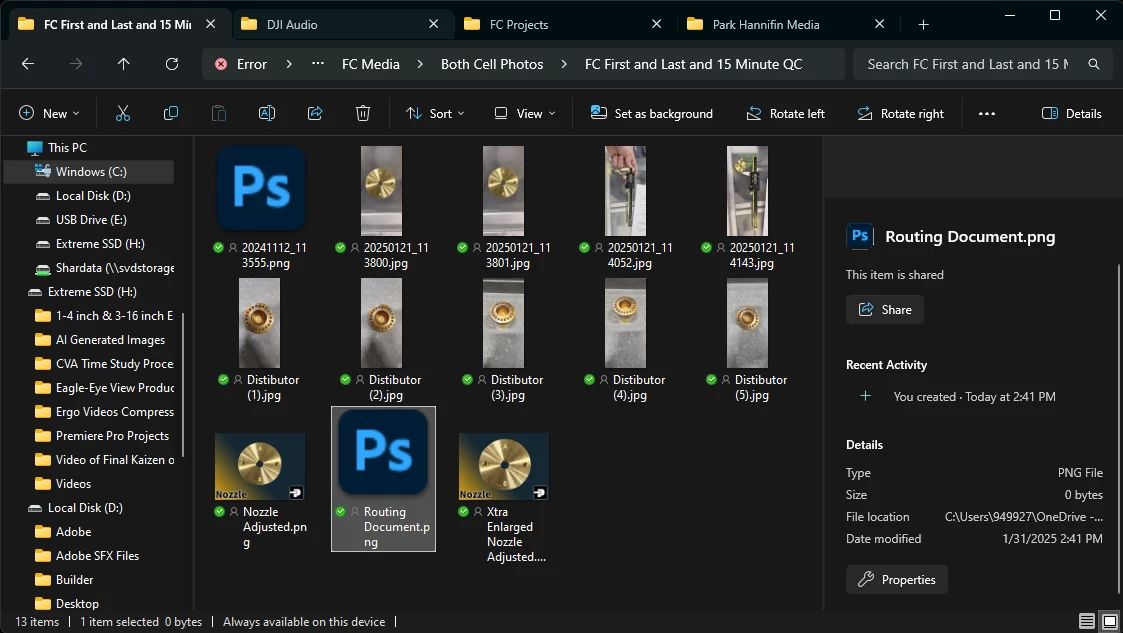
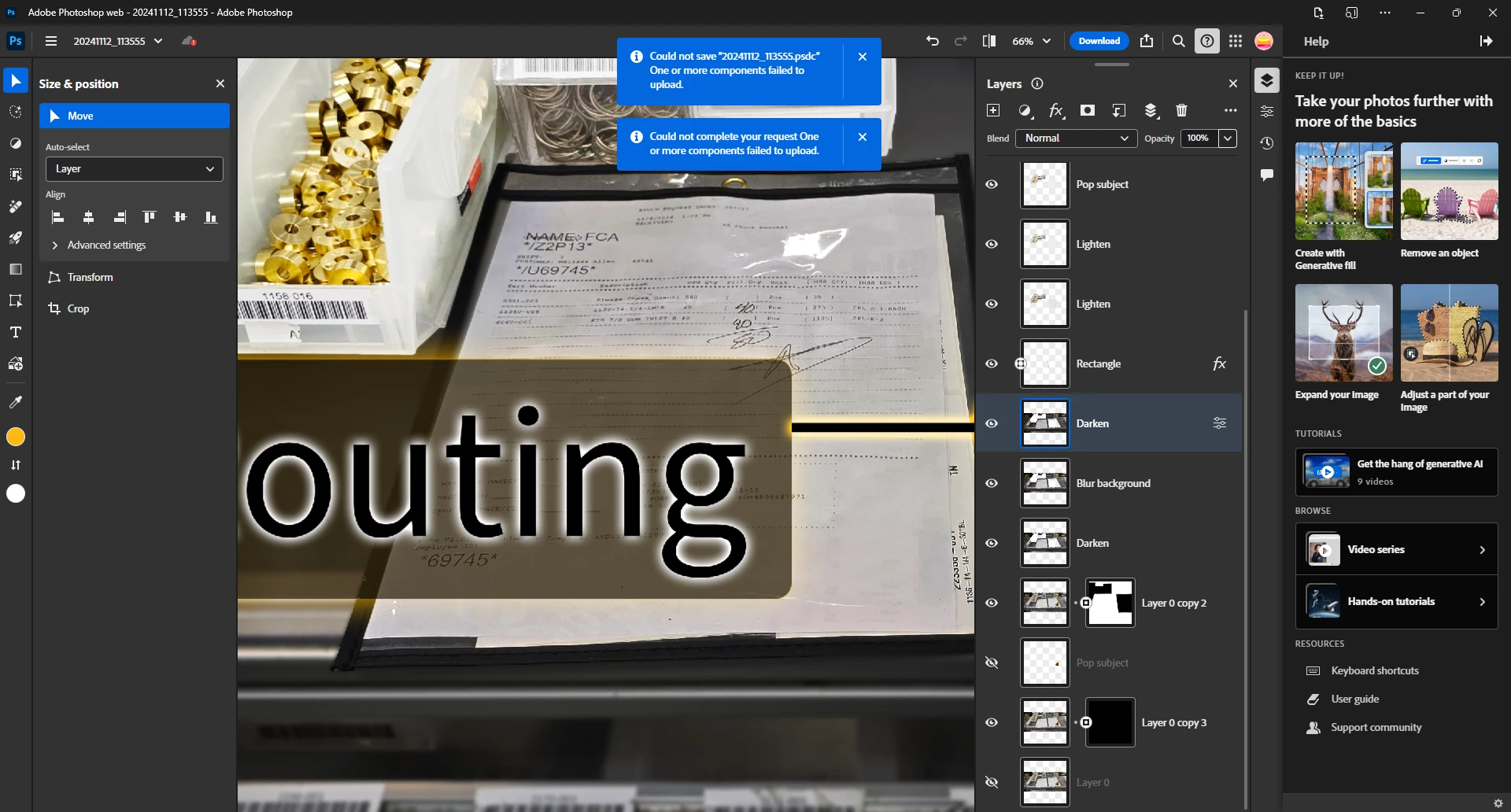
I'm unable to export or save a photo that I've been working on.  It simply says "Save Error" and then a blue box appears that say's "could not save.... one or more components failed to upload".  Also when I go to export the image, after exporting the image then when I go to the image there's no image and the size file say's 0 bytes
1 reply

Community Manager
February 3, 2025

Hey @justin_8332! 👋 Welcome to the community!

Could you share a bit more details? Does this happen with multiple files or just this specific one? I noticed you're using Photoshop Web. Is the behavior the same on the desktop version of Photoshop? Also, what browser are you using?

Thanks a lot!

Alek

*(If you mention me with an @, like @Aleke, I’ll get a notification and can respond faster.)*
Participant
March 6, 2025

Hey Aleke, I sent a response back via email some weeks ago but I never heard back so I thought it may be best to respond on here as I don't know if my email went through or not.  Here was my response:

Hi Aleke!    


It’s happened a couple of times before with other files.  I don’t use the desktop version because I would have to submit a request ticket for purchasing a license and I have problems logging into my personal account due to IT security.  I haven’t had this issue though with my personal desktop version that I know of yet…  I’m using Microsoft Edge.


Community Manager
March 6, 2025

Hi @justin_8332

Just to understand the situation better, are you currently using a university or enterprise account? Or what do you mean with needing a request ticket to use the desktop app?

Does the issue also occur when you open or save files locally, or does it only affect files in the cloud?

Could you please test some of the workarounds listed here and see if they help? Thank you so much!

Best, Alek

*(If you mention me with an @, like @Aleke, I’ll get a notification and can respond faster.)*