
Inspiring
November 17, 2019
Answered

Can't Import Brushes Photoshop CC 2020

  • November 17, 2019
  • 13 replies
  • 51222 views

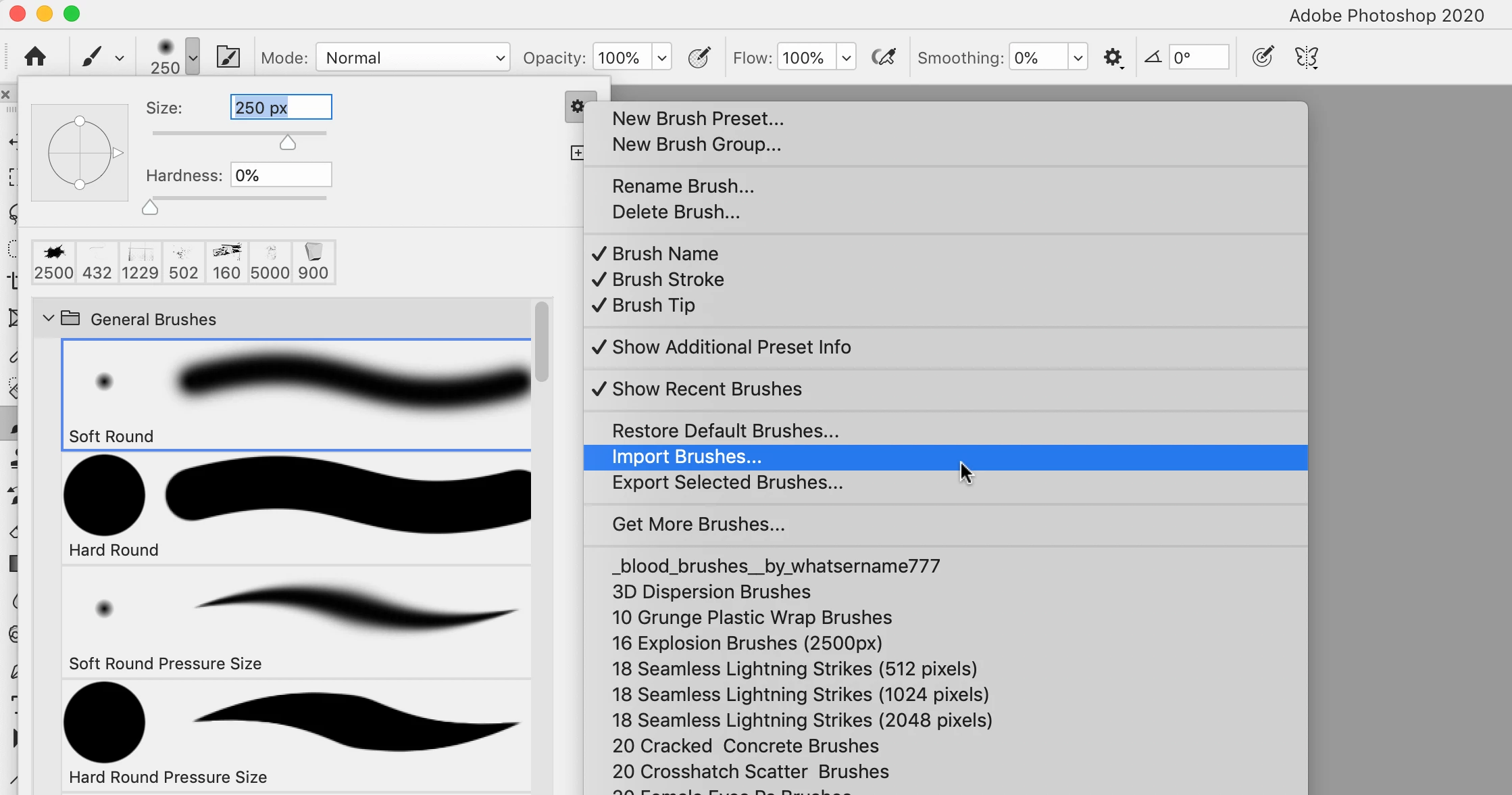
I understand in Photoshop CC 2020 you no longer use the Preset Manager to import brushes. I know that there is now an IMPORT BRUSHES... choice when you look at the menu attached to one's already loaded brushes. But, when I select that and go to my brushes folder, I see no abr files at all.


Am I doing this incorrectly?
 

Correct answer FranMcF

Just spent hours trying to load new brushes using CC2020. How frustrating.  Watched all of the You Tube videos, read all of the Adobe Community Support References. Grrrrrr!!!!

Anyway. It is piss easy. Download the brush set from the internet, then open your File manager/Finder, navigate to your Downloads folder - and - wait for it - double click on the .abr file. It goes straight into your Photoshop CC2020 brushes.

13 replies

Participant
March 28, 2020

just double click the brush file

LauraMacky
Inspiring
April 30, 2020

I tried double-clicking but it is not in PS when I go to the brush picker.  This is beyond annoying.

Laura Macky
Participant
June 10, 2020

I thought I was having the same problem. Then I disocvered at the bottom of the brushes panel there's a folder with my new brushes in it. 

FranMcFCorrect answer
Participant
January 24, 2020

Just spent hours trying to load new brushes using CC2020. How frustrating.  Watched all of the You Tube videos, read all of the Adobe Community Support References. Grrrrrr!!!!

Anyway. It is piss easy. Download the brush set from the internet, then open your File manager/Finder, navigate to your Downloads folder - and - wait for it - double click on the .abr file. It goes straight into your Photoshop CC2020 brushes.

Participant
February 20, 2020

Where is the file manager?

 What about is it under, I am new to 2020 version and I downloaded my brushes  but going to edit,presents and present  manager does not give me brushes.  Only contour  and tools.. I have also went to import and  export  I dont know where all the brushes are I have imported 

So perhaps your way would be easy if you can give me a little step by step

Participating Frequently
April 18, 2020

Hello, I suggest to create a thread on the https://feedback.photoshop.com site, watched by Adobe staff. Make sure to provide as many relevant details as possible, especially stating the version that you are using.
Did you try to delete the preferences?


Thank you. I will do this. No I haven’t done that yet, I will give it a try

Thanks

Get Outlook for iOS
Participant
December 23, 2019

I'm having this exact same issue. When I go to upload my brushes it only detects TPL files. Not any ABR and it's very annoying because all my brushes are ABR files! URGH