
Exit
  • Global community
    • Language:
      • Deutsch
      • English
      • Español
      • Français
      • Português
  • 日本語コミュニティ
  • 한국 커뮤니티
1

Can't install plugins, error code pops up.

New Here ,
Nov 24, 2022 Nov 24, 2022

Hey guys!

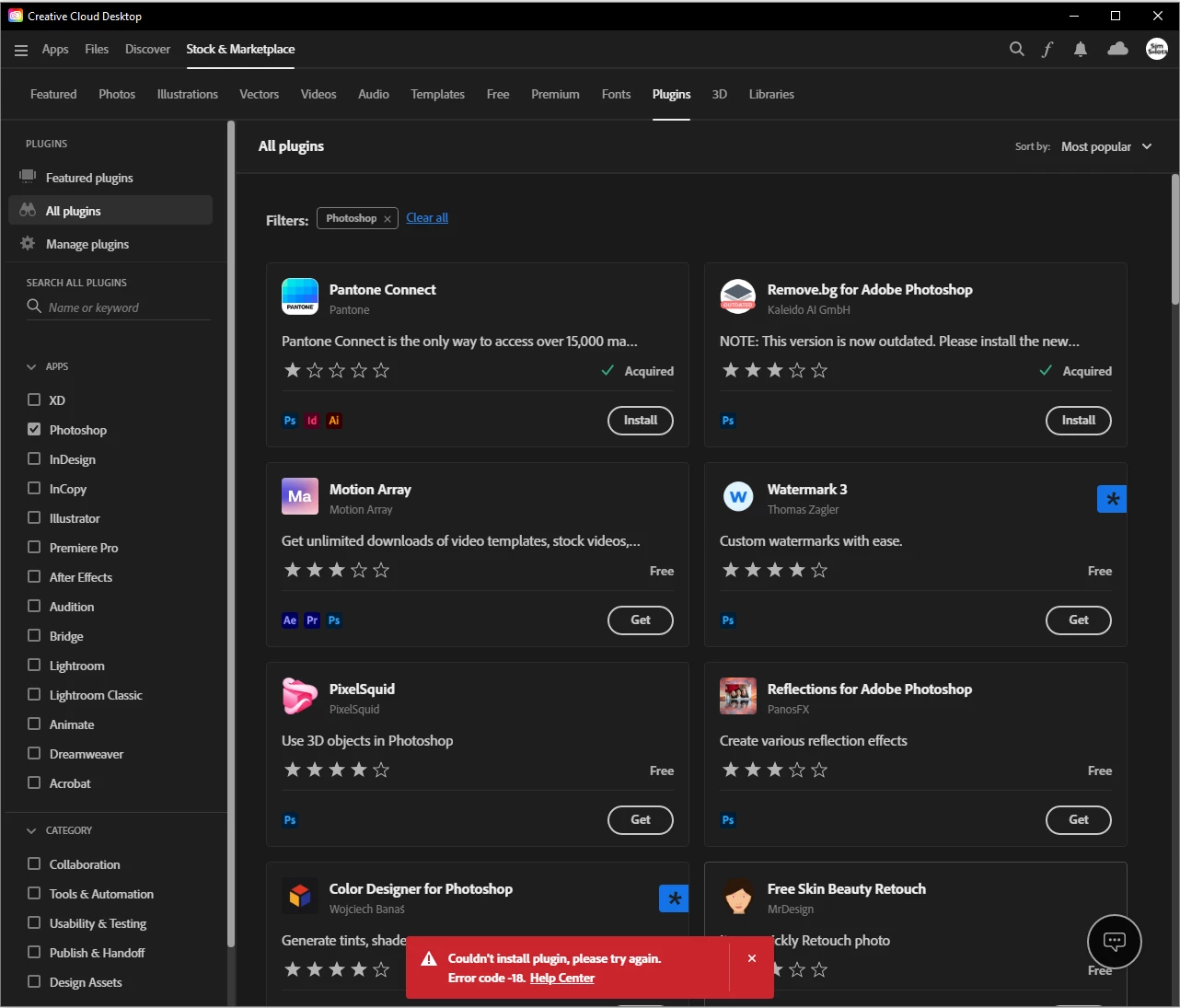
I recently bought the full creative cloud student package. I mainly use Photoshop and Lightroom. I was trying to install a plugin earlier, and when I click on 'get'  it works fine. When I then however click the 'Install' button, to install the plugin, this error code pops up: "Couldn't install plugin, please try again. Error code -18. Help Center"

I have tried many times to close all applications, launch Creative Cloud again (in administrator as well) and install a few different plugins. None work. When I looked on the error code list on the Adobe site, it said that it had something to do with me not being logged in correctly(?). I logged out and back in, still the same issue occurs.

Would anyone be able to help me out?


Much appreciated!
 

Capture.PNG

6.3K
Translate
Report
Community guidelines
Be kind and respectful, give credit to the original source of content, and search for duplicates before posting. Learn more
community guidelines
Adobe
Community Expert ,
Nov 24, 2022 Nov 24, 2022

<moved from download&install>

Translate
Report
Community guidelines
Be kind and respectful, give credit to the original source of content, and search for duplicates before posting. Learn more
community guidelines
New Here ,
Mar 01, 2023 Mar 01, 2023

Having this same issue.  Has anyone had any luck resolving?

Translate
Report
Community guidelines
Be kind and respectful, give credit to the original source of content, and search for duplicates before posting. Learn more
community guidelines
LEGEND ,
Mar 01, 2023 Mar 01, 2023

Hi @travisg62321732 per the help doc:

-18 User is not signed in This error occurs when you aren't signed in. To fix this issue, ensure that you are signed in to the Creative Cloud desktop app.

If you are signed in, try logging out of the CC desktop app and back in.

If that does not work, what OS are you running and what extension/plugin are you trying to install?

Translate
Report
Community guidelines
Be kind and respectful, give credit to the original source of content, and search for duplicates before posting. Learn more
community guidelines
New Here ,
Mar 01, 2023 Mar 01, 2023

Yeah, signing out/signing in makes no difference.


Windows 11, 22H2.  Plugin is uniqueplm for Illustrator.

Translate
Report
Community guidelines
Be kind and respectful, give credit to the original source of content, and search for duplicates before posting. Learn more
community guidelines
LEGEND ,
Mar 01, 2023 Mar 01, 2023

I can't install this specific plugin either on the Mac with a similar (but different) error code.
I would contact the publisher - seems like this plugin is broken.

I'll report it on my end.

It also hasn't been updated in 4 years....

Translate
Report
Community guidelines
Be kind and respectful, give credit to the original source of content, and search for duplicates before posting. Learn more
community guidelines
LEGEND ,
Mar 01, 2023 Mar 01, 2023

@ErinF @ag34055195 - any insight as to the error occuring with this plugin?

https://exchange.adobe.com/apps/cc/18123/yuniqueplm-design-suite


Translate
Report
Community guidelines
Be kind and respectful, give credit to the original source of content, and search for duplicates before posting. Learn more
community guidelines
Adobe Employee ,
Mar 01, 2023 Mar 01, 2023

Hi there!


I installed it successfully on macOS Monterey 12.5.1 using Creative Cloud desktop app 5.10, which is just rolling out this week. Here's how to check the version.


It sounds old fashioned, but try completely rebooting your machine... in fact, update or reinstall the Creative Cloud desktop app, sign out, reboot, sign in and see if that helps.


If not reach out to asupport@adobe.com.


Translate
Report
Community guidelines
Be kind and respectful, give credit to the original source of content, and search for duplicates before posting. Learn more
community guidelines
Community Beginner ,
Oct 11, 2023 Oct 11, 2023
LATEST

Disable the antivirus and Firewall blocking. It should work just fine. It's a download code error, the firewall is blocking it from downloading.

Translate
Report
Community guidelines
Be kind and respectful, give credit to the original source of content, and search for duplicates before posting. Learn more
community guidelines