Participating Frequently
April 10, 2021
Answered

Can't make a Package in photoshop

  • April 10, 2021
  • 3 replies
  • 20915 views

hai, 

so i have a problem with making a package in photoshop. 

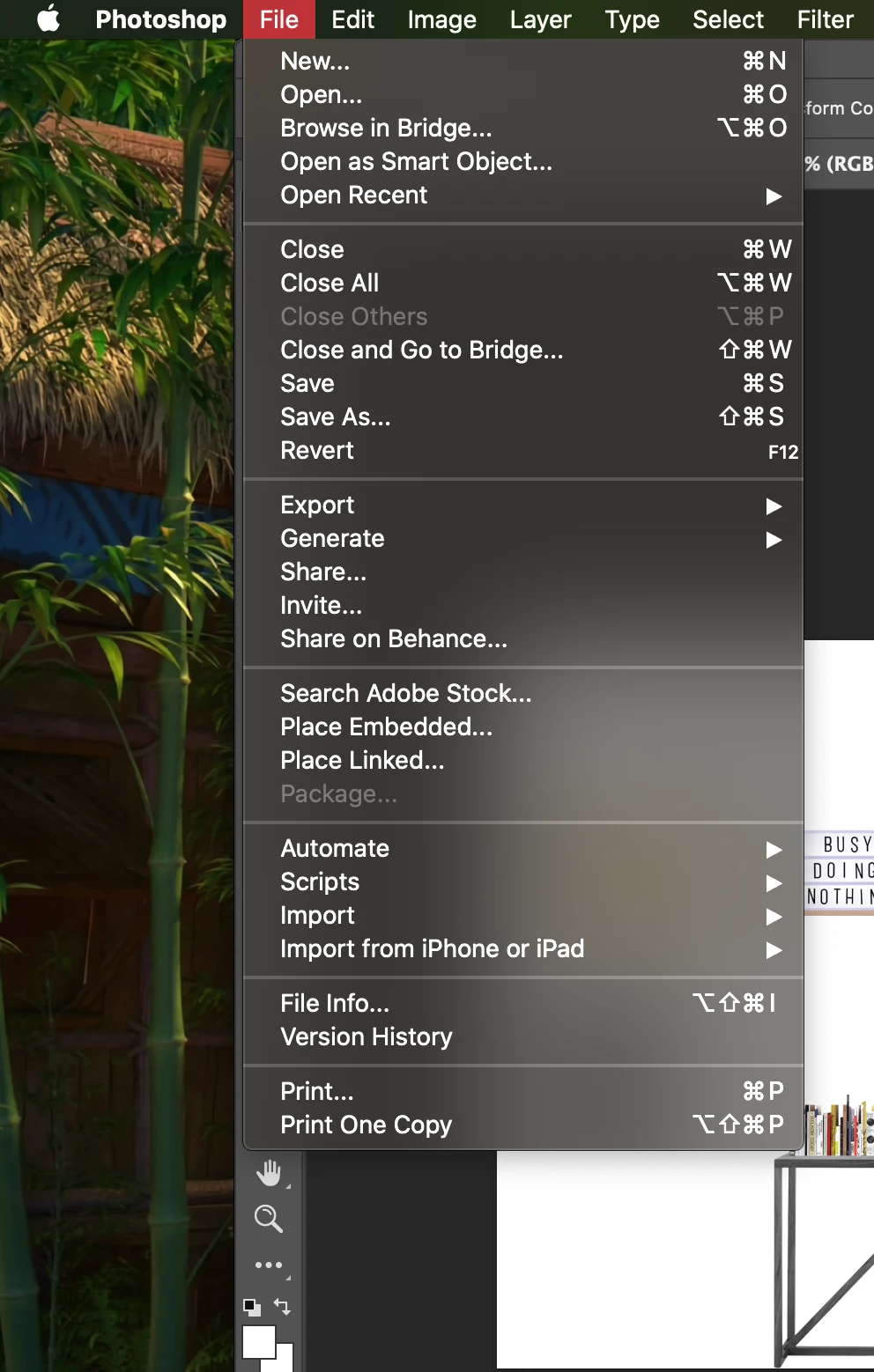
So when i go to "package" it says "unavailable". 

i've tried everything, i also saved my file but still my package icon is grey and unclickable (see photo). 


Does anyone know how i can solve this problem? 


Thank you in advance. 

Correct answer davescm

hai 


No not really. 

The assignment wasn't really about making a package. The assignment was more about taking random objects/photo's and pasting them on another page. When we were finished we had to make a package for it. 

But they never really learned us or showed us how to do so... It's also the first time that i heard about those 'Linked smart objects'. 🙂


Dachny

(ps: Sorry if my english is not that well I'm from Belgium so English is not my first language) 😄


Jane is correct. The idea of a linked smart object is that source image can be edited and all other documents that contain smart objects linking to it will be updated. But that only happens if the links to beteeen the document and the location where the source images are stored are not changed. Hence the need to package them together if the document containing such linked smart objects is sent on to another PC.

However, if embedded smart objects are used, or the images are just pasted in as layers, then there is no need for packaging as the images are already contained within the document and there are no links to break. Of course this method means that if the source images are edited and changed then the document into which they are pasted will not be updated to match, so each method has its place.

Dave

 

3 replies

Legend
April 10, 2021

You need to show the WHOLE layers pallete with all layers. Please make it big enough to show everything. People can't guess what they can't see... !

Participating Frequently
April 12, 2021

ow i'm sorry!! i hope this is better? 


Dachny 

davescm
Community Expert
Community Expert
April 12, 2021

Yes - that confirms what we said earlier, there are no linked smart objects to package.

Dave

davescm
Community Expert
Community Expert
April 10, 2021

Does your document contain linked smart objects to be packaged?

https://helpx.adobe.com/uk/photoshop/using/create-smart-objects.html


Dave

Participating Frequently
April 10, 2021

hello,

euhm, i don't think so but i'm also kinda new with photoshop... sorry.

But thank you for helping me. 

davescm
Community Expert
Community Expert
April 10, 2021

The idea behind packaging is that other documents linked via linked smart objects are packaged up with the master document so that the entire package can be sent onward together. If your document does not contain linked smart objects then there is nothing to package. A fuller explanation is in the help file I linked in my previous post.


Dave

jane-e
Community Expert
Community Expert
April 10, 2021

Please show your Layers panel. Do you have a Linked Smart Object?

~ Jane


Participating Frequently
April 10, 2021

Ow sorry i'll insert a new photo.

It's a school project so it's kinda simple 🙂 i'm also really new with photoshop so i don't really know what a linked smart object is.... Sorry

Participating Frequently
April 12, 2021

Hi


You don't have any SOs showing, but we can only see the lower half of your layers.


See this Help page and scroll to "Package Linked Smart Objects"

https://helpx.adobe.com/photoshop/using/create-smart-objects.html

It also explains Linked Smart Objects, which you get when you choose "File > Place Linked...".


~ Jane


Thank you VERY much!! 🙂


Dachny