
Participant
May 6, 2025
Answered

Can't make a package in photoshop

  • May 6, 2025
  • 2 replies
  • 399 views

Hello everyone,

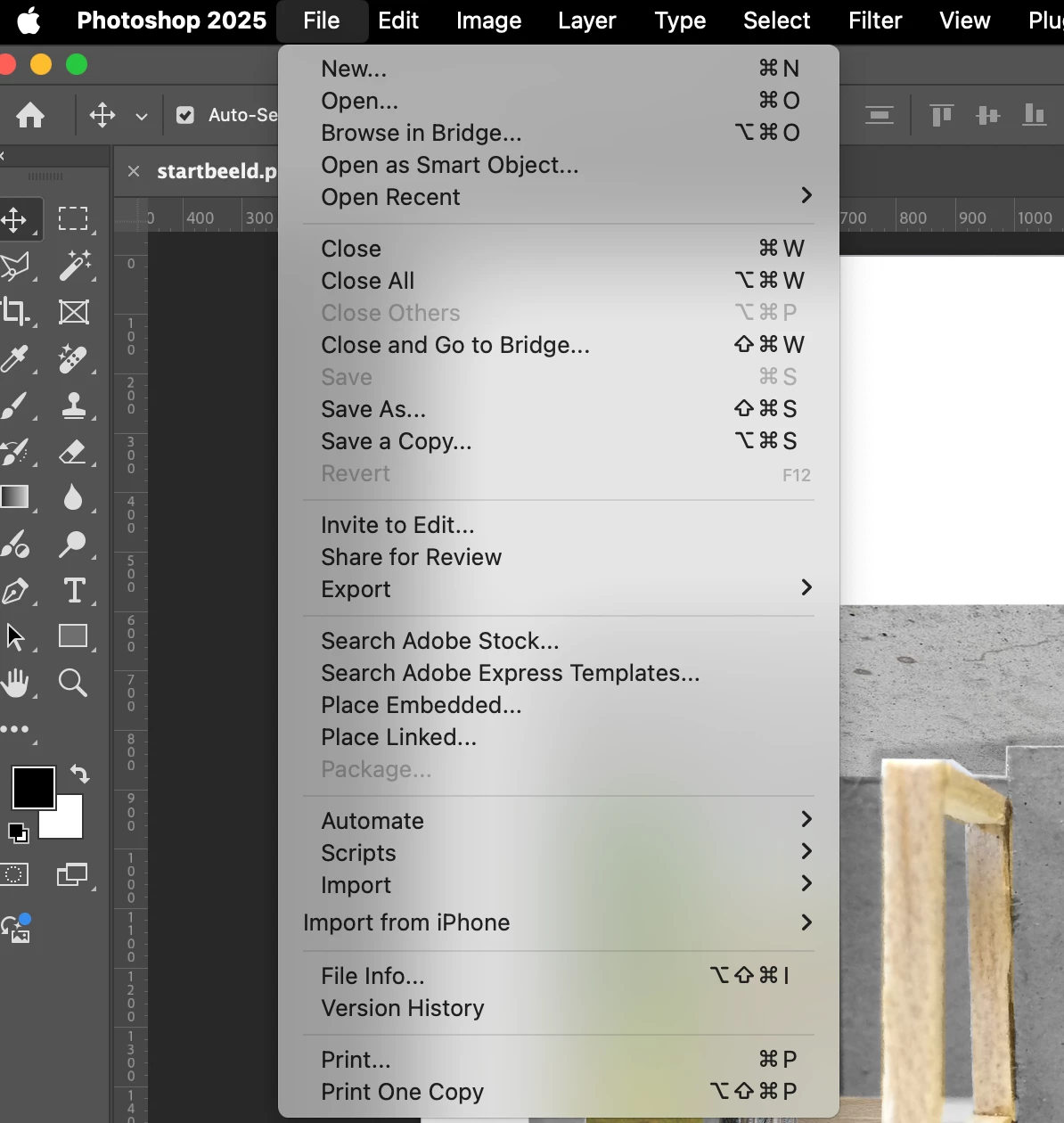
I'm having a bit of a problem. I'm supposed to put my file into a ZIP archive. Normally, I would just click on "Package," but strangely, that option is unavailable.

I need to submit my file in PSD, JPG, and ZIP formats.

I've managed to create the PSD and JPG files, but the packaging part is giving me trouble...
Correct answer ExUSA

Right-click the title to open the enclosing folder, then use the Finder "Compress" command to create the zip file.

2 replies

ExUSACorrect answer
Legend
May 6, 2025

Right-click the title to open the enclosing folder, then use the Finder "Compress" command to create the zip file.

jane-e
Community Expert
Community Expert
May 6, 2025

@alix_3017 wrote: "the packaging part is giving me trouble"


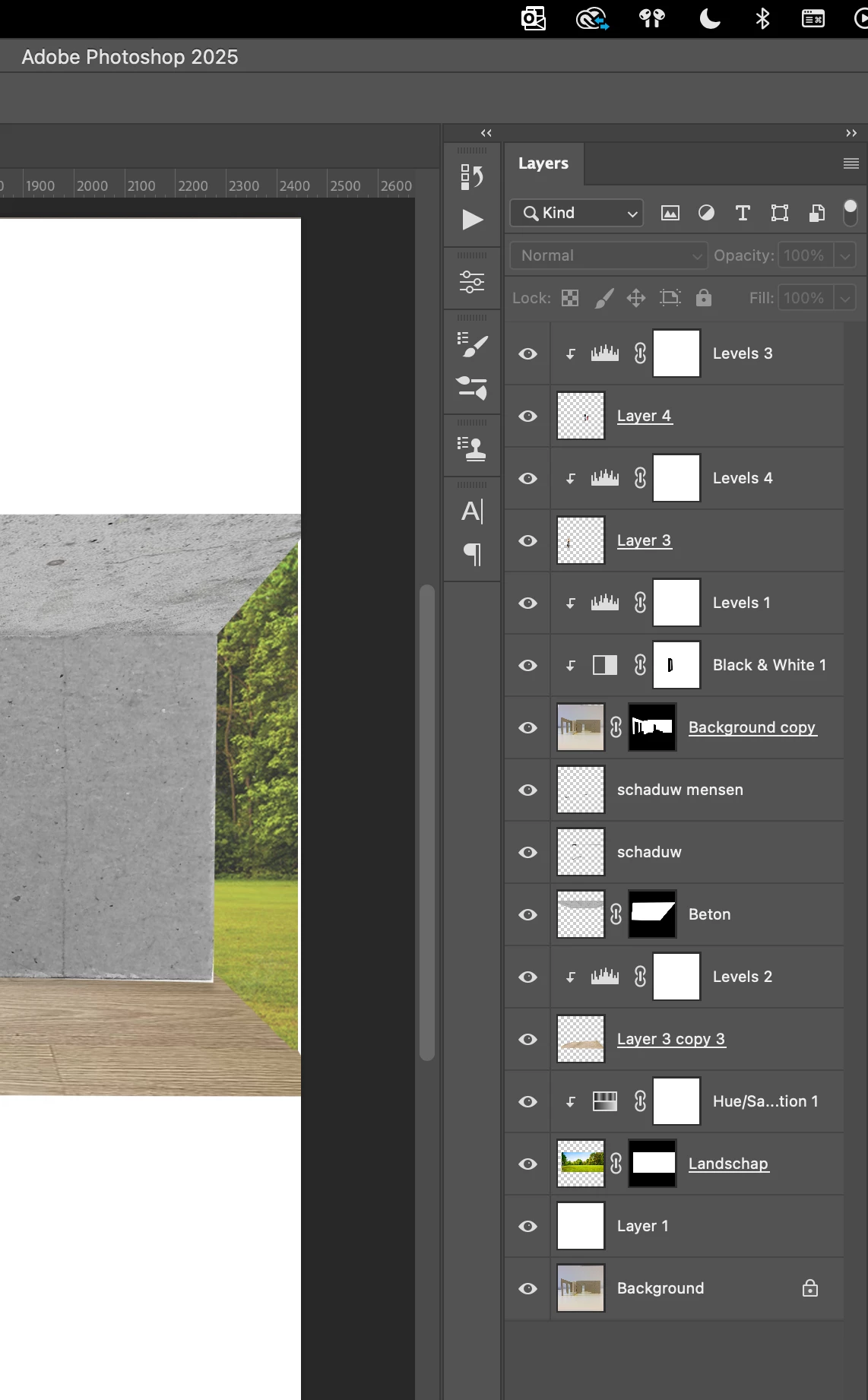
The package command in Photoshop is only available if you have a linked Smart Object. I don't see a SO in your Layers panel. Also, the document must be saved.


Details here:

https://helpx.adobe.com/photoshop/using/create-smart-objects.html

Package Linked Smart Objects

You can package the Linked Smart Objects in a Photoshop document, such that their source files are saved to a folder on your computer. A copy of the Photoshop document is saved along with the source files in the folder.

  1. Choose File > Package.
  2. Select a location where you want to place the source files and a copy of the Photoshop document.


Note: You must save a file before packaging the Linked Smart Objects that it contains


Jane