
Inspiring
July 9, 2022
Answered

Can't make anymore a shortcut to delete a layer?

  • July 9, 2022
  • 1 reply
  • 1459 views

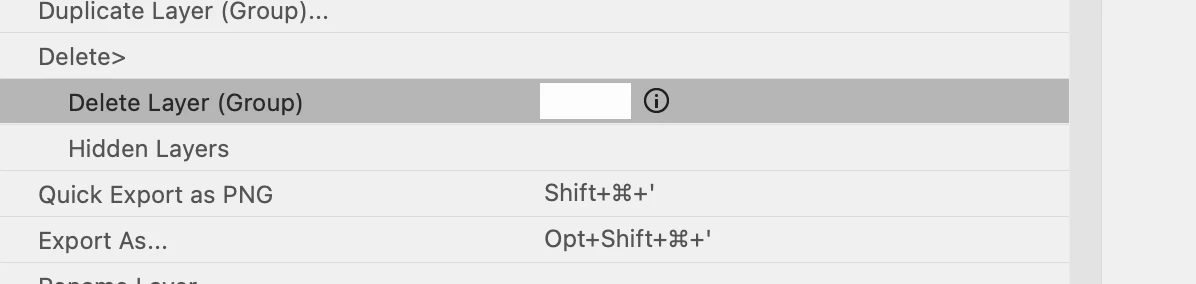
Keyboard shortcuts: Delete Layer, greyed out.  Is this no longer available, making a keyboard shortcut to delete a layer?


I can make one for delete group, (which never use groups), but not a single indivudaul layer.. missing something? thanks.

 

This topic has been closed for replies.
Correct answer gener7

To delete a single layer:


Select the layer from the Layers Panel.  Press the Delete key on your keyboard.


Press Cmd-z on your Mac if you want to undo the Delete.


This will not work on Background or locked Layers. Unlock those kind of layers by double-clicking on the padlock icon.


1 reply

gener7
Community Expert
gener7Community ExpertCorrect answer
Community Expert
July 9, 2022

To delete a single layer:


Select the layer from the Layers Panel.  Press the Delete key on your keyboard.


Press Cmd-z on your Mac if you want to undo the Delete.


This will not work on Background or locked Layers. Unlock those kind of layers by double-clicking on the padlock icon.


larry45Author
Inspiring
July 9, 2022

Gene, thanks is this new do you know? .. Maybe missed it all these years.

gener7
Community Expert
Community Expert
July 9, 2022

I used to just drag the layer to the trash can icon for a long time until I found out the delete key is faster. It was there since around CS4 (2008). You just think there is no other way, so you don't look for it. 😐