
Participant
August 24, 2021
Question

Can't open jpegs since last update?

  • August 24, 2021
  • 1 reply
  • 117 views

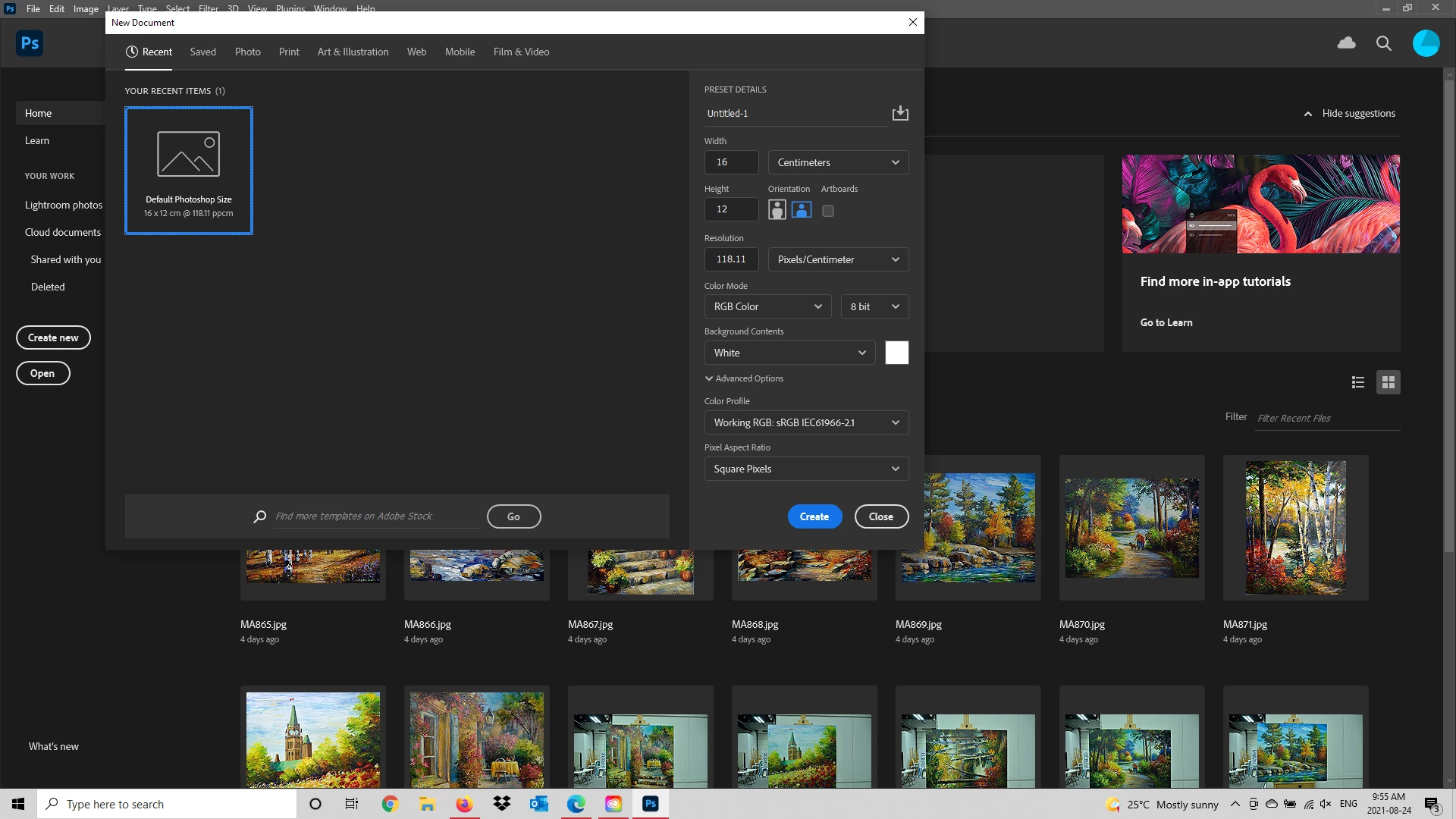
Anyone else having a problem? When I try to open a jpeg file in Photoshop now, instead the 'New' file box (as shown) comes up and I can't get my photo open to edit it. I need this at work, so any help would be appreciated.

Thanks. CS
 

This topic has been closed for replies.

1 reply

c.pfaffenbichler
Community Expert
Community Expert
August 24, 2021

I apparently can’t reproduce the issue; how exactly are you opening the file? 

Participant
August 24, 2021

I open Photoshop as usual, and click file, open, as usual. Select the photo(s) I want to open, and that's what pops up now, instead of the photo I select. I don't know why. I've tried rebooting, opening various files, it's always the same window that comes up and I can't do anything.

CS


c.pfaffenbichler
Community Expert
Community Expert
August 24, 2021

What have you done for all-purpose trouble-shooting so far? 

Restoring Preferences after making sure all customized presets like Actions, Patterns, Brushes etc. have been saved might be a good starting point:

https://helpx.adobe.com/photoshop/using/preferences.html

https://helpx.adobe.com/photoshop/kb/basic-trouble-shooting-steps.html