Participant
July 18, 2021
Question

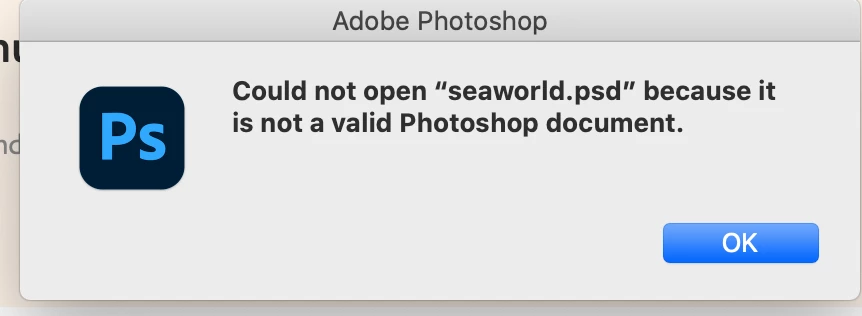
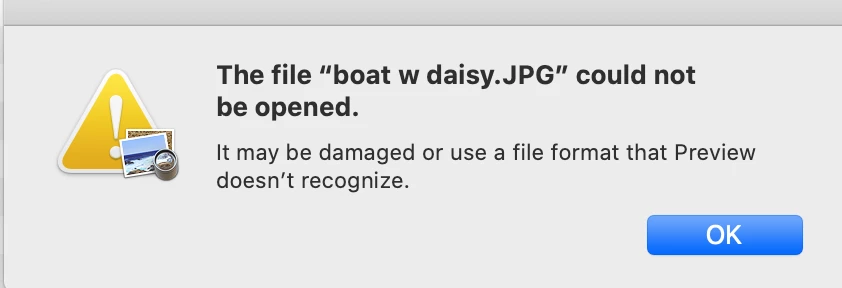
can't open old photo and document files

  • July 18, 2021
  • 2 replies
  • 219 views

I have jpeg, pdf, InDesign and Photoshop files on my 2 T imac from 2020. The files says they are damaged and cannot be opened. HOW do I get any of these old family documents to open? How do I save them in the future so I never have this problem again?

Thanks for any and all help.
    This topic has been closed for replies.

    2 replies

    Jumpenjax
    Community Expert
    Community Expert
    July 26, 2021

    If you double click on the photo, will it open in preview. If it does re-save the file as a duplicate file and rename the file. See if that clears up the problem.

    Lee- Graphic Designer, Print Specialist, Photographer
    jane-e
    Community Expert
    Community Expert
    July 18, 2021

    Hi 


    For the jpeg and psd that you showed screenshots for, try this to confirm you have the correct extension:

    • Copy the file in Finder
    • Remove the period and extension
    • Open the file in Preview
    • Save As — Preview will add the correct extension


    ~ Jane

    Participant
    July 26, 2021

    No this did NOT solve my issue. I tried it on several files and nothing opened.

    When I click on the file in Preview, I get the same message as seen above.  Thanks for trying.

    AnnB

    jane-e
    Community Expert
    Community Expert
    July 26, 2021

    Hi


    For the InDesign file, try this Help page:

    https://helpx.adobe.com/indesign/kb/troubleshoot-file-issues.html

    Note the link in "NEED MORE HELP? If no resolution works, we're here to help! " with an email link to send the damaged file to Adobe: idfile@adobe.com


    Photoshop

    https://helpx.adobe.com/photoshop/kb/file-recovery-photoshop.html


    Acrobat
    https://helpx.adobe.com/acrobat/kb/pdf-error-1015-11001-update.html


    Illustrator

    https://helpx.adobe.com/illustrator/kb/troubleshoot-file-issues.html

    They also have an email for corrupt files: 
    "If no resolution works, share the affected file with us at file@adobe.com  


    A few questions:


    ~ Jane