NoaBN
Participant
July 8, 2018
Beantwortet

can't open photos from lightroom in photoshop.Help, PLS!

  • July 8, 2018
  • 1 Antwort
  • 2074 Ansichten

Hi,

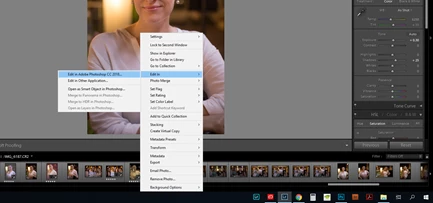
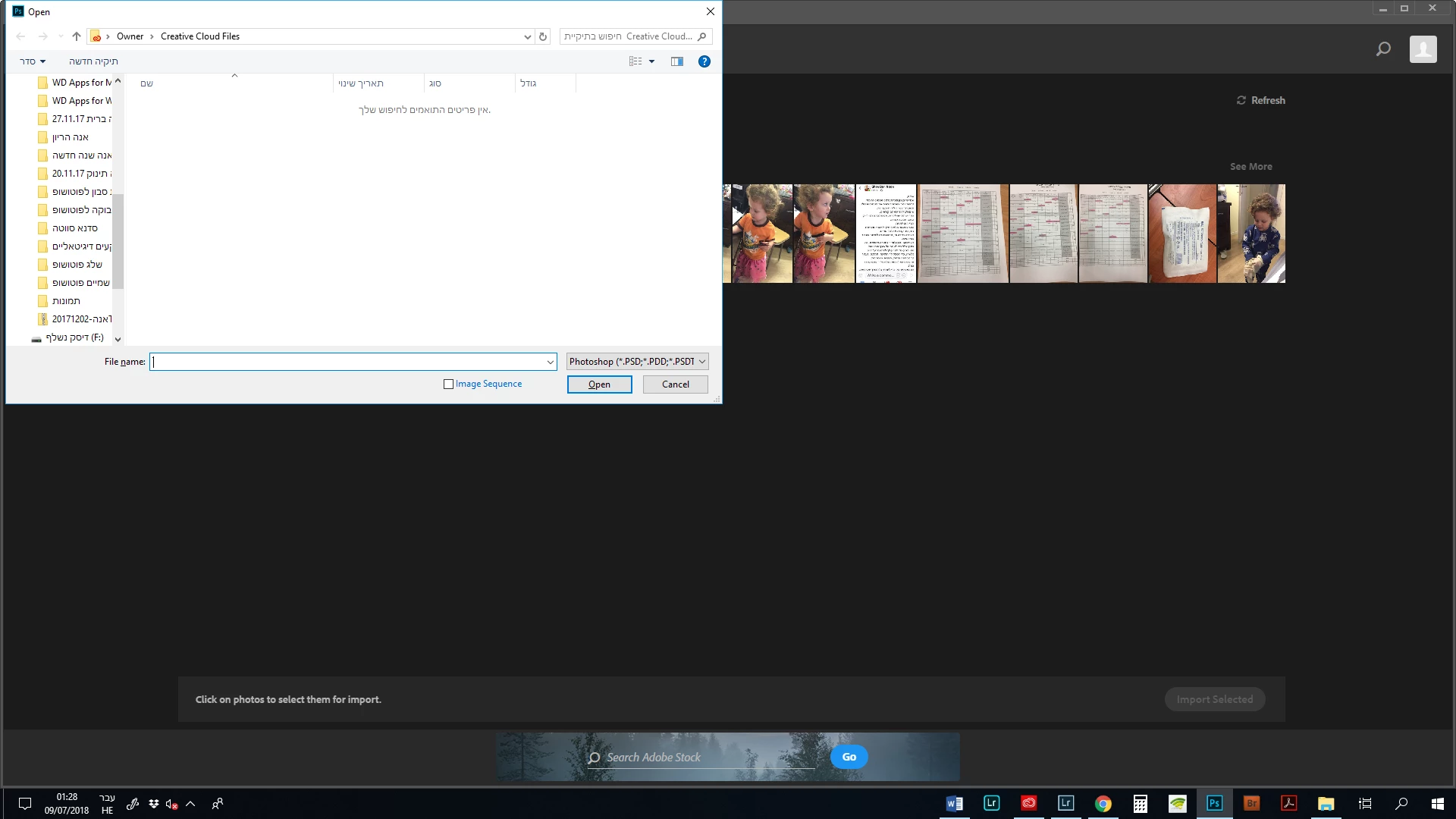
Recently when I want to continue editing the image in photoshop after lightroom, after i make "edit in photoshop", the photoshop doesn't open the image, the table where a have to look for the photo by myself in the computer is opening in photoshop. I could do this in the past without any problem.

My photoshop version is CC2018, and lightroom - classic CC.

I already make preferences reset in photoshop - it didn't help...

please, help!!
    Dieses Thema wurde für Antworten geschlossen.
    Beste Antwort von Sahil.Chawla

    Hi NoaBN,

    As edit in command not working properly, could you please let us know what operating system you're working?

    Also, could you please check if "Use Graphics Processor" is unchecked in Photoshop's Preferences > Performance, if it's unchecked then please check it and relaunch Photoshop and let us know if it helps?

    You may also have a look at this forum thread and see if it helps: Edit in Photoshop is not working with Lightroom Classic

    Regards,
    Sahil

    1 Antwort

    Sahil.Chawla
    Adobe Employee
    Adobe Employee
    July 9, 2018

    Hi NoaBN,

    As edit in command not working properly, could you please let us know what operating system you're working?

    Also, could you please check if "Use Graphics Processor" is unchecked in Photoshop's Preferences > Performance, if it's unchecked then please check it and relaunch Photoshop and let us know if it helps?

    You may also have a look at this forum thread and see if it helps: Edit in Photoshop is not working with Lightroom Classic

    Regards,
    Sahil

    NoaBN
    NoaBNAutor
    Participant
    July 11, 2018

    Thanks for your answer.

    I tried to move my catalogue files to another location and it worked