
Participant
September 6, 2022
Answered

Can't Scan into Photoshop from Epson Perfection V600

  • September 6, 2022
  • 2 replies
  • 2482 views

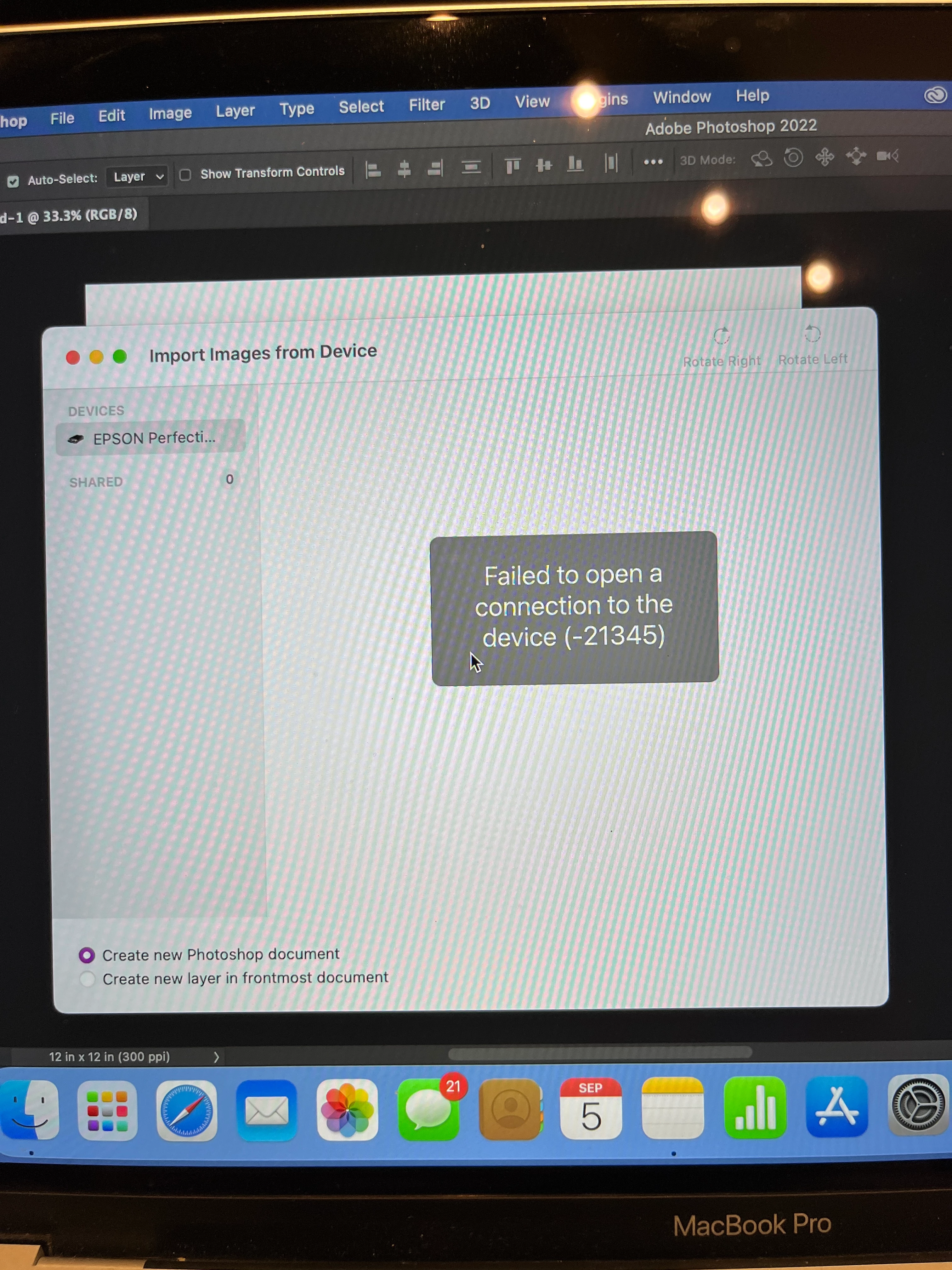
I am trying to scan my art into Photoshop using an Epson Perfection V600 Photo scanner.  I have had the scanner for several years and it works fine just scanning files into the computer. Just recently, I installed photoshop on my Macbook Pro.  When I try to scan directly into photoshop I get a message that says "Failed to open connection to the device (-21345).  See photo.  I did upload the latest driver from Epson. It still says the dame thing.  Does anyone know a fix for this?  Thank you in advance.
This topic has been closed for replies.
Correct answer Kathy25984293bl77
Thanks! I think I got it to work. After downloading the new driver, I
restarted and the scanner scanned into Photoshop. No Problem.

2 replies

TheDigitalDog
Inspiring
September 6, 2022

This Macbook Pro is Apple Silicon? That's likely one reason it's not working. Can you do as @mj73_2 suggests and scan to the hard drive? 

Author “Color Management for Photographers" & "Photoshop CC Color Management/pluralsight"
Kathy25984293bl77AuthorCorrect answer
Participant
September 6, 2022
Thanks! I think I got it to work. After downloading the new driver, I
restarted and the scanner scanned into Photoshop. No Problem.
@mj
Community Expert
Community Expert
September 7, 2022

Oh ok, so it was a driver problem,

Thanks for looping back to us.

mj

@mj
Community Expert
Community Expert
September 6, 2022

Hi @Kathy25984293bl77,

Scan to your hard drive, then open the image in Photoshop, as a stopgap.

Are you using the File > Import command in Ps?

Best

mj