
Can't Select CMYK when creating a new document with artboards in Photoshop
Hi all - when I set up a new document I can't use CMYK if "Artboards is checked. However, I can convert to CMYK after the document is created - is there any reason for this?
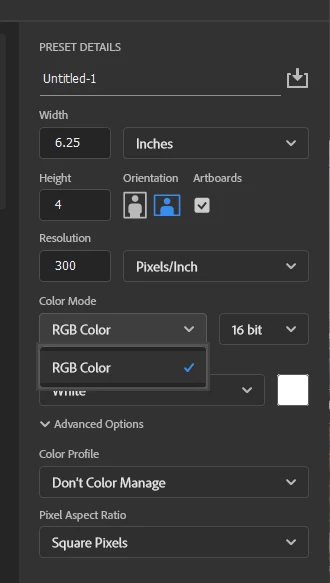
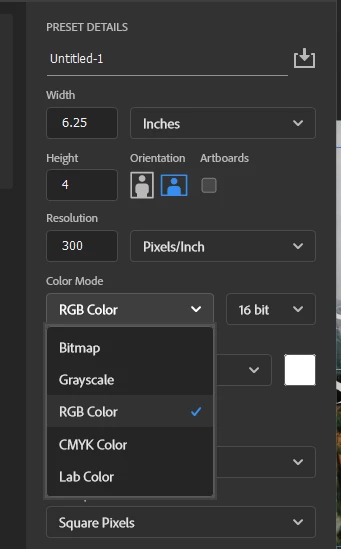
Hi all - when I set up a new document I can't use CMYK if "Artboards is checked. However, I can convert to CMYK after the document is created - is there any reason for this?


Hey @Friendly_Wizard4105 — welcome to the community!
When artboards were first introduced, they were primarily designed with web and screen design in mind, which is why they default to RGB instead of CMYK.
As a workaround, you can start by creating your document in CMYK mode, and then go to Layer > New > Artboard to add your artboards manually.
Hope this helps — let me know if you have any other questions!
Alek
Already have an account? Login
Enter your E-mail address. We'll send you an e-mail with instructions to reset your password.