

Fletch45
Known Participant
September 25, 2020
Answered

Can you create a brush that uses a photo?

  • September 25, 2020
  • 4 replies
  • 1050 views

Hello, all!


I am a landscape designer that makes conceptual renderings for clients. So I use a big mixture of tree images and brushes. I love using images because they are photorealistic. However, images have to be copied and resized all the time. They do not have the scatter and size jitter settings like brushes do. 


So here is the question: Can I make a brush that is photorealistic and has all the original colors of a tree? I really want a tree brush I can resize quickly, but basically uses the original image. 


Maybe I am trying to have my cake and eat it too, but Photoshop
surprises me on the daily with new stuff. 


Thanks for you help!


- Fletcher


This topic has been closed for replies.
Correct answer Jeff Arola

Take a look at the directions here for making a color stamp brush using the Mixer Brush Tool.


https://community.adobe.com/t5/photoshop/quick-steps-create-a-color-stamp-brush/m-p/10810596?page=1


4 replies

Fletch45
Fletch45Author
Known Participant
September 29, 2020

Myra,

Thank you for your answer! I guess that's as close as I can get. But I will definitely try this tutorial out!

Fletcher

Inspiring
September 25, 2020

What about using the clone stamp? You can select the tree or trees you like and then just click where you want to put them. A

Fletch45
Fletch45Author
Known Participant
September 29, 2020

That's a good idea too. I guess there is always several ways of  accomplishing the same effect. Thanks for sharing!

Jeff Arola
Community Expert
Jeff ArolaCommunity ExpertCorrect answer
Community Expert
September 25, 2020

Take a look at the directions here for making a color stamp brush using the Mixer Brush Tool.


https://community.adobe.com/t5/photoshop/quick-steps-create-a-color-stamp-brush/m-p/10810596?page=1


Myra Ferguson
Community Expert
Community Expert
September 26, 2020

Fantastic tutorial! I tried it out and am getting close, but I don't get the results you do for the size jitter. When my brush changes size, instead of changing the size of the image, it's keeping the image the same size and making masks of various sizes. Any idea what's happening there? I am on Windows, so maybe it's a bug.

Jeff Arola
Community Expert
Community Expert
September 29, 2020

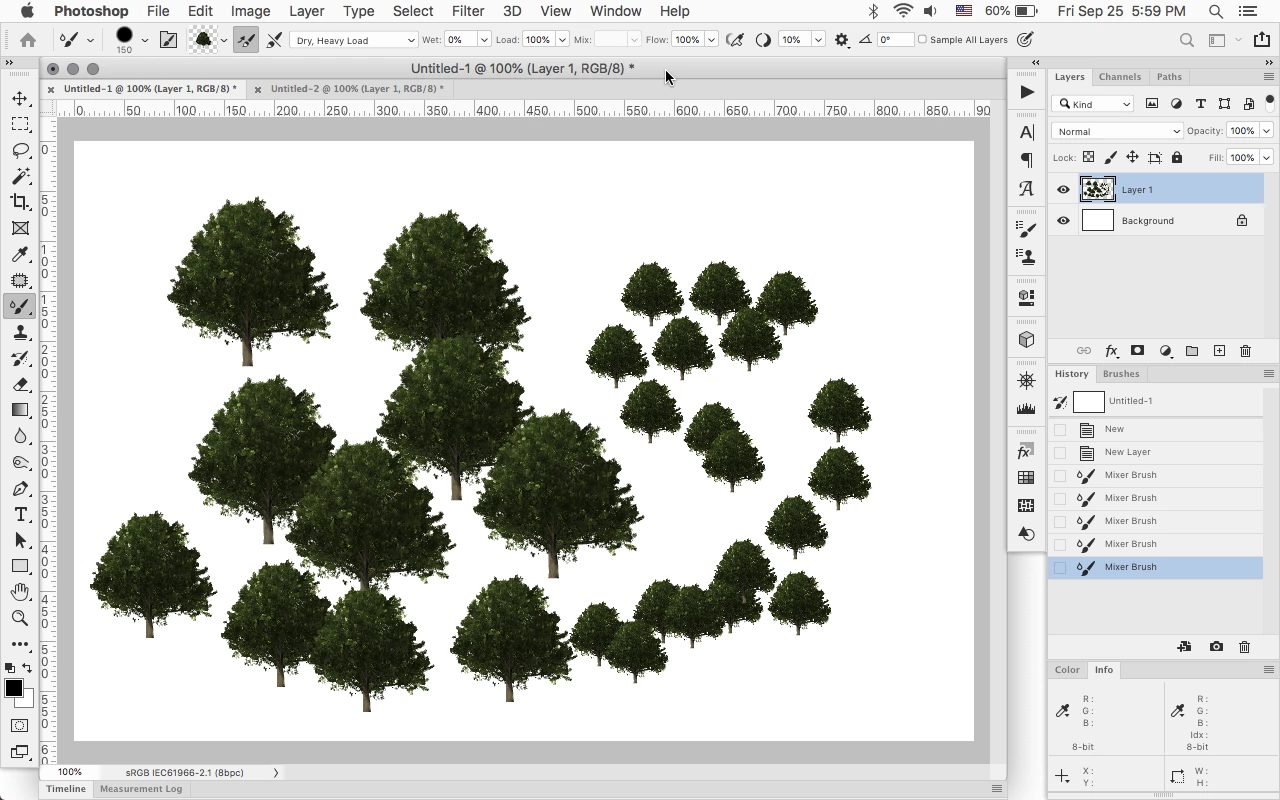
It does that on both mac and windows, even in older photoshop versions, so as far as i can tell that could be a bug with the Mixer Brush. In the screenshot i posted i didn't use Size Jitter, just manually resized the brush.

Myra Ferguson
Community Expert
Community Expert
September 25, 2020

In Photoshop, you can create a brush based on an image, but it won't retain the colors of the original photo. You can create that type of brush in Illustrator as a scatter brush. You can open your Photoshop file in Illustrator and apply the brush there. Here's a video about Illustrator scatter brushes.