
Exit
  • Global community
    • Language:
      • Deutsch
      • English
      • Español
      • Français
      • Português
  • 日本語コミュニティ
  • 한국 커뮤니티
1

Cannot download demo PSD from Adobe site

Contributor ,
Oct 05, 2023 Oct 05, 2023

Hi, everytime I try and download the PSD from this page it downloads a Creative Cloud and Photoshop installer. https://creativecloud.adobe.com/cc/discover/article/transform-perspective-in-photoshop


Presumably it does not think I have Photoshop 25.0.0 installed on my Mac.


Has anyone else eperienced this problem or managed to download the PSD.


Thank you for your help
TOPICS
macOS
379
Translate
Report
Community guidelines
Be kind and respectful, give credit to the original source of content, and search for duplicates before posting. Learn more
community guidelines

correct answers 1 Correct answer

Community Expert , Oct 05, 2023 Oct 05, 2023

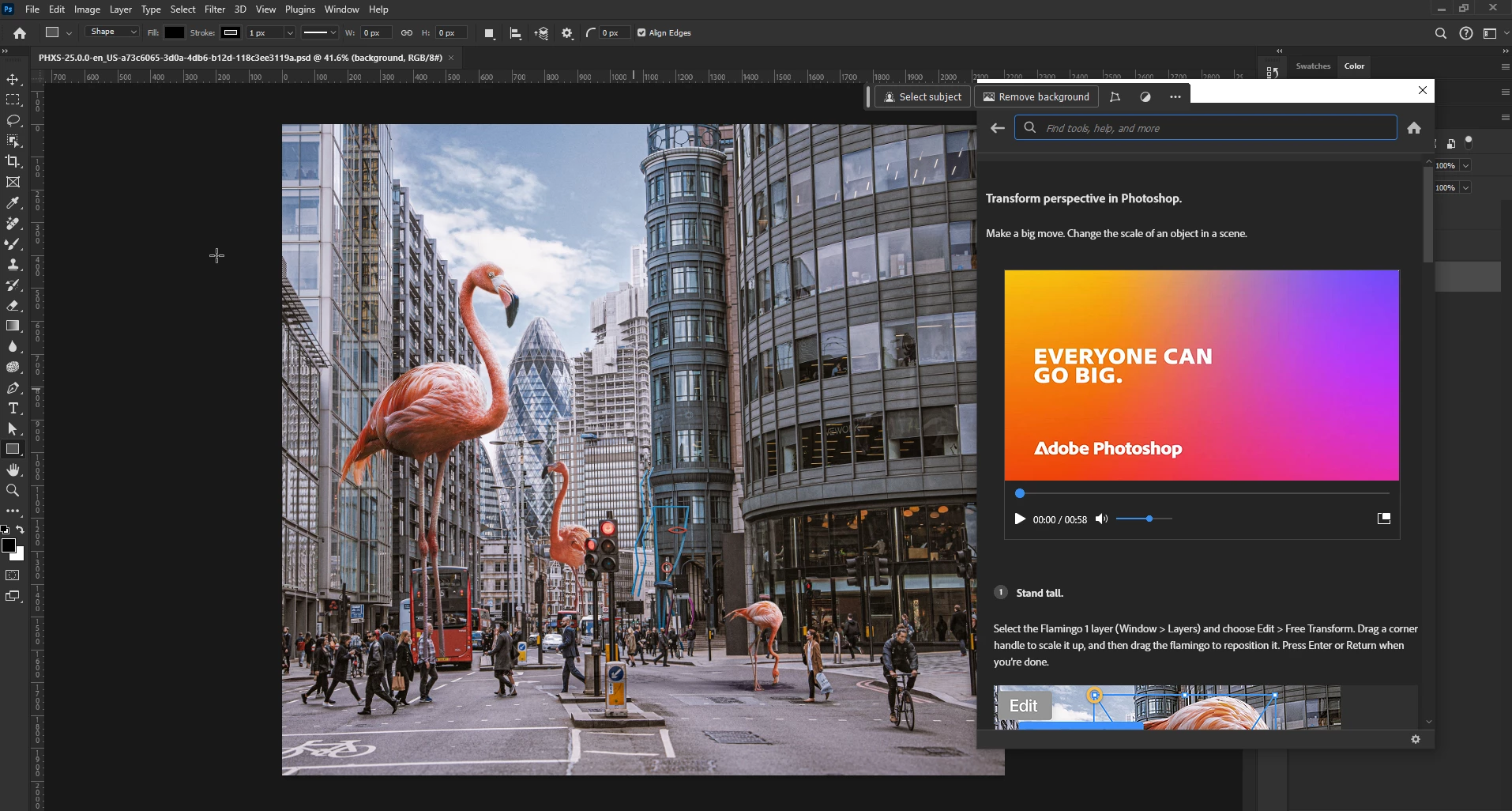
@iwaddo I've come across this issue before, not sure why it happens but if you double click on the Photoshop_Set-Up file it should open the document in Photoshop, at least it does on Windows

2023-10-05 11_47_02-PHXS-25.0.0-en_US-a73c6065-3d0a-4db6-b12d-118c3ee3119a.psd @ 41.6% (background, .png

Translate
Adobe
Community Expert ,
Oct 05, 2023 Oct 05, 2023

@iwaddo I've come across this issue before, not sure why it happens but if you double click on the Photoshop_Set-Up file it should open the document in Photoshop, at least it does on Windows

2023-10-05 11_47_02-PHXS-25.0.0-en_US-a73c6065-3d0a-4db6-b12d-118c3ee3119a.psd @ 41.6% (background, .png

Translate
Report
Community guidelines
Be kind and respectful, give credit to the original source of content, and search for duplicates before posting. Learn more
community guidelines
Contributor ,
Oct 05, 2023 Oct 05, 2023

It does indeed, thank you.

I did not want to run the installer for fear of it messing things up. I know for next time, thank you.

Translate
Report
Community guidelines
Be kind and respectful, give credit to the original source of content, and search for duplicates before posting. Learn more
community guidelines
Community Expert ,
Oct 05, 2023 Oct 05, 2023
LATEST

You're welcome 🙂

Translate
Report
Community guidelines
Be kind and respectful, give credit to the original source of content, and search for duplicates before posting. Learn more
community guidelines