
brian2410
Participating Frequently
September 19, 2022
Answered

Cannot enable Legacy Export (on M1 Mac) [was: Save As]

  • September 19, 2022
  • 4 replies
  • 7359 views

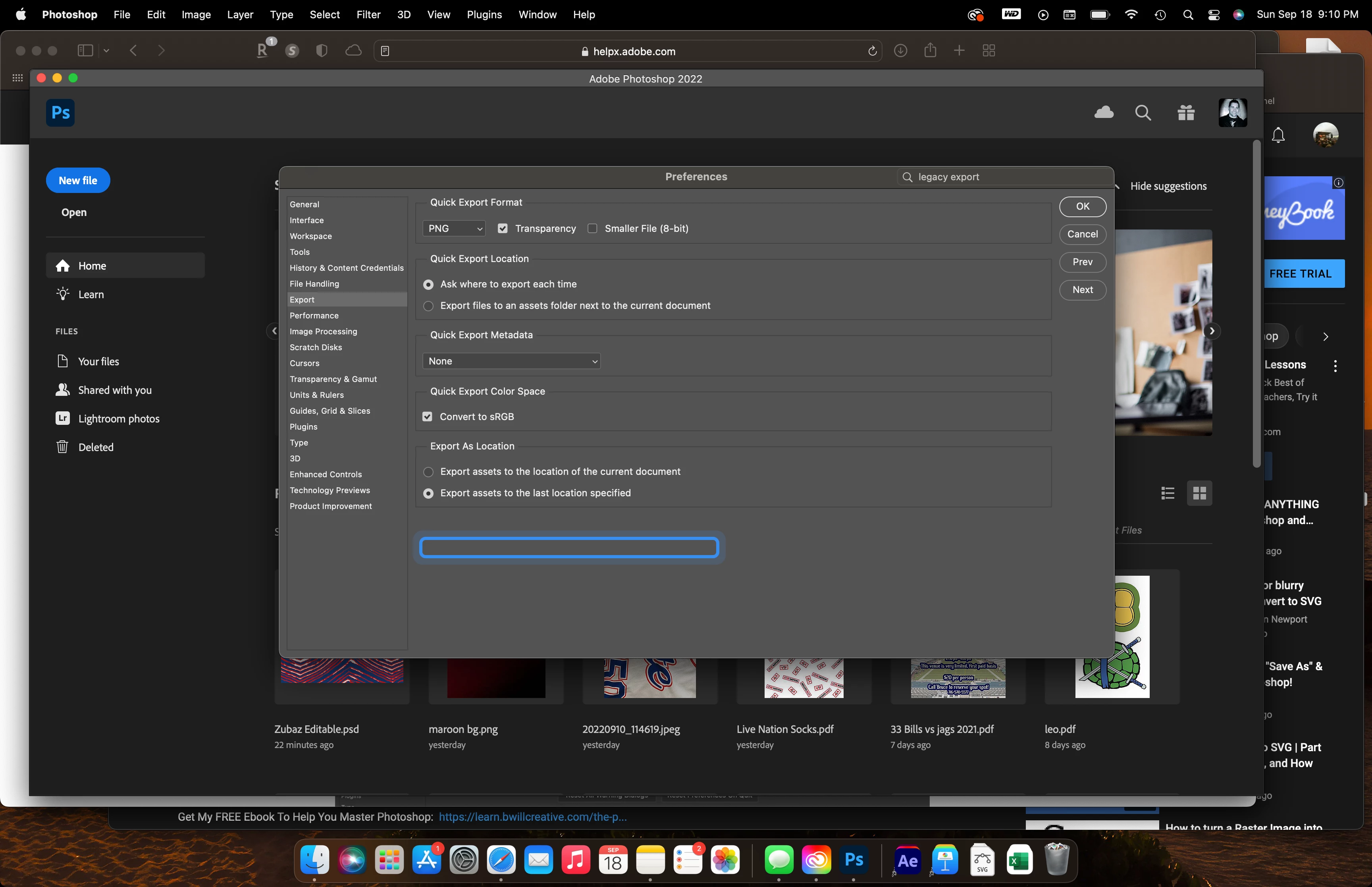
v. 25.5.1 cannot enable legacy save as. The option is not there, but it comes up in a search of the settings highlighting a blank spot in the preference pane. I really need this option and it appears as if it is there, but there is nothing actually there.
This topic has been closed for replies.
Correct answer Jeff Arola

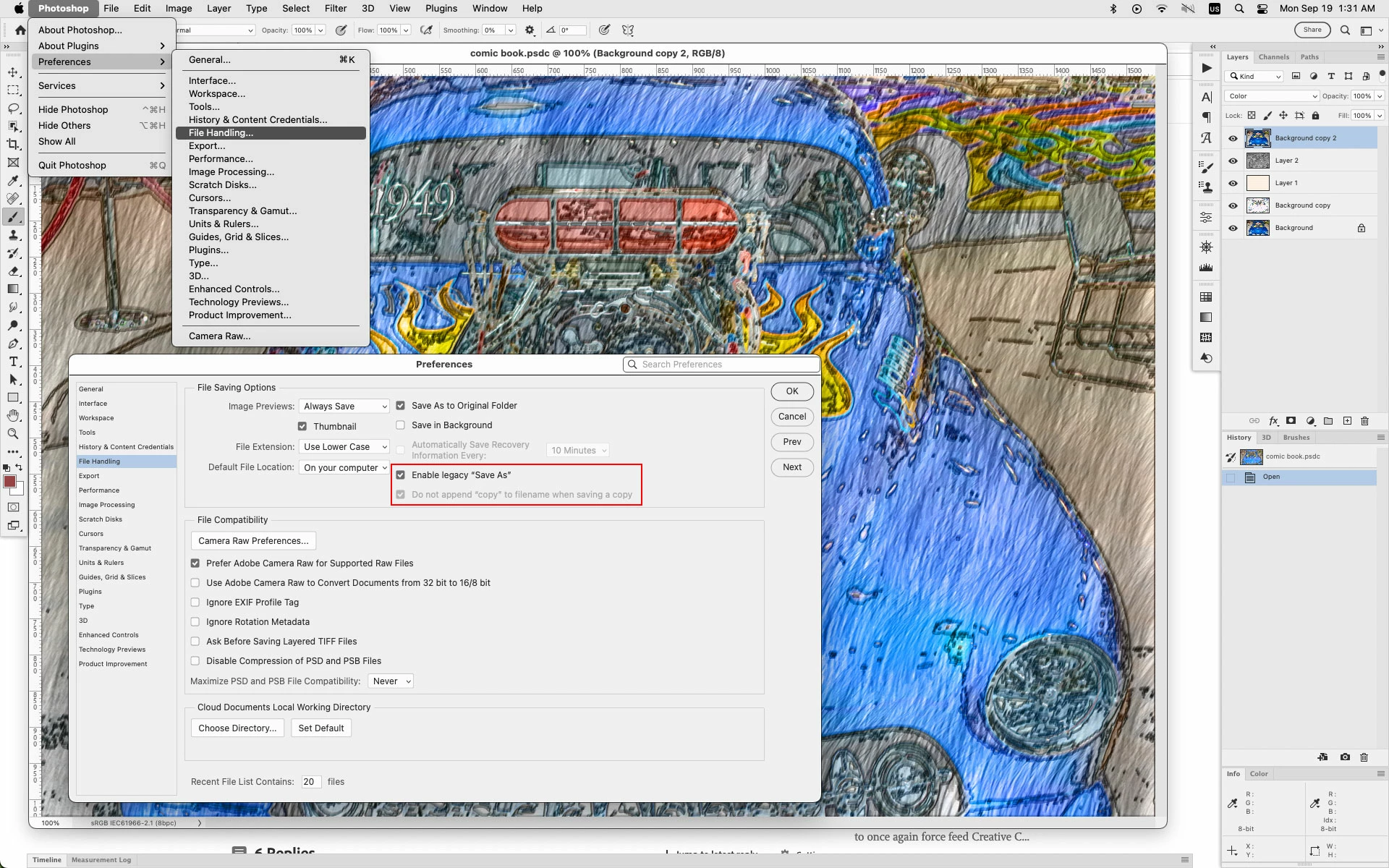
Look under Photoshop>Preferences>File Handling


not missing on M1 processor macs


If you are in fact looking for Legacy Export, then on an M1 processor mac one needs to run photoshop under Rosetta

(right click on the Adobe Photoshop 2022.app in/Applications/Adobe Photoshop 2022 then click Get Info

and click Open using Rosetta)


4 replies

Jeff Arola
Community Expert
Jeff ArolaCommunity ExpertCorrect answer
Community Expert
September 19, 2022

Look under Photoshop>Preferences>File Handling


not missing on M1 processor macs


If you are in fact looking for Legacy Export, then on an M1 processor mac one needs to run photoshop under Rosetta

(right click on the Adobe Photoshop 2022.app in/Applications/Adobe Photoshop 2022 then click Get Info

and click Open using Rosetta)


brian2410
brian2410Author
Participating Frequently
September 19, 2022

I am looking for legacy export. In all my googling I mistyped save after reading about both. Thank you! I will try this. Weird that it highlights the spot where the setting should be even though it's not there. 

D Fosse
Community Expert
Community Expert
September 19, 2022

As Jeff says, Legacy Export is not available natively on M1. You have to run Photoshop under Rosetta emulation.

D Fosse
Community Expert
Community Expert
September 19, 2022

According to your first screenshot, you're looking for "legacy export", not "legacy save as". Are you sure you're not mixing the two up?


I googled m1 & legacy save as, but can't find anything that indicates it's missing in m1 macs. But "legacy export" is not available on m1.


Can you show a screenshot of Preferences > File Handling?

brian2410
brian2410Author
Participating Frequently
September 19, 2022

I am looking for legacy export. My mistake. 

Stephen Marsh
Community Expert
Community Expert
September 19, 2022

Are you on an M1 chip Mac?

brian2410
brian2410Author
Participating Frequently
September 19, 2022

Yes, I am. 

Stephen Marsh
Community Expert
Community Expert
September 19, 2022

Your screenshot shows export, not save – however I believe that the legacy option is only for Rosetta mode, not native.

barbara_a7746676
Community Expert
Community Expert
September 19, 2022

It should be in Preferences > File Handling.

brian2410
brian2410Author
Participating Frequently
September 19, 2022

It's not.