Participant
March 14, 2023
解決済み

Cannot open Fuji .RAF uncompressed RAW files shot with X100V (using P'shop CC and Photo Mechanic)

  • March 14, 2023
  • 返信数 5.
  • 3374 ビュー

14 March 2023
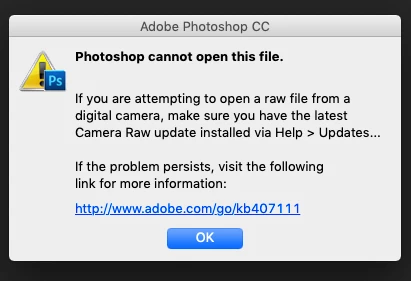
Hi, I have a new Fuji X100V (which replaced an X100T I had for years). I can't open uncompressed raw .RAF files using Photoshop CC directly, or when using the "open with" command from within Photo Mechanic (latest version). I am up-to-date with the Camera Raw plug-in in Photoshop CC.  My Mac runs Mojave 10.14.6


I just opened some raw/.RAF files created with my old X100T—no problem. I have never had this happen with my Fuji or my Nikons. 

I would prefer to be able to do as I always have, opening the Fuji raw .RAF files directly rather than converting them to DNG files. 

Help please! THANKS
解決に役立った回答 Jeff Arola

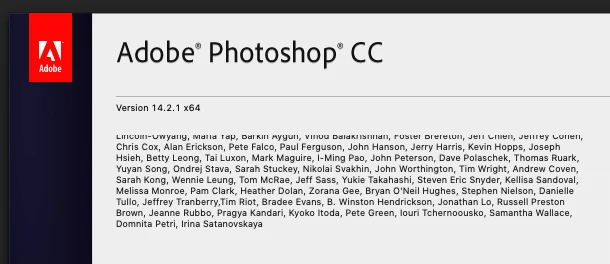
I think the reason you didn't see a later version of camera raw when you went to check for updates is your using an older version of photoshop (14.2.1 vs the current 24.2) and Adobe no longer supports macOS Mojave.


返信数 5

Participant
June 30, 2025

I converted to DNG, but the same thing happens- Nothing


Participant
June 30, 2025

HI. I'm trying to upload my RAW files from Fuji xt4. Camera Raw is version 17.4.1. Nothing happens. Just blank. If after 30 seconds I hit enter, the image suddenly opens as a psd file. So that would suggest it was there but not visible.


This started happening several months ago, whereas previously, it was perfectly fine.

Jeff Arola
Community Expert
Community Expert
March 15, 2023

I'm not saying you need a newer version of photoshop, just why your not getting latest camera raw update.


If you think you might want to update your Mac to a newer OS, be aware that anything newer than Mojave 10.14 won't run any 32 bit applications.

https://support.apple.com/en-us/HT208436

PatrickDowns作成者
Participant
March 15, 2023

Thanks again! I will hold off on updating, as I plan to get a new Mac soon. No need to give myself a headache for an intermediate step! I appreciate your help. -PD

Jeff Arola
Community Expert
Jeff ArolaCommunity Expert解決!
Community Expert
March 15, 2023

I think the reason you didn't see a later version of camera raw when you went to check for updates is your using an older version of photoshop (14.2.1 vs the current 24.2) and Adobe no longer supports macOS Mojave.


PatrickDowns作成者
Participant
March 15, 2023

re "your using an older version of photoshop (14.2.1 vs the current 24.2)"

I'm on Creative Cloud PS, so am I using the older version becausle I've hit an update wall, and can't go to a newer version of PS because I'm limited by Mojave? I'll see if I can update my Mac OS once more time, but very soon I will need a new Mac/book. Thanks again!

Jeff Arola
Community Expert
Community Expert
March 14, 2023

What version of camera raw are you using?

Go to Photoshop CC>Plugins>Camera Raw and you'll see the Version.


I believe that newest version of camera raw that works on Mojave is 13.4


The Fuji X100V requires at least camera raw 12.1

https://helpx.adobe.com/camera-raw/kb/camera-raw-plug-supported-cameras.html

PatrickDowns作成者
Participant
March 15, 2023

Jeff, thanks. My Camera Raw (just updated today) is 10.5.0.1001 but since I need at least Camera Raw 12.1 for the X100V, I wonder why, when I did the Camera Raw update via Photoshop CC, that it didn't give me 13.4 or at least 12.1? Is there a way to manually choose the CR update version?


Thx