
multireflex
Inspiring
August 5, 2020
Question

Cannot open Google Earth KMZ files with Photoshop 2020

  • August 5, 2020
  • 2 replies
  • 3981 views

Hi,

Everytime I try to open a Google Earth KMZ file in Photoshop CC 2020 I always get the same error: "Couldn't open .... .kmz because file could not be parsed"


I am clueless about this error. Anyone could help? Thanks
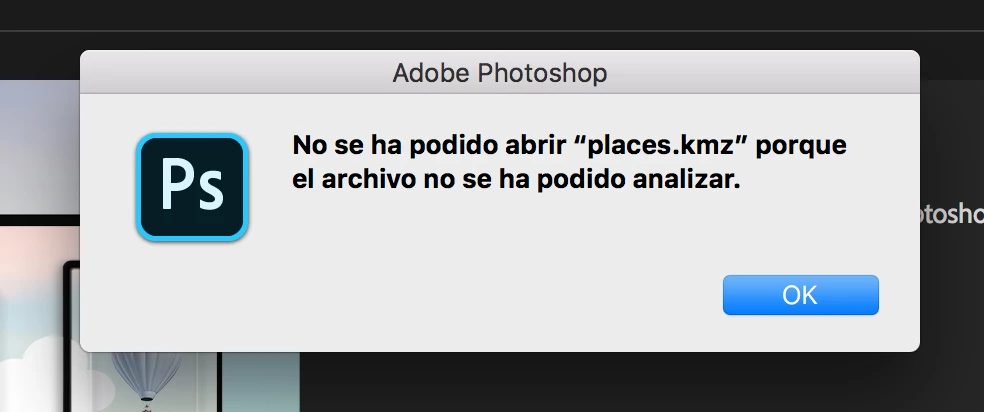


{Thread title edited by moderator}

This topic has been closed for replies.

2 replies

Sam Marshall Evans
Participant
September 3, 2020

Hi,

I'm having this same problem. I've followed the previous instructions to no effect (I have Photoshop version 21.2.2, MacOS version 10.15.6). What do I do now?

nikunj.m
Community Manager
Community Manager
August 5, 2020

Hi,


We're sorry about the trouble with Photoshop 2020. Would you mind sharing the exact version of Photoshop you are using along with your computers operating system? Are you facing this issue with any other file format as well? Is the file stored on an external storage device? If yes, does it help to move the file over to your computers local storage?


You can try to reset the preferences of Photoshop using the steps mentioned here: https://adobe.ly/2Qzc0K3

Please backup your settings prior to resetting the preferences. You can check: https://adobe.ly/2vNz6FG


Let us know how it goes!

Regards,

Nikunj

multireflex
Inspiring
August 5, 2020

Photoshop 21.0.1 under MacOS 10.13.6


Cannot open any KMZ files, never. From Google Maps or Golgle Earth. Always the same error message. 

Already reseted the preferences. All remains the same.


Thanks.


nikunj.m
Community Manager
Community Manager
August 7, 2020

We're sorry that resetting the preferences didn't help. You can try updating Photoshop to the latest version (21.2.1) through the Creative Cloud desktop app to check if helps.