Inspiring
June 23, 2023
Answered

Cannot save because of a disk error

  • June 23, 2023
  • 1 reply
  • 4201 views

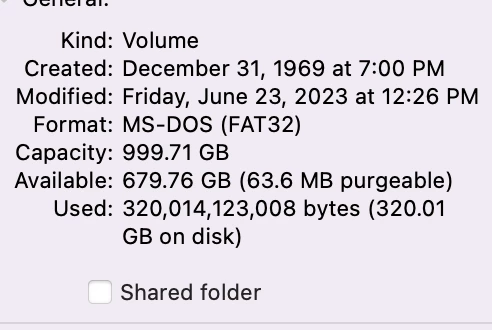
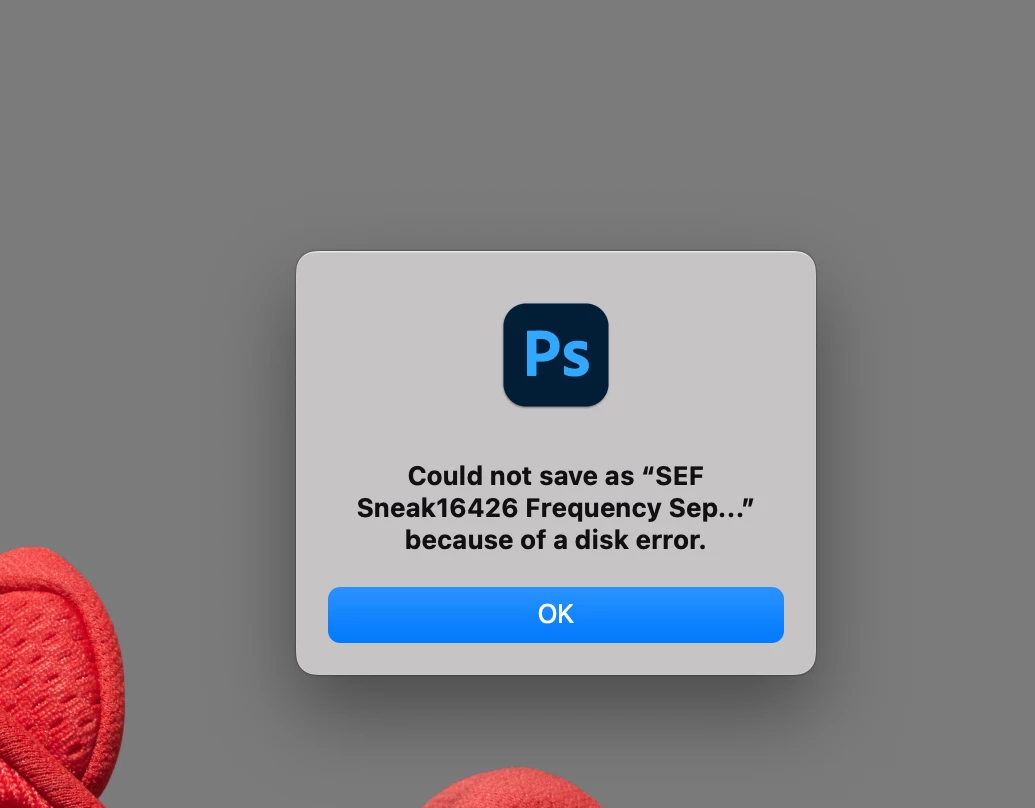
I have never had this problem before- I am working on an image and when I tried to save it to my external hard drive it said "could not save as because of a disk error". the hard drive has 2/3 memory left, but the message isn't about memory. I have since saved to desktop and quit and reopened the application but I get the same message when I try to save to the disk.


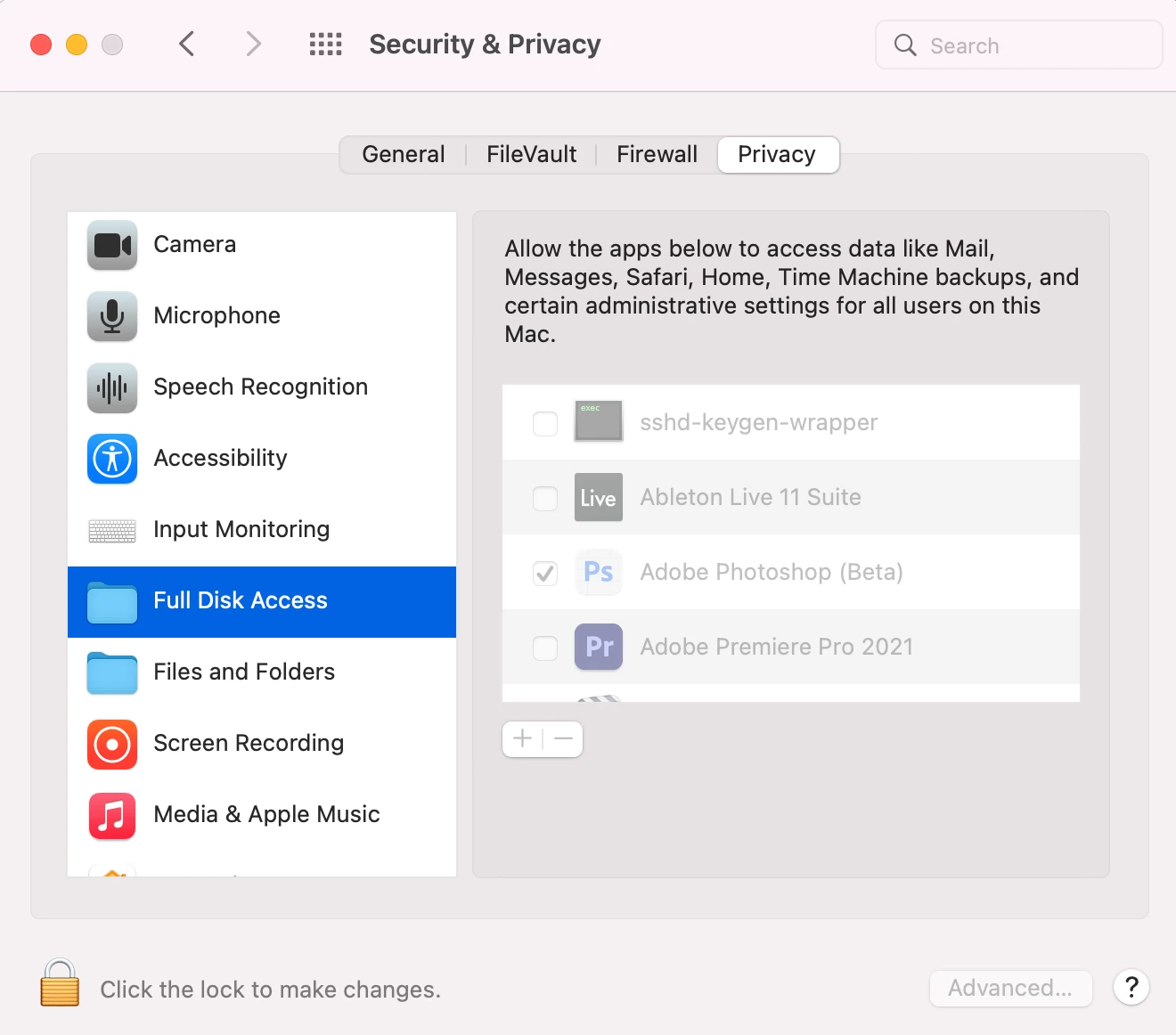
I have also browsed the Adobe support forums and seen other people answer this question with going to settings and granting photoshop Full Disk Access permissions. However, I have already done this. Notably permissions only go to Photoshop Beta, although I have both installed on my computer. However I get this error message regardless of which version of photoshop I use to save the image.


Any suggestions? pictures included.


This topic has been closed for replies.
Correct answer defaulti4okt7cge6zk

So just following up, I was able to figure it out- the hard drive was formatted in fat-32, and the file was a large image file for work that had just surpassed 4gb. 

1 reply

AxelMatt
Community Expert
June 23, 2023

It could be that your hard drive has a fault. Do you have check this.

However, I don't know if and if yes, which tools are included in MacOS. I'm a Windows user.


My System: Intel i7-8700K - 64GB RAM - NVidia Geforce RTX 3060 - Windows 11 Pro 25H2 -- LR-Classic 15 - Photoshop 27 - Nik Collection 8 - PureRAW 5 - Topaz Photo
Inspiring
June 24, 2023

Thanks for this. I'll try saving to another hard drive and see if I still have the problem

defaulti4okt7cge6zkAuthorCorrect answer
Inspiring
July 1, 2023

So just following up, I was able to figure it out- the hard drive was formatted in fat-32, and the file was a large image file for work that had just surpassed 4gb.