
tatyanahill
Participant
March 6, 2023
Question

Cannot use or close out of Camera Raw Filter

  • March 6, 2023
  • 4 replies
  • 3212 views

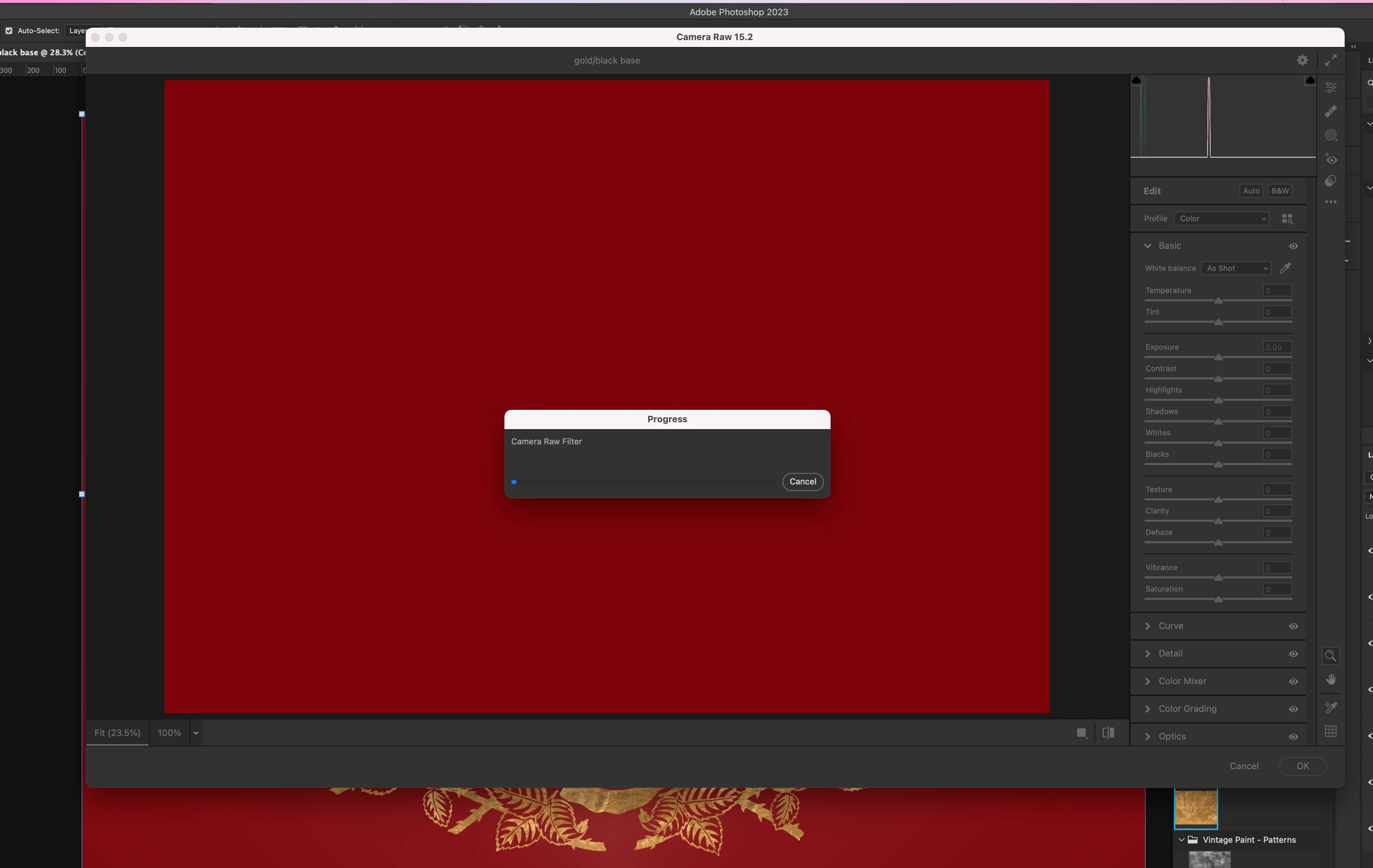
PHOTOSHOP - Camera Raw from the Filter menu is greyed out and it cannot be closed. The 'error' bell sounds every time I try to close it or try to go back to my workspace.


1) I read on another forum page that you have to fiddle around with Camera Raw preferences, but this cannot be done once the bug is active...

2) Escape doesn't work...

3) Waiting does open a Progress Window with a very long status bar, but the status never progresses from zero (my internet is fast and working fine)... And the cancel button on the window also does not work.

4) Quit doesn't even work.

5)So now my only option is a force quit and lose my work.


Luckily it is not a lot of work, but I would be in bad luck if I didn't by some grace recently save my work.


ABOBE PHOTOSHOP 2023

MAC OS: Monterey 12.4

PROCESSOR: 3.8 GHz 8-Core Intel Core i7

GRAPHICS: AMD Radeon Pro 5500 XT 8 GB
 

This topic has been closed for replies.

4 replies

PECourtejoie
Community Expert
Community Expert
November 27, 2023

Hi, could all the users affected state if that happens when opening ACR as a filter, or when opening a raw file in Photoshop, in Bridge, or exporting from Lightroom? 

Could all affected users share the contents of Photoshop's Help>System Info... menu, so that we get to know your OS, its version, the exact version of Photoshop you are running, the date of the GPU driver, etc.
If your post disappears, do not repost it, as it might need to be approved by a moderator. As an alternative you can save it to a .txt file on your computer and attach it on your answer via the forum. (attachments do not post from e-mail)

Kevin Stohlmeyer
Community Expert
Community Expert
March 6, 2023

@tatyanahill did any of the solutions work?

Participant
November 13, 2023

Hey, I have the same problems, I will leave my answer.


Nope. Unfortunately we cannot even perform any of your suggestions because the camera raw progress window freezes everything. We cannot access any buttons or anything outside the camera raw progress window, so we are obligated to force quit photoshop. It has just happened with me, I just lost a 1 hour work because of this adobe's error. 

Chuck Uebele
Community Expert
Community Expert
November 13, 2023

After you force quit, did you do as Kevin said and reset Camera Raw's preferences?

tatyanahill
Participant
March 6, 2023

Thanks so much for taking the time to try and help Kevin. I hope Adobe fixes the bug though. Because nothing gets you out of the window but a force quit. Potentially disastrous.

Kevin Stohlmeyer
Community Expert
Community Expert
March 6, 2023

Hi @tatyanahill here are some things to try (in order):

1. Go to Preferences/File Handling. Hold Opt(alt)+Cmd(ctrl) and click the Camera Raw Preferences button. Reset the prefs.

2. Go into Preferneces/General and uncheck "Export Clipboard". 

3. Try resetting your entire PS preferences under Preferences/General and click the reset button.