
barneyayon
Participant
May 28, 2019
Answered

Canvas at the center problem

  • May 28, 2019
  • 3 replies
  • 576 views

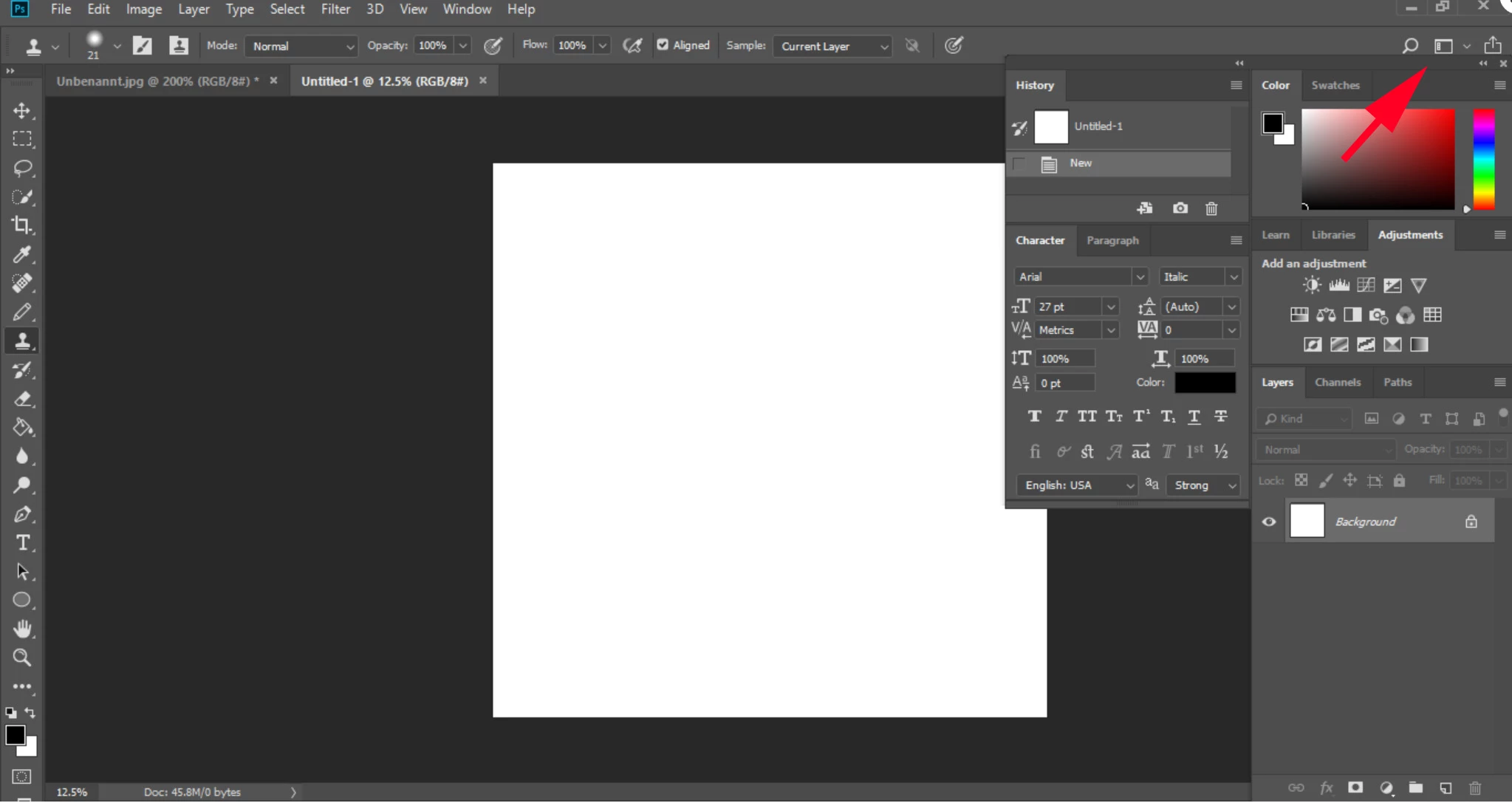
Recently, I've been facing this issue with my canvas. It suddenly came at the center, and getting covered by the right-side panels.

How do I move the canvas to the left, like it was before? The history panel is really disturbing my work.

fEBwOay.png

This topic has been closed for replies.
Correct answer macpawel

You can drag History and Character panel below Layers panel

You can go to Essential menu and Reset your workarea

3 replies

Grant H
Community Expert
Community Expert
May 28, 2019

I use the "press tab" a lot in PS to toggle the workspace, try it and see.

macpawel
macpawelCorrect answer
Participating Frequently
May 28, 2019

You can drag History and Character panel below Layers panel

You can go to Essential menu and Reset your workarea

barneyayon
Participant
May 28, 2019

Thanks, it helped

Akash Sharma
Legend
May 28, 2019

Hi barneyayon,

Sorry that the "History" panel in Photoshop is overlapping the canvas and won;t let you work on your project.

In Photoshop, workspaces automatically appear as you last arranged them, but you can restore the original, saved arrangement of panels.

  • To restore an individual workspace, choose Window > Workspace > Reset [Workspace Name].
  • To restore all the workspaces installed with Photoshop, click Restore Default Workspaces in the Interface preferences.

Let us know how it goes.

Thanks,

Akash

barneyayon
Participant
May 28, 2019

It worked, thanks!