
Known Participant
February 18, 2022
Question

CC Library Discrepancy

  • February 18, 2022
  • 2 replies
  • 390 views

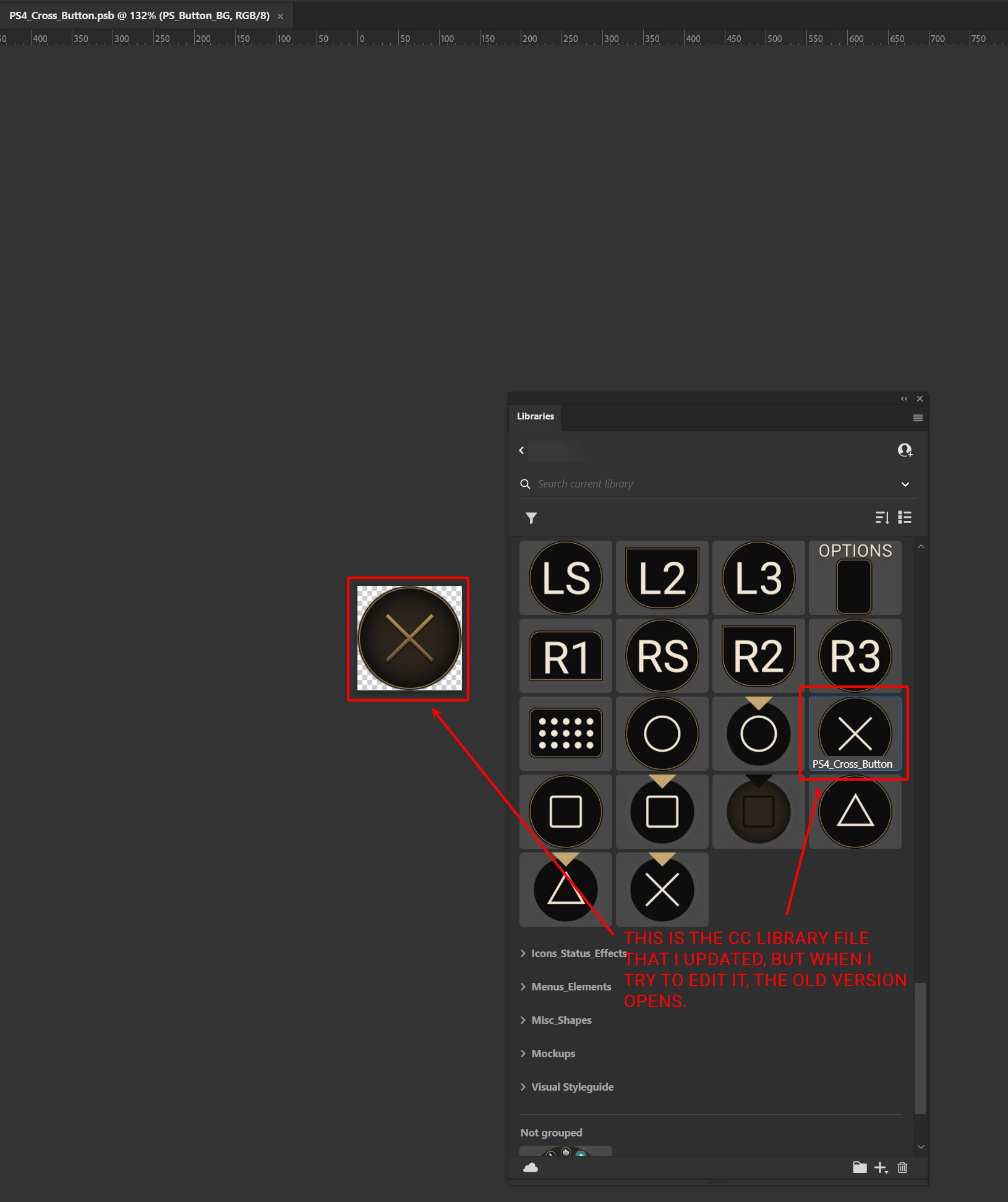
I made a lot of updates to files in my CC Library yesterday. Today when I opened the library, I can see the updated file thumbnails in the library but when I try to edit the files, it opens the older version of the library file. So all my changes have been lost? How can updated thumbnails show up, but when I edit a file, an old version that looks different opens?
This topic has been closed for replies.

2 replies

Participant
March 13, 2023

I'm having this same issue. I worked all day on a set of files that were working fine in the library. When I quit Photoshop and then reopened it later, the thumbnail shows the correct work in the library panel. But when I edit the files, all my work is gone!

Mike_Gondek10189183
Community Expert
Community Expert
February 18, 2022

Was the item pasted from Ilustrator, and do you  doubel click and it opens in Illustreator. If other please explain constuciotnif this is bitmap or shapes, etc.

Maggie D.Author
Known Participant
February 18, 2022

No this file was created in Photoshop. When I double click it, it opens in Photoshop. It was constructed with shapes and layer styles.