Bed30321077z973
Inspiring
January 20, 2024
Question

CEP: Is CHROME obligatory? I want to use EDGE. + Question about local vs common files

  • January 20, 2024
  • 1 reply
  • 333 views

(Duplicate here: https://community.adobe.com/t5/photoshop-ecosystem-discussions/cep-is-chrome-obligatory-i-want-to-use-edge-question-about-local-vs-common-files/m-p/14368939#M776293)

Hello,

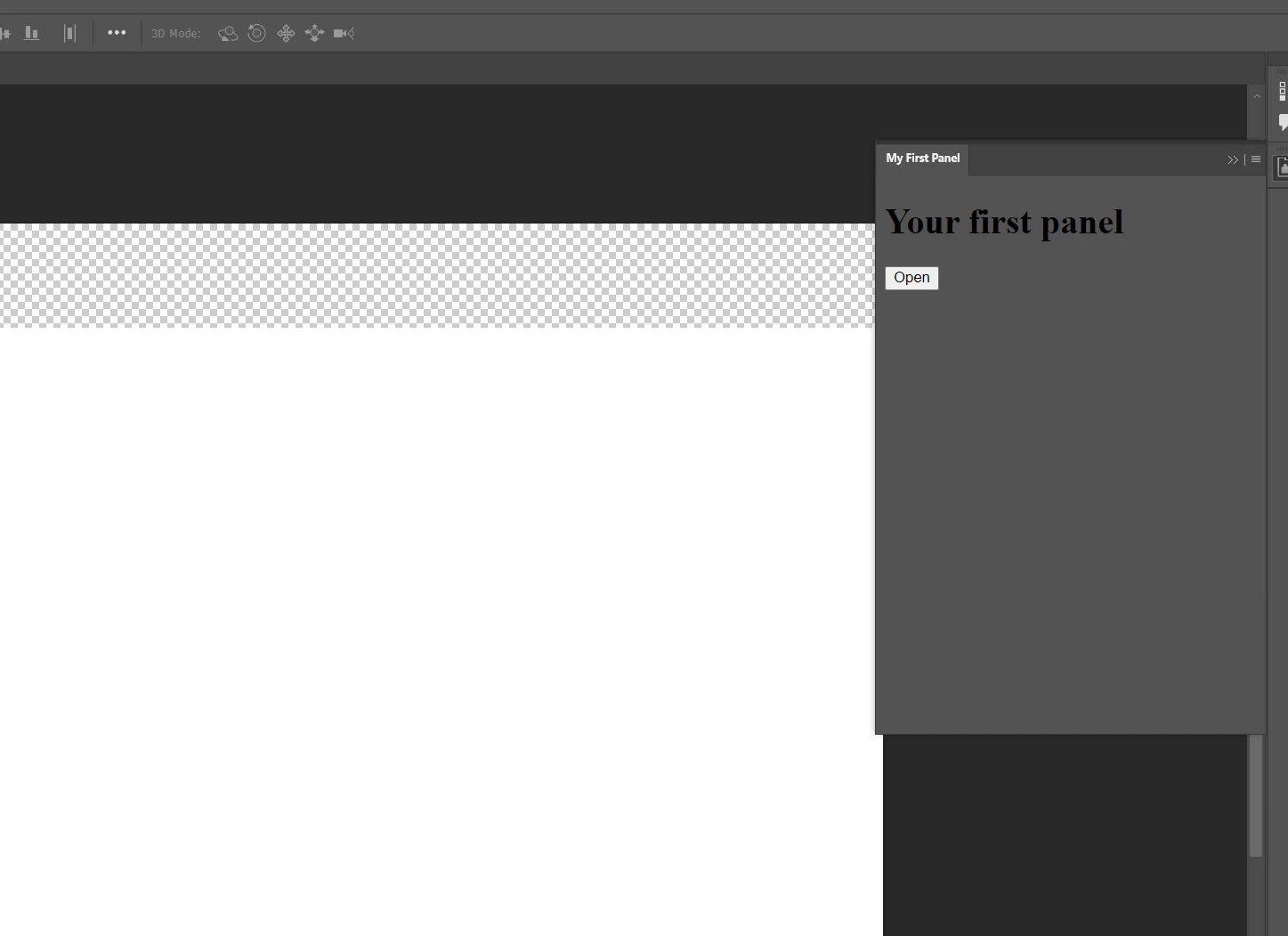
I reached this point:

The buttons works but the debuggins page does not seem to work.


FIRST QUESTION:

1A) Do I HAVE to use CHROME to be able to access the debugging page at http://localhost:8088/?

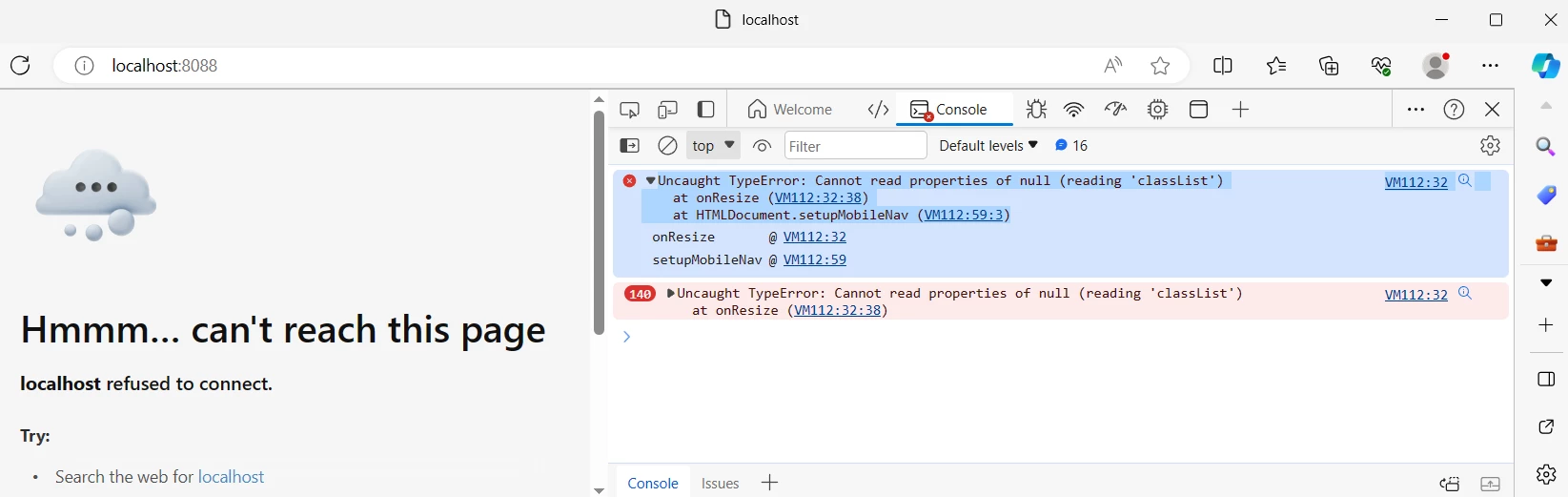
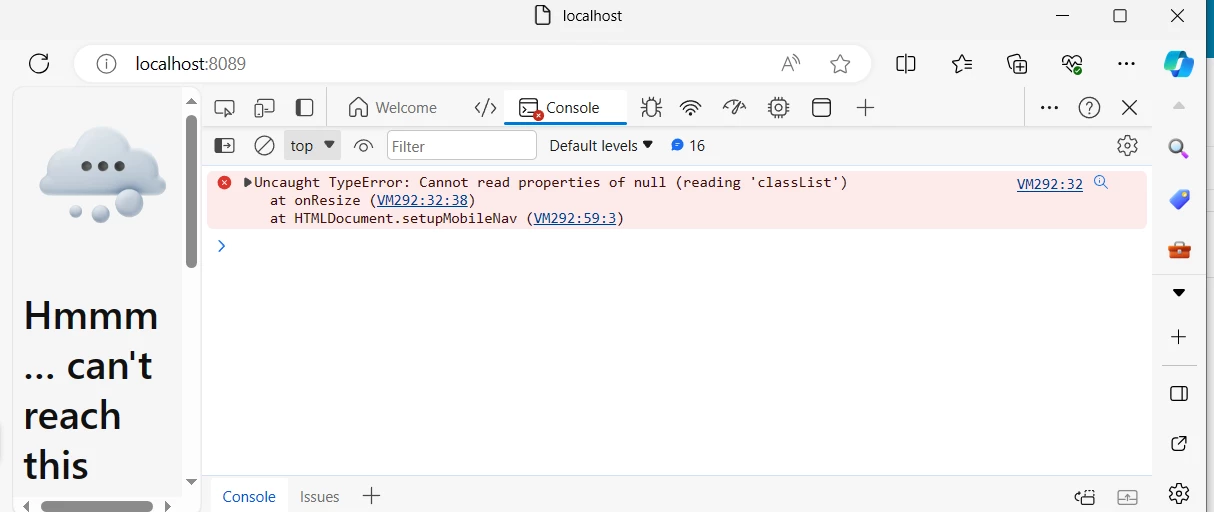
I tried on Edge, and I am not getting anything from the upload image cep example, it shows this error/problem:

-----------------------------------------------------------------------------------------------------------------------------


VM112:32
 
Uncaught TypeError: Cannot read properties of null (reading 'classList') at onResize (VM112:32:38) at HTMLDocument.setupMobileNav (VM112:59:3)
 onResize@VM112:32
 setupMobileNav@VM112:59

------------------------------------------------------------------------------------------------------------------------------

Screenshot, this is on the browser EDGE:
1B) Is there a problem particular here?


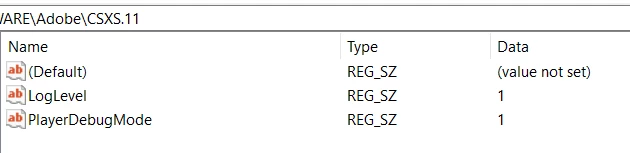
Yes I have added in the .debug entry otherwise the panel would not show up at all:
 

I tried with another index.html (but I kept = all other files from the "upload image" example, as they are)

=> new index:


<html>
<head>
    <title>Hello World!</title>
</head>
<body>

    <h1>Hello World!</h1>

    <!-- Add a button labeled “Click this!” -->
    <button id="myButton">Click this!</button>

    <script type="text/javascript">
    /* Add a click handler to the button */
    document.getElementById('myButton')
        .addEventListener('click', function() {
            /* When the button is clicked, output a string to the JavaScript Console */
            console.log("I can't believe you clicked!");
        });
    </script>

</body>
</html>
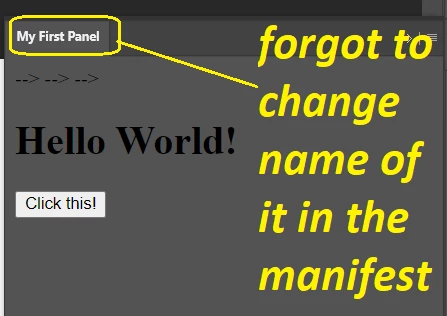


Still nothing in the debugging page of EDGE browser (I changed it to 8089) despite clicking on that button and changing the index file:
 

Second point:

I am trying to understand how to make the extensions work in specific version vs "common files":


The panel seems to have showed up when added here: "..\Common Files\Adobe\CEP\extensions"

But when I tried to put it here:

C:\Users\Name with Spaces\AppData\Roaming\Adobe\Premiere Pro\23.0\UXP\PluginsStorage\Internal

=> nothing showed up!

How comes?
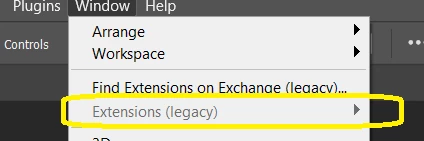
IS that expected behaviour?


Third point:


Despite having "Photoshop 2024" :
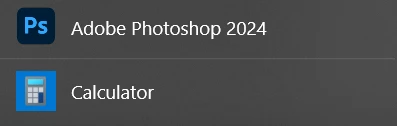
 

I chose the value 25 Because of:
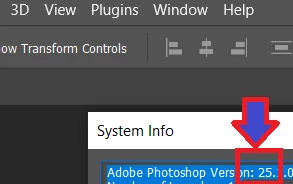


<Host Name="PHSP" Version="25" />
<Host Name="PHXS" Version="25" />


Am I on the right path ?

Is that the general rule to follow when writing these lines for the rest of the adobe products? (alwayws open HELP-> SYSTEM INFO -> And take that version for the manifest?


Fourth point:


Is CSXS v = 11.0 the very last one?


-----------------

What else should I know?

I really don't want to install chrome, can I get the debugging working with another premium than Chrome please?


This topic has been closed for replies.

1 reply

Bed30321077z973
Inspiring
January 20, 2024

Hello,

I reached this point:

The buttons works but the debuggins page does not seem to work.


FIRST QUESTION:

1A) Do I HAVE to use CHROME to be able to access the debugging page at http://localhost:8088/?

I tried on Edge, and I am not getting anything from the upload image cep example, it shows this error/problem:

-----------------------------------------------------------------------------------------------------------------------------


VM112:32
 
Uncaught TypeError: Cannot read properties of null (reading 'classList') at onResize (VM112:32:38) at HTMLDocument.setupMobileNav (VM112:59:3)
  onResize @ VM112:32
  setupMobileNav @ VM112:59

------------------------------------------------------------------------------------------------------------------------------

Screenshot, this is on the browser EDGE:

1B) Is there a problem particular here?


Yes I have added in the .debug entry otherwise the panel would not show up at all:


I tried with another index.html (but I kept = all other files from the "upload image" example, as they are)

=> new index:


<html>
<head>
    <title>Hello World!</title>
</head>
<body>

    <h1>Hello World!</h1>

    <!-- Add a button labeled “Click this!” -->
    <button id="myButton">Click this!</button>

    <script type="text/javascript">
    /* Add a click handler to the button */
    document.getElementById('myButton')
        .addEventListener('click', function() {
            /* When the button is clicked, output a string to the JavaScript Console */
            console.log("I can't believe you clicked!");
        });
    </script>

</body>
</html>


Still nothing in the debugging page of EDGE browser (I changed it to 8089) despite clicking on that button and changing the index file:


Second point:

I am trying to understand how to make the extensions work in specific version vs "common files":


The panel seems to have showed up when added here: "..\Common Files\Adobe\CEP\extensions"

But when I tried to put it here:

C:\Users\Name with Spaces\AppData\Roaming\Adobe\Premiere Pro\23.0\UXP\PluginsStorage\Internal

=> nothing showed up!

How comes?

IS that expected behaviour?


Third point:


Despite having "Photoshop 2024" :


I chose the value 25 Because of:


<Host Name="PHSP" Version="25" />
<Host Name="PHXS" Version="25" />


Am I on the right path ?

Is that the general rule to follow when writing these lines for the rest of the adobe products? (alwayws open HELP-> SYSTEM INFO -> And take that version for the manifest?


Fourth point:


Is CSXS v = 11.0 the very last one?


-----------------

What else should I know?

I really don't want to install chrome, can I get the debugging working with another premium than Chrome please?