
Participating Frequently
May 29, 2021
Answered

change all (TEXT ) layers color for multi *.psd's

  • May 29, 2021
  • 2 replies
  • 1818 views

hi guys..

I have a folder containing a lot of ( *.PSD files )

i need change all ( TEXT ) layers color for all thess *.PSD

just ( TEXT ) layers


i searched and i get this code and it's not work i have error message

#target photoshop;

main();

function main(){

//select folder where PSDs are held

var selectFolder = Folder.selectDialog( "Please select folder of PSDs");

//if no folder selected quit.

if(selectFolder == null) return;

//get an array of all PSDs in the folder

var fileList = selectFolder.getFiles("*.psd");

//iterate through file list

for(var a in fileList){

var textColour = new SolidColor();

textColour.rgb.hexValue = "00ff00"; //set colour to green

open(fileList);

activeDocument.activeLayer = activeDocument.artLayers[0];  //Select top layer

if(activeDocument.activeLayer.kind == LayerKind.TEXT){ //check if it is a text layer

activeDocument.activeLayer.textItem.color = textColour; //set text to colour

activeDocument.save(); //Save changes

activeDocument.close(SaveOptions.DONOTSAVECHANGES); //Close document

}else{//not a text layer so close document

 activeDocument.close(SaveOptions.DONOTSAVECHANGES); //Close document

 }

}//end of filelist

};


when i run scrpit and choose folder i get this error
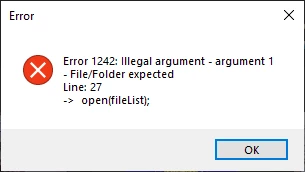
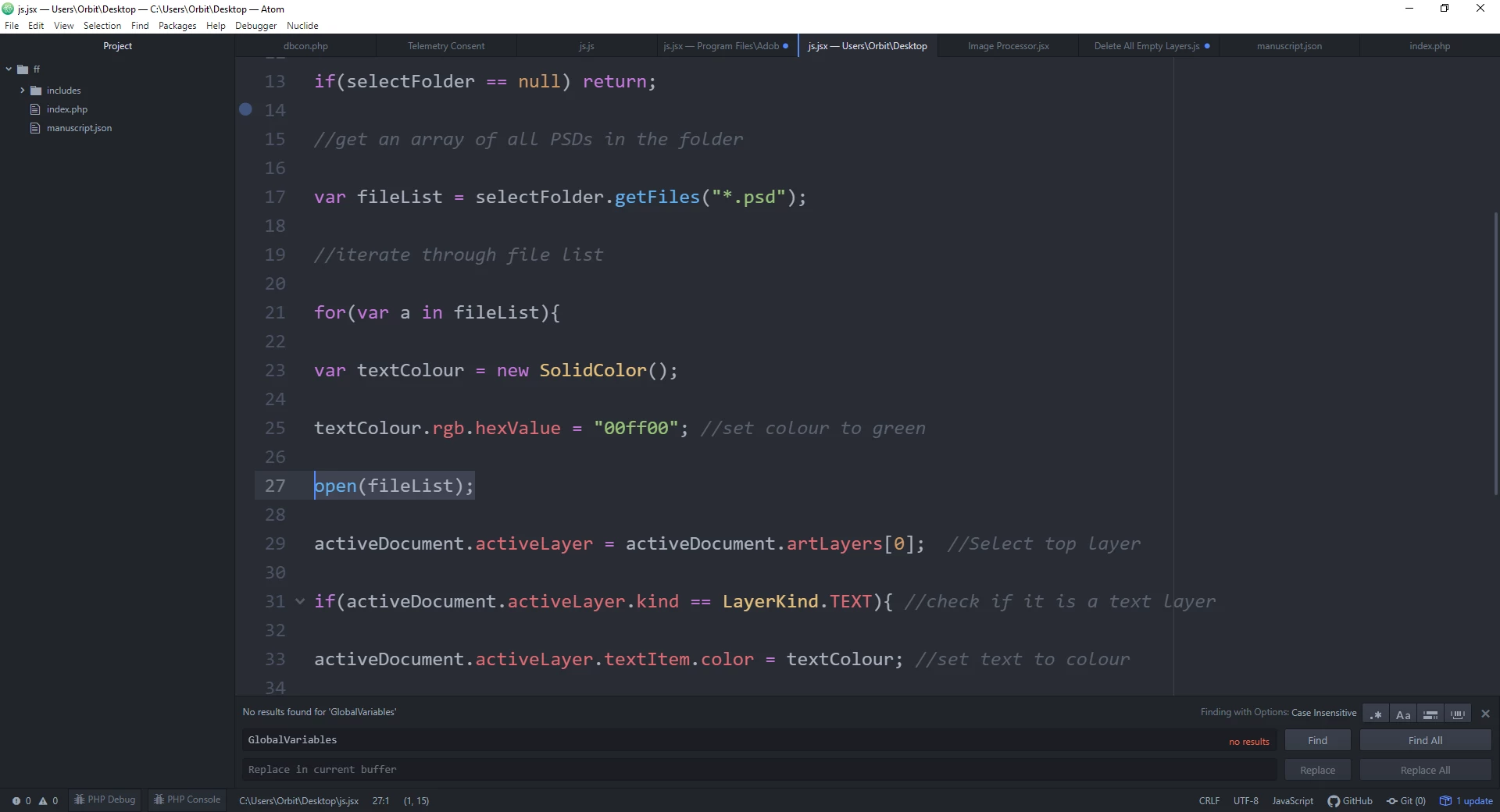
this line 27
 

please help me
 

This topic has been closed for replies.
Correct answer Kukurykus

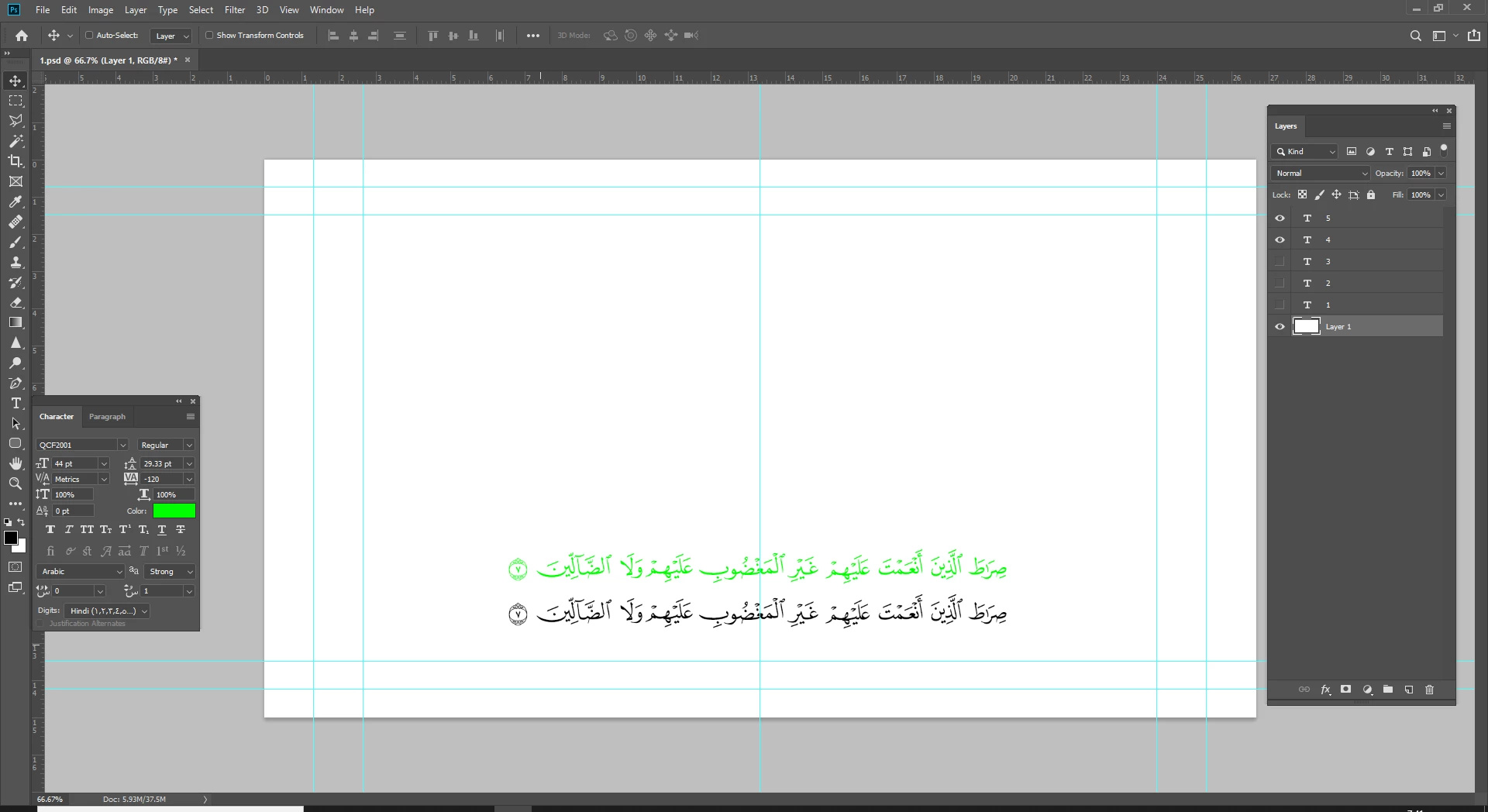
whell, it's change just first layer to green!

and other layers didn't change their colors what's wrong?


#target photoshop;

main();

function main(){

//select folder where PSDs are held

var selectFolder = Folder.selectDialog( "Please select folder of PSDs");

//if no folder selected quit.

if(selectFolder == null) return;

//get an array of all PSDs in the folder

var fileList = selectFolder.getFiles("*.psd");

//iterate through file list

for(var a in fileList){

var textColour = new SolidColor();

textColour.rgb.hexValue = "00ff00"; //set colour to green

open(fileList[a])

if(activeDocument.activeLayer.kind == LayerKind.TEXT){ //check if it is a text layer

  activeDocument.activeLayer.textItem.color = textColour; //set text to colour
  activeDocument.save(); //Save changes
  activeDocument.close(SaveOptions.DONOTSAVECHANGES); //Close document

}else{//not a text layer so close document

 activeDocument.close(SaveOptions.DONOTSAVECHANGES); //Close document

 }

}//end of filelist

};

Replace lines from 22 to 34 of your original code to:


(sc = SolidColor).rgb.hexValue = '00ff00', lrs = [].slice.call((aD = open(fileList[a])).layers)
while(lrs.length) (shft = lrs.shift()).kind == 'LayerKind.TEXT' ? shft.textItem.color = sc : shft.remove()


2 replies

Kukurykus
Legend
May 29, 2021


open(fileList[a])


semo5C92Author
Participating Frequently
May 29, 2021

thank you bro, but i have other problem i need change color for hidden layers

and remove all layer not a TEXT

Kukurykus
Legend
May 29, 2021

Hidden status of text layers doesn't prevent from changing their colour.


Remove all layer, which one, not text one? But which exact 'all' layer?

semo5C92Author
Participating Frequently
May 29, 2021

note:

any *.PSD file contain thees layers