
Known Participant
March 8, 2023
Question

Change font without showing the missing font message?

  • March 8, 2023
  • 1 reply
  • 800 views

Hi everyone, I'm working on a project that contains a bunch of text layers with different fonts, and I'll have to change them all to a different font using action. The problem is that not all fonts can be installed, so often this message will appear and I have to stop to press Replace repeatedly:
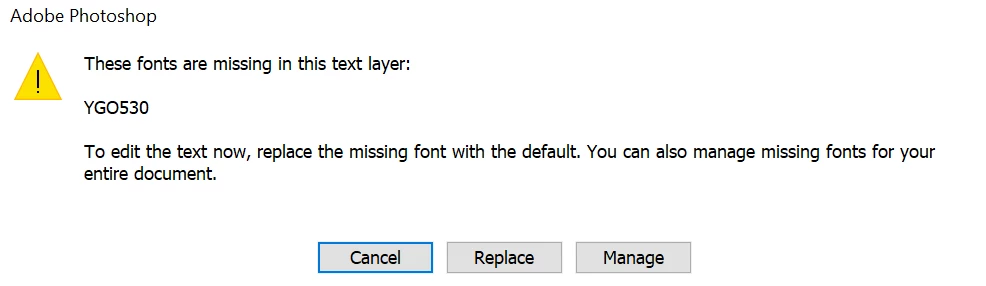
I tried it with the Manage Missing font and it changed the font pretty quickly without any notification, I just couldn't put it in the action in any way. I tried with Insert menu Item but nothing changed in my action, so I had to do this manually. Currently, my work is increasing, so it is difficult to continue doing this with files one by one. Is there a way to change all missing fonts to a given font without interrupting the action? I am using Photoshop version 24.2.0.

This topic has been closed for replies.

1 reply

jane-e
Community Expert
Community Expert
March 12, 2023


@Junyi24858697x32l wrote on 07 March

I'm working on a project that contains a bunch of text layers with different fonts, and I'll have to change them all to a different font using action.


Hi Junyi, 


A couple of questions:

  • Are all the layers in one document or do you have multiple files?
  • Are you using Paragraph or Character styles? If yes, you can edit the style and update all. 
  • Would it work to put a Stop on the Action for this step (click in the empty box on the left)


Apologies for the 4-day delay in seeing your post, but my reply will have the side benefit of bumping your question to the top and others may have additional ideas.


Jane


Known Participant
March 12, 2023

Thank you very much! I've been waiting for an answer, almost desperate for so long. Your help is my great hope right now!

About the questions:

  • I have multiple files, each contains a lot of text layers with different fonts. But I just need to change them all to a fixed font.
  • I tried Paragraph or Character styles. However, both will change the original size of the text layers, and messages will still appear to interrupt the action.
  • Since I have a lot of files (200+ per day), stopping the action to do this step with each file is extremely time consuming. So I need a solution to make the font-change action work faster without being interrupted by notifications.

I researched about script listener. However, since I don't know anything about programming or Java script, my jsx files don't work. I hope my answers don't confuse you, and I appreciate all your help. Thank you everyone!