Participating Frequently
February 1, 2022
Answered

Changing color of an object and putting a new logo

  • February 1, 2022
  • 1 reply
  • 602 views

hey I have an image that I want to edit the colors of the boat and the logo on it. The image is not a size view so it has an angle and many details on it. Will photoshop work for this or how would it be easier?

This topic has been closed for replies.
Correct answer c.pfaffenbichler

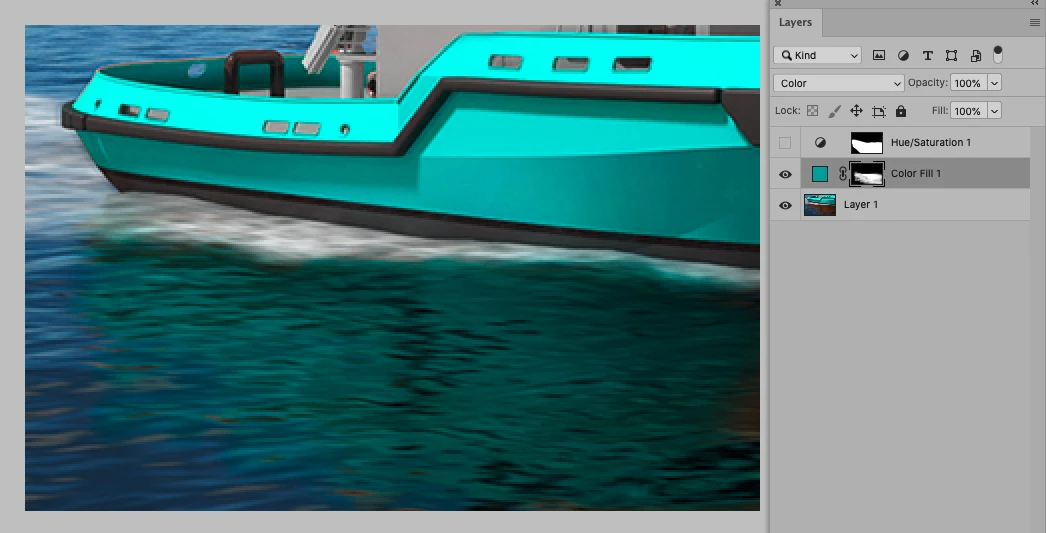
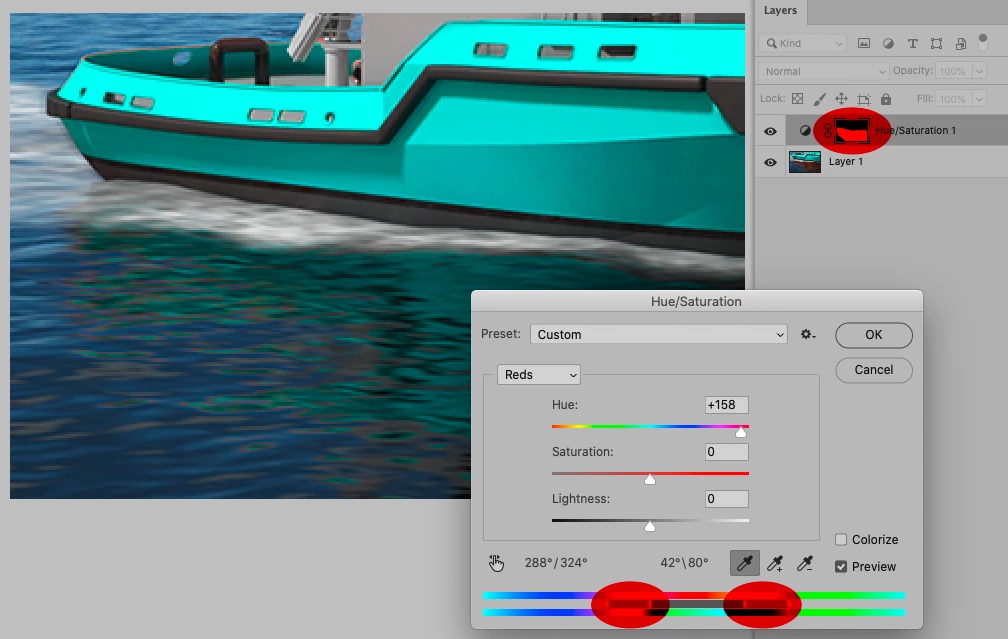
And it went very well, thanks for the good tips. Now that I changed the color of the ship it is also a bit of a problem with the reflections on the water. what would you recommend to change the color of the reflections?


Thanks a lot for your help 🙂


One can edit a Hue/Saturation Layer’s Color Ranges and drag the handles manually and add a Layer Mask to the Layer. 

Another option would be just using a Solid Color Layer with a Layer Mask and set to Blend Mode »Color«. 

1 reply

c.pfaffenbichler
Community Expert
Community Expert
February 1, 2022

Pleaase post (a lowres version of) the image in question. 

In what form do you have the replacement logo? 

Participating Frequently
February 1, 2022

it is a work image so I am not allowed from the company the new logo is in .jpg or .png


Participating Frequently
February 2, 2022

And? 


And it went very well, thanks for the good tips. Now that I changed the color of the ship it is also a bit of a problem with the reflections on the water. what would you recommend to change the color of the reflections?


Thanks a lot for your help 🙂