I think some of the replies might be over complicating this As Chuck and dave have said, going the Smart object route is a total no brainer. To make it clearer, you start with the first fabric flat and square and immediately make it a Smart Object. You'll probably need separate Smart Objects for each panel
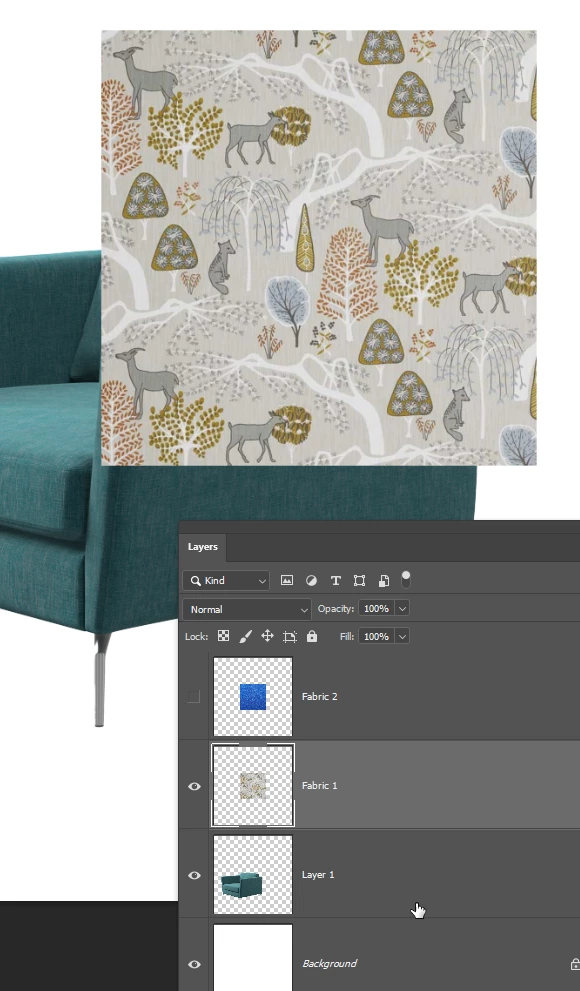
Shape each panel into place with Free Transform and apply shading by clipping a curves layer to the Smart Object
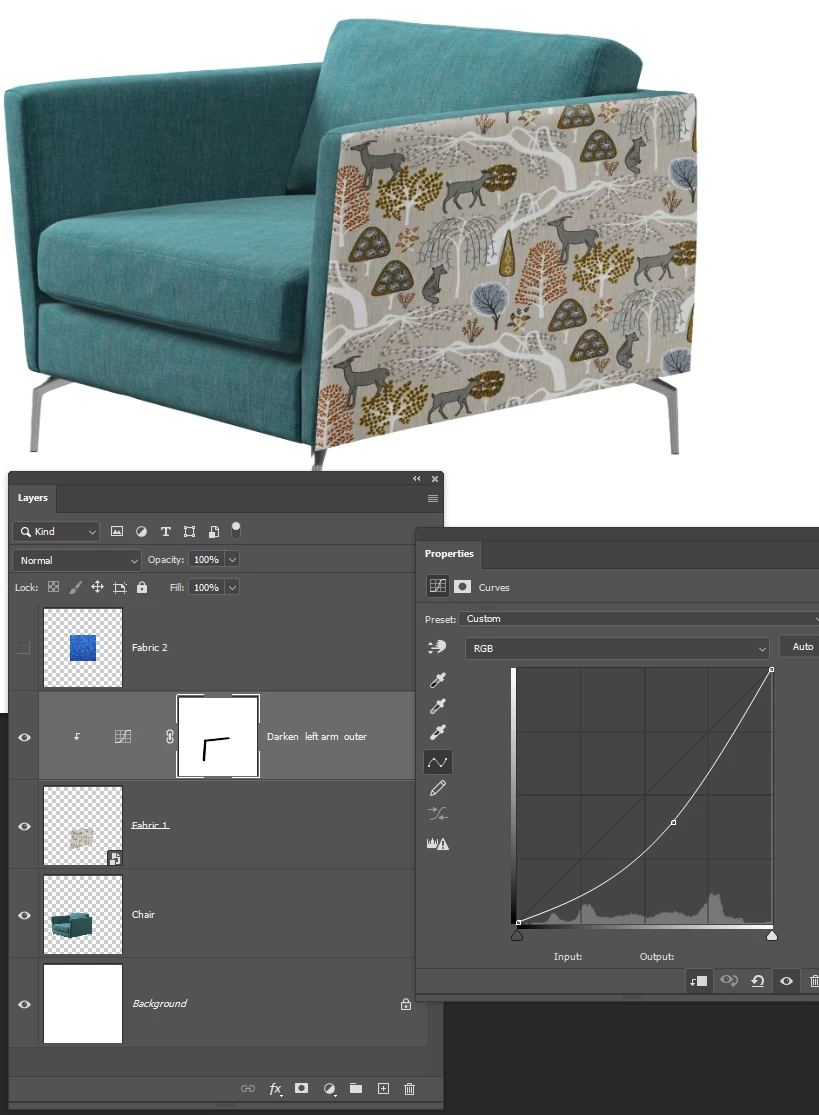
Then to change the fabric double click the Smart object which opens in a new window in its orginal flat and square state.
Add the new fabric as a new layer in the SO edit window, and turn off the first fabric.
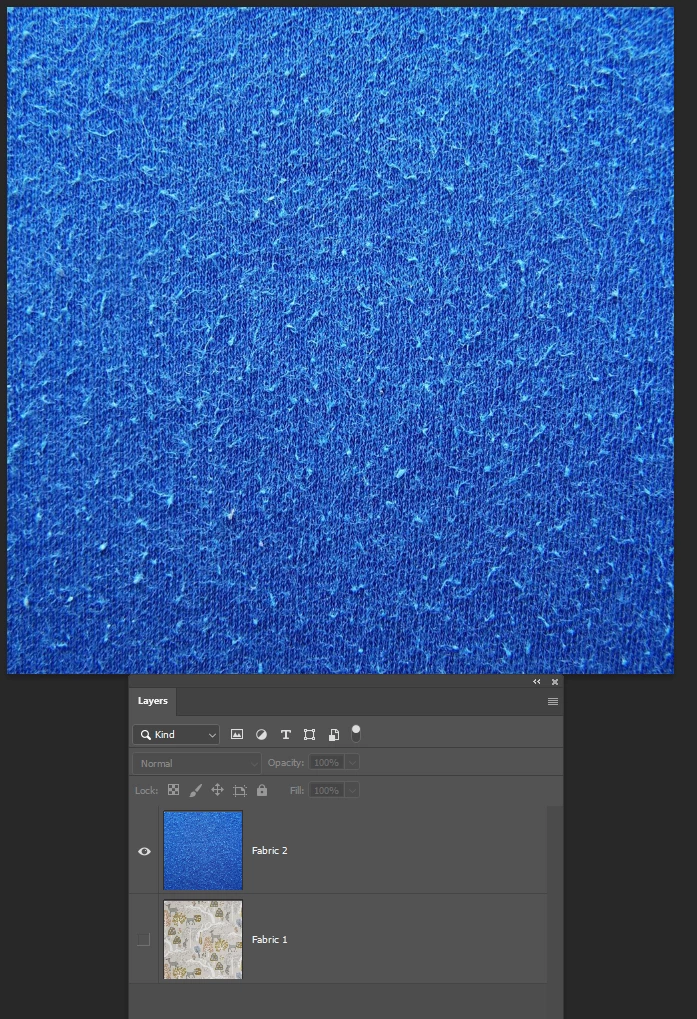
Save the SO and close it
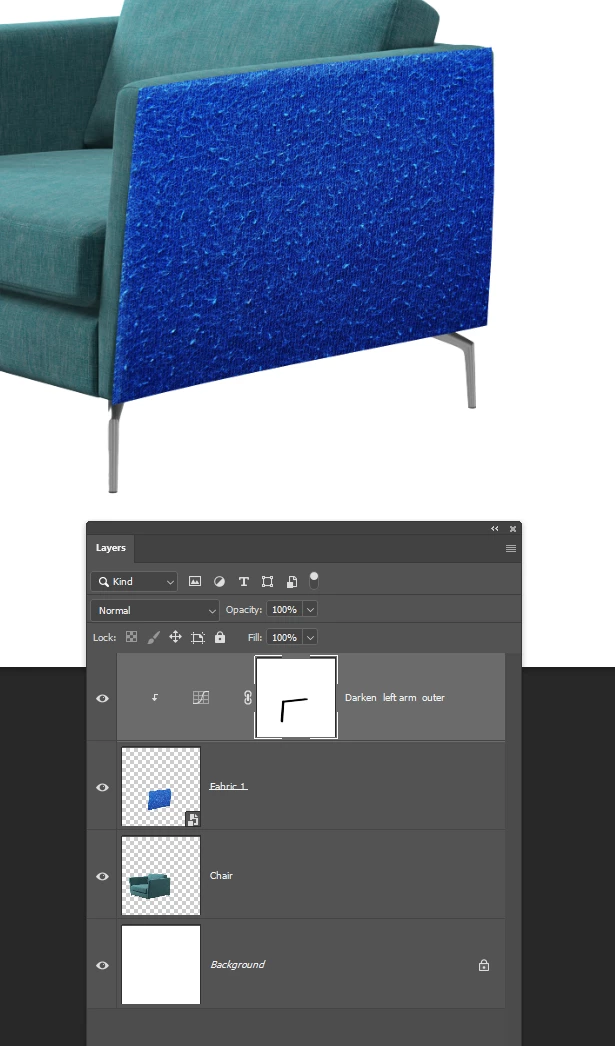
And the new fabric will be transformed and shaded the same as the original.
I have fallen into a wee trap there where the SO is still called Fabric 1 but that came out of me finding a couple of sample fabrics for the screen shot.
I am not sure if it is possible to combine all of the panels into a single nested Smart object to make the changes faster and slicker. I am thinking about linked Smart Objects, and I am also thinking about using CC Libraries. Dave or Chuck might have a quick answer for that, but I would need to think about it and try it out.

 AdChoices