
tryc
Participant
March 3, 2019
Question

Changing the brush for a drawn line

  • March 3, 2019
  • 5 replies
  • 893 views

Hi

Sorry if the title makes little sense, but this is a confusing question:
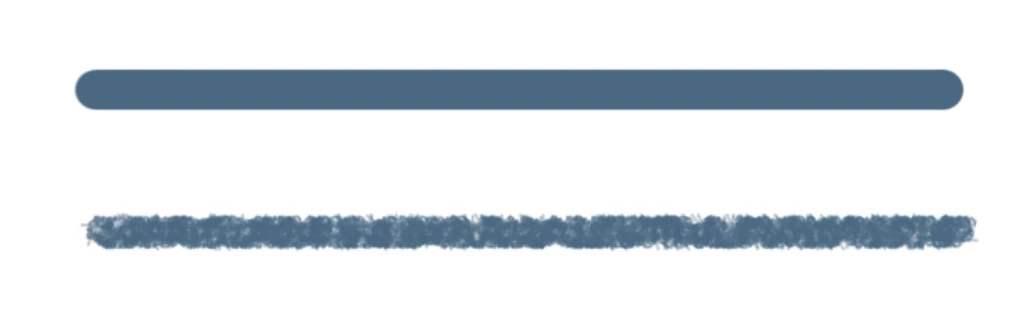
Assume I have the line above, what I want to do is make this already drawn line look like the one below, which is done in a separate brush with angle dynamics on.

Hopefully this is possible, thanks!

    This topic has been closed for replies.

    5 replies

    jane-e
    Community Expert
    Community Expert
    March 3, 2019

    tryc  wrote

    If you have drawn a Path and saved it, another option is that you can erase the old pixels, reselect the path, and put a new stroke on the path with the current brush settings.

    If you were using Illustrator you could select the path and change the brush. Photoshop puts pixels on the canvas so it’s not quite as easy.

    Jane

    Trevor.Dennis
    Community Expert
    Community Expert
    March 3, 2019

    Starting with a straight stroke

    Ctrl click to load the brush stroke as a selection, and add a layer mask.

    You can then eat into the brush stroke by editing the layer mask.

    The Filter Gallery is a good place to start.  Make sure the mask is selected with the white  box around it.

    This is splatter

    Sprayed Strokes

    Or you could combine filters by clicking on the New icon at the bottom of the panel, and add another filter or two.

    This is Splatter and Ocean Ripple.

    Another approach is to add the layer mask, and Ctrl click it to reload the selection, and make that selection into a workpath.

    Set up a brush with some angle jitter and perhaps a bit of scatter.  You need to get the size and everything right before using it, so test on a spare layer

    Then select the layer mask again, and stroke the path with your brush

    Right click the path and choose Stroke and brush.  Make sure Simulate pressure is turned off

    If that did too much damage, undo and reduce brush size, then do it again

    Other things you can do.

    Add a layer, and fill it with texture.   What  I have done here is fill with 50% grey, and add  noise.  Clip it to the Blue brush stroke layer, and set it's blend mode to Multiply.

    At the end of the day, it's Photoshop, so there is almost no limit to what you can do.

    Randy Hufford
    Community Expert
    Community Expert
    March 3, 2019

    I just went into brush and brush preset pallets and moved sliders around. Really easy. Try play with it. I just used a photoshop preset brush and you can see on screen shot the sliders i played with.

    Semaphoric
    Community Expert
    Community Expert
    March 3, 2019

    Possibly a layer filled with texture, and an appropriate blending mode, or maybe an Adjustment Layer with a texture in the layer mask.

    lambiloon
    Community Expert
    Community Expert
    March 3, 2019

    Hi there you can get many hand drawn free brush files and save them in Photoshop directory no big deal at all....Thanks

    Ali Sajjad / Graphic Design Trainer / Freelancer / Adobe Certified Professional